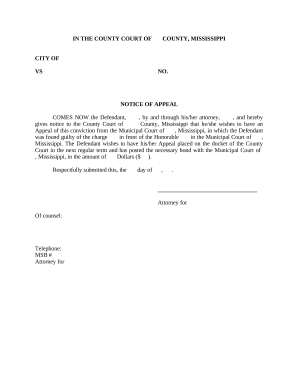
Type text, add images, blackout confidential details, add comments, highlights and more.
02. Sign it in a few clicks
Draw your signature, type it, upload its image, or use your mobile device as a signature pad.
03. Share your form with others
Send it via email, link, or fax. You can also download it, export it or print it out.
How to use or fill out bhomeland with our platform
Ease of Setup
DocHub User Ratings on G2
Ease of Use
DocHub User Ratings on G2
Click ‘Get Form’ to open the bhomeland application in the editor.
Begin by filling out the Employee Information section. Enter your name, organization, phone number, duty title and grade, security clearance, email, supervisor's name and email, and their phone number.
Indicate if you are requesting a Rotational Assignment by selecting one of the options provided: DHS Fellows, DHS SES Candidate Development, PMF Program, or Other.
If you have secured a rotational assignment, provide details such as the organization name, rotation duty title, proposed start and end dates, host office supervisor's contact information.
If you have not secured an assignment yet, list your top three preferences for components and functional areas.
Describe the duties associated with your proposed rotation in the Rotational Assignment Description section. If applicable, indicate whether funding is required and if your component is willing to fund it.
Complete the Executive Core Qualifications (ECQ) section by outlining your individual development goals related to leading change, people, results driven initiatives, business acumen, and building coalitions.
Sign and date the application form at the Applicant Signature section before submitting it via email to rotations@hq.dhs.gov.
Start using our platform today to streamline your bhomeland application process for free!
Committee on Homeland Security Congressional Website
Subcommittees Border Security and Enforcement Cybersecurity and Infrastructure Protection Emergency Management and Technology Counterterrorism andRead more
Cookie consent notice
This site uses cookies to enhance site navigation and personalize your experience.
By using this site you agree to our use of cookies as described in our Privacy Notice.
You can modify your selections by visiting our Cookie and Advertising Notice.