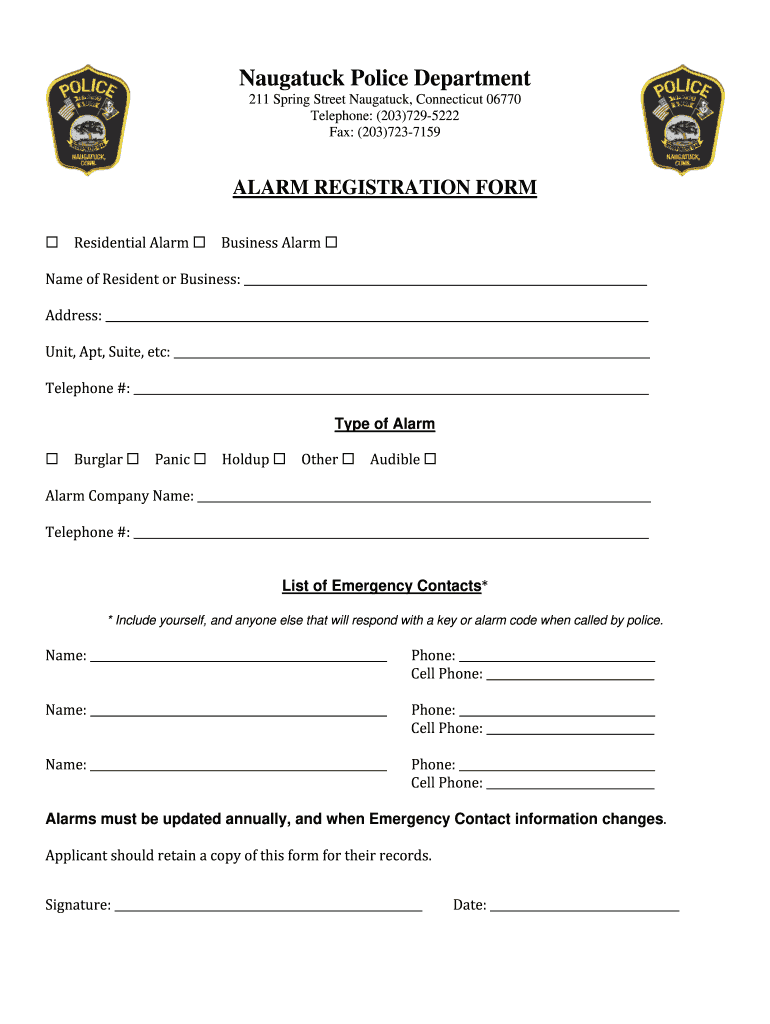
Alarm Registration Form - Naugatuck PD 2026

Get Form
naugatuck pd Preview on Page 1

Here's how it works

01. Edit your naugatuck pd online
Type text, add images, blackout confidential details, add comments, highlights and more.
02. Sign it in a few clicks
Draw your signature, type it, upload its image, or use your mobile device as a signature pad.
03. Share your form with others
Send it via email, link, or fax. You can also download it, export it or print it out.

How to use or fill out Alarm Registration Form - Naugatuck PD with our platform

Form edit decoration
9.5
Ease of Setup
DocHub User Ratings on G2
9.0
Ease of Use
DocHub User Ratings on G2
  1. Click ‘Get Form’ to open the Alarm Registration Form in the editor.
  2. Begin by entering the name of the resident or business in the designated field. Ensure accuracy for proper registration.
  3. Fill in the address, including any unit, apartment, or suite numbers to provide complete location details.
  4. Input your telephone number in the corresponding field for contact purposes.
  5. Select the type of alarm you have by checking the appropriate boxes for burglar, panic, holdup, or other types.
  6. Provide the name and telephone number of your alarm company to facilitate communication during emergencies.
  7. List emergency contacts who can respond when called by police. Include their names and phone numbers, ensuring they are reachable.
  8. Sign and date the form at the bottom to validate your submission. Remember to keep a copy for your records.

Start filling out your Alarm Registration Form today using our platform for free!

be ready to get more

Complete this form in 5 minutes or less

Get form

Got questions?

We have answers to the most popular questions from our customers. If you can't find an answer to your question, please contact us.
Contact us

Yes, you can utilize DocHub for signing any business and personal paperwork, including your Alarm Registration Form - Naugatuck PD. All eSignatures you generate with our tool are legally binding and court-admissible, as DocHub complies with standards required by ESIGN and UETA. Save your completed form with a detailed Audit Trail if necessary.

If your go-to email service is Gmail, you can easily incorporate your DocHub editor into your work. Modify your Alarm Registration Form - Naugatuck PD with DocHub tools and attach it to your drafts in Gmail. See how straightforward it is to exchange papers and collaborate having a swift PDF editing solution at hand.

be ready to get more

Complete this form in 5 minutes or less

Get form