Type text, add images, blackout confidential details, add comments, highlights and more.
02. Sign it in a few clicks
Draw your signature, type it, upload its image, or use your mobile device as a signature pad.
03. Share your form with others
Send it via email, link, or fax. You can also download it, export it or print it out.
How to use or fill out Parent Volunteer Hours Tracking Log - City Neighbors Hamilton with our platform
Ease of Setup
DocHub User Ratings on G2
Ease of Use
DocHub User Ratings on G2
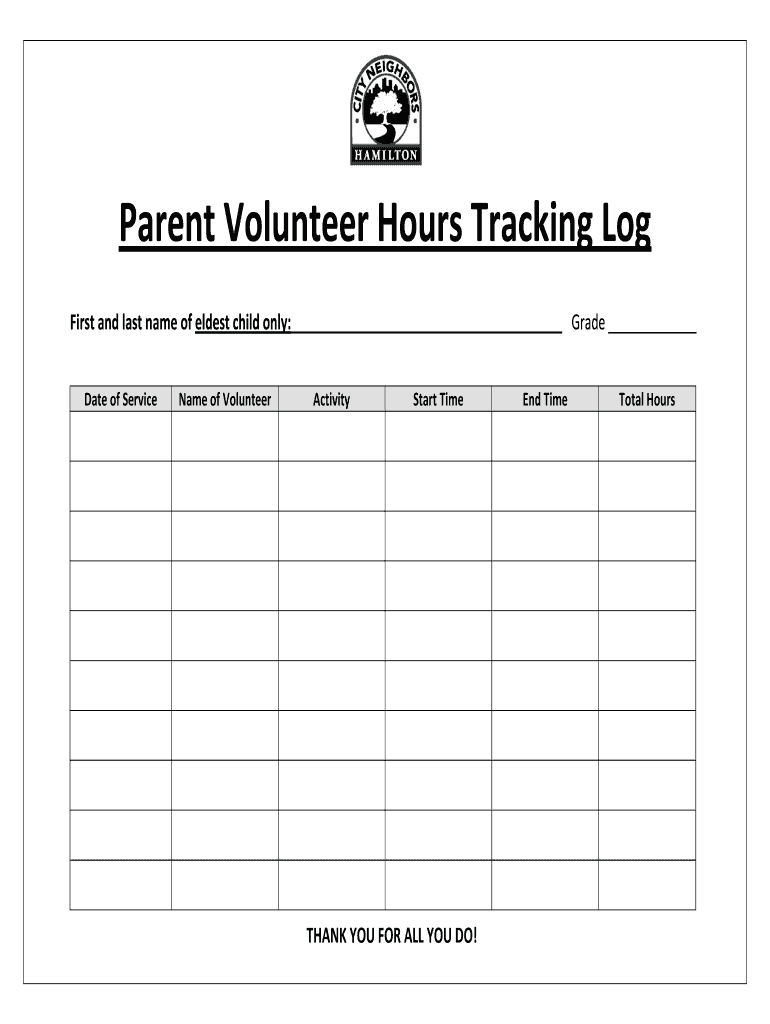
Click ‘Get Form’ to open the Parent Volunteer Hours Tracking Log in the editor.
Begin by entering the first and last name of your eldest child in the designated field. This helps us identify your volunteer contributions accurately.
Next, fill in the grade of your eldest child. This information is essential for tracking volunteer hours specific to each grade level.
In the 'Date of Service' section, input the date when you volunteered. This will help maintain an organized record of all volunteer activities.
Enter your name as the volunteer in the 'Name of Volunteer' field. This ensures that your efforts are recognized appropriately.
Document the activity you participated in during your service. Be specific to provide clarity on how you contributed.
Record both the start and end times of your volunteering session. This allows for accurate calculation of total hours served.
Finally, calculate and enter the total hours volunteered in the designated field at the bottom of the form.
Start using our platform today to effortlessly track and submit your volunteer hours!
Fill out Parent Volunteer Hours Tracking Log - City Neighbors Hamilton online It's free
How Hamilton Elementary Cut its Chronic Absenteeism
Aug 4, 2025 So that family is now a registered volunteer at our school. They volunteer for everything. Theyre not chronically absent at all. I think theyRead more
NOTICE: The project that is the subject of this report was approved by the Governing Board of the National Research Council, whose members are drawn fromRead more
Cookie consent notice
This site uses cookies to enhance site navigation and personalize your experience.
By using this site you agree to our use of cookies as described in our Privacy Notice.
You can modify your selections by visiting our Cookie and Advertising Notice.