Type text, add images, blackout confidential details, add comments, highlights and more.
02. Sign it in a few clicks
Draw your signature, type it, upload its image, or use your mobile device as a signature pad.
03. Share your form with others
Send it via email, link, or fax. You can also download it, export it or print it out.
How to use or fill out ktkan ebook with our platform
Ease of Setup
DocHub User Ratings on G2
Ease of Use
DocHub User Ratings on G2
Click ‘Get Form’ to open the ktkan ebook in the editor.
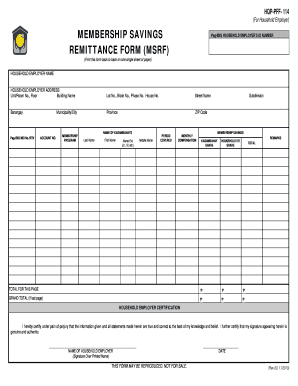
Begin by entering your company name in the designated field. Ensure accuracy as this will be used for identification.
Fill in the date of incorporation and legal status of your company. This information is crucial for verifying your business's legitimacy.
Provide your registered address, including telephone and fax numbers, email, and website. This contact information is essential for communication purposes.
In the sponsors/shareholders section, list each individual along with their designation, nationality, shareholding percentage, years of experience in IT business, and whether they are involved in management.
For the business operation description, succinctly explain your current operations, market advantages over competitors, customer value proposition, and any relevant intellectual property.
Complete the financials section by detailing sales and profit figures for the last three years across specified categories.
Indicate your market strategy by ticking the appropriate boxes for local or export markets.
Finally, declare that all provided information is true and correct before signing off on the document.
Start using our platform today to effortlessly complete your ktkan ebook!
[Product License] The app offers a Free Trial, allowing users to open and read all eBook and PDF formats. While access to all file formats is freely available, certain advanced features, such as eBook formats conversion, printing, and exporting, require upgrading to the Premium version.
Is it illegal to read pirated books?
That is the part of piracy that is illegal. The illegal part is when you create and distributing copies. Copyright law has nothing to do with reading stuff that you have not paid for. Instead, it is about the illegality of creating and distributing copies.
How to download and read eBooks?
Buy ebooks On your Android phone or tablet, open the Google Play Books app . Search for the ebook youd like to read. Select an ebook. tap the price. [Optional] Depending on the book, you may also be able to read a sample. Tap Sample.
Are free ebooks legal?
Books that are in the public domain, meaning their copyright has expired, can be legally offered as free ebooks. Public domain books are generally older works where copyright protection has lapsed, allowing them to be freely accessed, distributed, and used by the public.
Are free ebooks safe?
Never download pirated ebooks. Always buy books and digital content from legitimate retailers. Unless its from a trusted retailer, some ebooks may contain malicious software that can malware, spyware, and viruses in your computer. Do not distribute ebooks unless the company or author allows it.
An eBook Library is a digital hub where you can read or download books online. Its a modern upgrade to traditional libraries, offering unmatched benefits: Anytime Access: Read from anywhere, anytime. Free Downloads: Enjoy a vast collection of free eBooks.
Can I read an eBook for free?
There are several good apps for reading free eBooks. Some popular options include Kindle, Nook, and Google Play Books, which offer a variety of free titles. Additionally, apps like Project Gutenberg and Librivox provide access to a vast collection of classic literature in the public domain.
Cookie consent notice
This site uses cookies to enhance site navigation and personalize your experience.
By using this site you agree to our use of cookies as described in our Privacy Notice.
You can modify your selections by visiting our Cookie and Advertising Notice.