Instap permission printable 2026

Get Form
cot photo editor online Preview on Page 1

Here's how it works

01. Edit your cot photo editor online online
Type text, add images, blackout confidential details, add comments, highlights and more.

02. Sign it in a few clicks
Draw your signature, type it, upload its image, or use your mobile device as a signature pad.

03. Share your form with others
Send instap login via email, link, or fax. You can also download it, export it or print it out.

How to use or fill out instap permission printable with our platform

Form edit decoration
9.5
Ease of Setup
DocHub User Ratings on G2
9.0
Ease of Use
DocHub User Ratings on G2
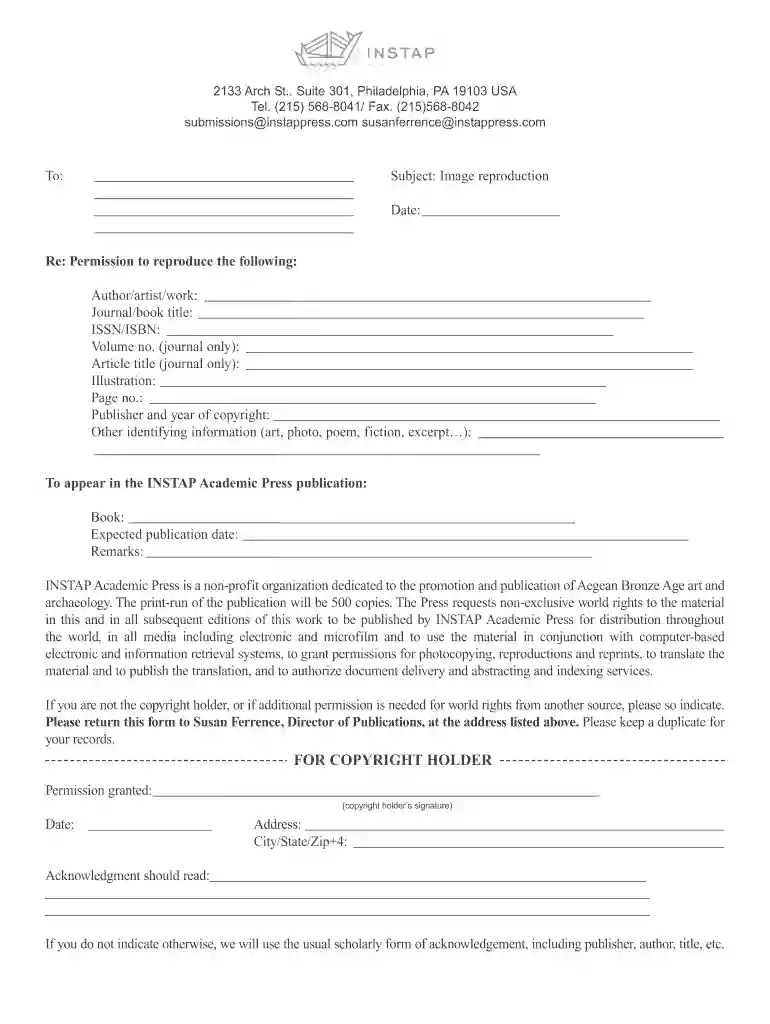
  1. Click ‘Get Form’ to open the instap permission printable in the editor.
  2. Begin by filling in the recipient's information in the designated area. This includes the name and address of the individual or organization you are addressing.
  3. In the 'Subject' field, clearly state 'Image reproduction' to indicate the purpose of your request.
  4. Complete the date section with today's date to ensure clarity on when the request is made.
  5. Fill out details regarding the work you wish to reproduce, including author/artist name, journal/book title, ISSN/ISBN, and any other identifying information as required.
  6. Specify where this material will appear within INSTAP Academic Press publications by providing relevant book titles and expected publication dates.
  7. If you are not the copyright holder, indicate this clearly in the form. Ensure all necessary permissions are noted.
  8. Finally, have the copyright holder sign and date at the bottom of the form before submitting it back to Susan Ferrence at INSTAP Academic Press.

Start using our platform today for free to streamline your document editing and signing process!

be ready to get more

Complete this form in 5 minutes or less

Get form

Got questions?

We have answers to the most popular questions from our customers. If you can't find an answer to your question, please contact us.
Contact us
Are there any legal requirements for a parent permission slip? Yes, a parent permission slip should include clear consent, emergency contact information, and often a statement acknowledging the childs participation risks, complying with local school and legal guidelines.
Permission Letter Format Address. The address in the permission letter format will include the address of the sender and receiver. Date. Adding a date in the format of the permission letter is important. Subject. The subject will tell in one line about the purpose of your email. Salutation. Main Body. Signature.
A consent form or permission slip template usually includes: The student name. What activity the child will be participating in. The start time, end time, and date of the activity. An emergency contact number. Release of legal liability, if applicable. Space for a parent signature.
Permission slip template example. You dont need to start from scratch when creating your letter of consent. You can download free editable permission slip templates below. Once you have them, easily adapt them to your needs and send to parents and guardians for them to fill out and sign electronically.
A proper permission letter should follow a formal letter structure. The essential components are: Senders Address and Date: Your address and the date the letter is written. Recipients Address: The schools name, designation of the recipient (e.g., The Principal), and school address.

Security and compliance

At DocHub, your data security is our priority. We follow HIPAA, SOC2, GDPR, and other standards, so you can work on your documents with confidence.

Learn more
be ready to get more

Complete this form in 5 minutes or less

Get form

People also ask

Writing Your Draft Review any information from the original request. Gather specific details about the subject of your letter. Identify yourself and your interest in the subject of the letter. Describe specifically what you consent to. Limit the period of time for which your consent is valid.
Start the slip with ``Dear (parent or guardian). Use a friendly tone, include all relevant details in sentence format, and close the letter with a comment that invites further communication. For example, you can write, ``If you have any questions or would like further information, dont hesitate to docHub out.

Related links