Type text, add images, blackout confidential details, add comments, highlights and more.
02. Sign it in a few clicks
Draw your signature, type it, upload its image, or use your mobile device as a signature pad.
03. Share your form with others
Send it via email, link, or fax. You can also download it, export it or print it out.
How to use or fill out ct conservatorship forms with our platform
Ease of Setup
DocHub User Ratings on G2
Ease of Use
DocHub User Ratings on G2
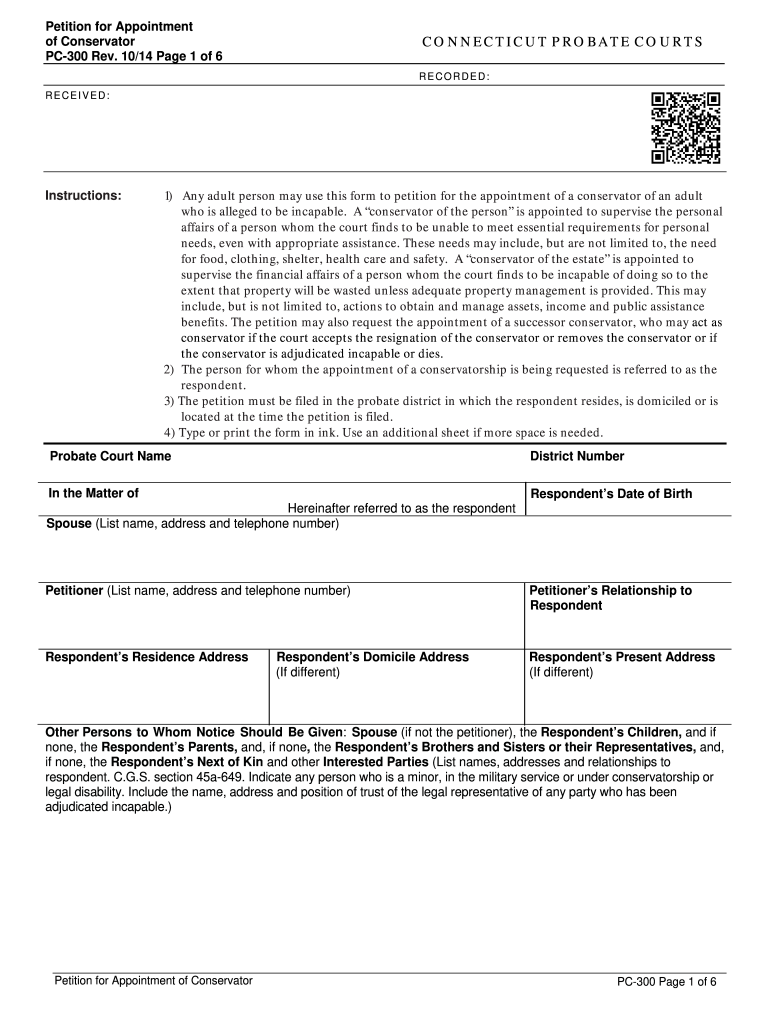
Click ‘Get Form’ to open the ct conservatorship form in the editor.
Begin by entering the Probate Court Name and District Number at the top of the form. This identifies where your petition will be filed.
Fill in the respondent's details, including their name, date of birth, and addresses. Ensure accuracy as this information is crucial for court processing.
Provide your information as the petitioner, including your relationship to the respondent. This establishes your standing in filing the petition.
Indicate any other parties who should receive notice about this petition, such as family members or legal representatives. List their names and relationships clearly.
In the section regarding efforts made to locate unknown parties, describe any attempts you have made to identify them.
Complete either Part A (Conservator of the Estate) or Part B (Conservator of the Person), depending on what you are requesting. Provide detailed descriptions of why a conservator is needed.
Sign and date the petition at the bottom. Ensure all required signatures are included for proposed conservators and attorneys if applicable.
Start filling out your ct conservatorship forms online for free today!
Fill out ct conservatorship forms online It's free
Involuntary conservatorship forms CTCT Probate forms onlineHow to apply for conservatorship in CTCt Probate forms pdfInvoluntary conservatorship CTList of conservators in CTCT probate forms instructionsConnecticut Probate Court forms
Security and compliance
At DocHub, your data security is our priority. We follow HIPAA, SOC2, GDPR, and other standards, so you can work on your documents with confidence.
Feb 2, 2021 Our annual reports on Form 10-K, quarterly reports on Form 10-Q, current reports on Form 8-K, and amendments to those reports filed or furnishedRead more
Conservatorship | Forms | Connecticut Probate Courts
Below is a full listing of the Probate Court forms available to the public applicable to conservatorship. Forms can be filtered by category and sorted aRead more
Appendix V Appointment of Guardianship - NIWAP Library
Nov 27, 2025 o Any adult person may be appointed guardian of the person or conservator of the estate, or both, of a minor or incapacitated or disabled personRead more
Cookie consent notice
This site uses cookies to enhance site navigation and personalize your experience.
By using this site you agree to our use of cookies as described in our Privacy Notice.
You can modify your selections by visiting our Cookie and Advertising Notice.