Form AB-130 - Wisconsin Department of Revenue - dor state wi 2025

Get Form
wi tax forms Preview on Page 1

Here's how it works

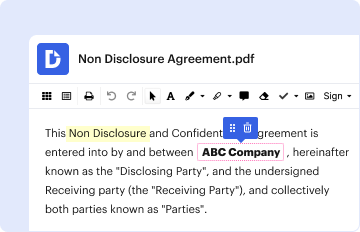
01. Edit your wi tax forms online
Type text, add images, blackout confidential details, add comments, highlights and more.

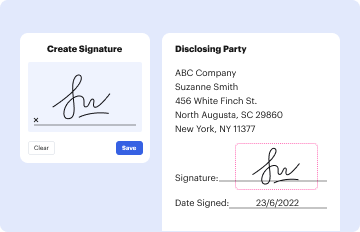
02. Sign it in a few clicks
Draw your signature, type it, upload its image, or use your mobile device as a signature pad.
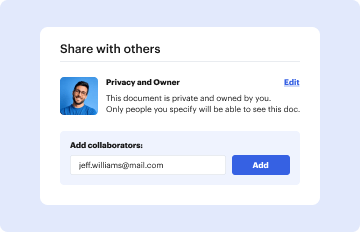
03. Share your form with others
Send wisconsin department of revenue forms via email, link, or fax. You can also download it, export it or print it out.

How to use or fill out Form AB-130 - Wisconsin Department of Revenue - dor state wi with DocHub

Form edit decoration
9.5
Ease of Setup
DocHub User Ratings on G2
9.0
Ease of Use
DocHub User Ratings on G2
  1. Click ‘Get Form’ to open it in the editor.
  2. Begin by entering your legal name, tax account number, and address in the designated fields at the top of the form.
  3. In Section 1, summarize your untaxed products. Start with line 1 by entering the physical inventory from last month’s return.
  4. Continue filling out Section 1 by entering total liters for purchases, bottled products, and released items as per the instructions provided.
  5. For Section 2, focus on tax-paid products. Enter relevant data from your records into lines corresponding to purchases and transfers.
  6. Complete Section 3 for tax computation by calculating totals based on your entries from Sections 1 and 2.
  7. Finally, review all entries for accuracy before signing and submitting your form electronically through our platform.

Start using our platform today to streamline your form completion process for free!

See more Form AB-130 - Wisconsin Department of Revenue - dor state wi versions

We've got more versions of the Form AB-130 - Wisconsin Department of Revenue - dor state wi form. Select the right Form AB-130 - Wisconsin Department of Revenue - dor state wi version from the list and start editing it straight away!
Versions Form popularity Fillable & printable
2016 4.8 Satisfied (116 Votes)
2014 4 Satisfied (47 Votes)
be ready to get more

Complete this form in 5 minutes or less

Get form

Got questions?

We have answers to the most popular questions from our customers. If you can't find an answer to your question, please contact us.
Contact us
For those who do not have internet access or the ability to print, paper forms and instructions are available upon request. Call or visit any of the Department of Revenue offices located throughout the state. Call (608) 266-2486. Email DORFormsRequests@wisconsin.gov.
Wisconsin doesnt have a specific signature form for electronic filing. However, they still require a signature. Youll need to complete and sign the WI Electronic Filing Authorization for Corporations worksheet before you file the return electronically.
If you are filing Wisconsin Form 1, send your return to the Wisconsin Department of Revenue at: If refund or no tax due. PO Box 59. Madison, WI 53785-0001. If refund or no tax due. PO Box 59. Madison, WI 53785-0001. If tax is due or submitting Schedule CC to request a closing certificate: PO Box 8918. Madison, WI 53708-8918.
Under the old regime, individuals below 60 years of age have to file an ITR if their income exceeds Rs. 2.5 lakhs, and individuals above 60 years of age have to file an ITR if their income is more than Rs. 3 lakhs. However, under the new regime, the basic exemption limit for individuals is Rs. 3 lakhs.
What states allow eSign or electronic signatures in tax returns? CCH eSign is available for all states.
be ready to get more

Complete this form in 5 minutes or less

Get form

People also ask

The following states do not allow state-only filing: Arkansas, Mississippi, and Oklahoma. If you wish to electronically file any of these state tax returns, you must e-file your federal tax return at the same time.
If you are printing and mailing your state return, you must include Schedule A from the Federal Return to claim the itemized deductions. Schedule A will not populate within the printed PDF if you chose the standard deduction on the federal return. To make the Schedule A populate: Go to the Federal Section.

wisconsin state tax withholding form 2022