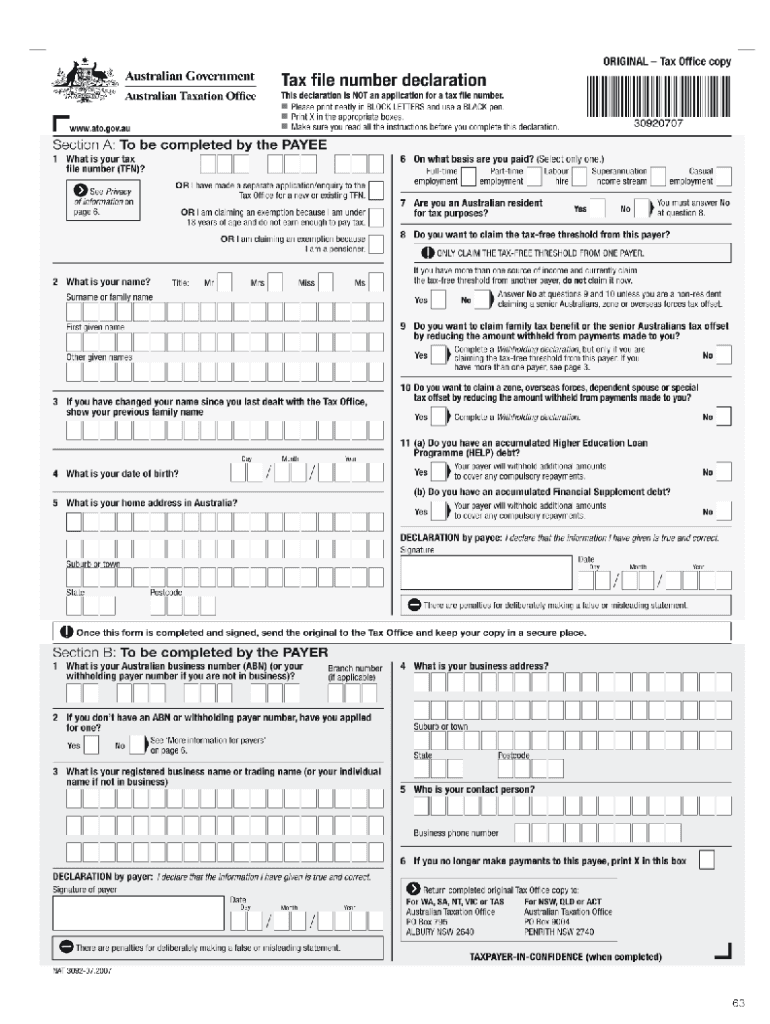







Understanding the Tax Declaration Form Online
A tax declaration form online serves as an essential tool for individuals and businesses to report income, claim deductions, and manage tax obligations effectively. This form is crucial for ensuring compliance with federal and state tax laws, and it typically includes important personal and financial information that determines liability. Users must be aware of the specific requirements and processes associated with submitting this form electronically, especially considering the digital landscape and various options available.
Steps to Complete the Tax Declaration Form Online
-
Access the Form
Begin by navigating to a reliable online platform that provides the tax declaration form. Ensure that the selected source is updated and complies with IRS requirements. Popular choices include tax software providers, government websites, or specialized online services. -
Provide Personal Information
Fill in the necessary personal details, such as name, address, Social Security number, and contact information. This section typically requires accuracy, as discrepancies can lead to complications. -
Report Income
Clearly and comprehensively report all sources of income. This includes wages, dividends, and self-employment earnings. Depending on your financial situation, relevant documentation should be referenced, such as W-2s and 1099s. -
Claim Deductions and Credits
Identify and claim any applicable deductions or tax credits. Common deductions include student loan interest, mortgage interest, and medical expenses. It's essential to refer to IRS guidelines to ensure all eligible deductions are included. -
Review and Submit
After completing the form, carefully review all entered information to avoid errors. Electronic submission is often facilitated by built-in checks that flag potential issues. Once verified, submit the form and retain a copy for personal records.
How to Obtain the Tax Declaration Form Online
Obtaining the tax declaration form online is a straightforward process. Start by visiting the IRS website or trusted tax preparation platforms that provide access to the latest versions. Here are steps to follow:
- Visit Official Websites: Direct your search to the IRS online portal or authorized third-party sites.
- Select the Correct Form: Ensure you are downloading the appropriate tax declaration form for your specific needs, whether for individual or business declarations.
- Download or Complete Online: Some platforms allow you to fill out the form directly on the site, while others may require you to download a PDF to fill out offline.
- Register for E-File Services: If utilizing third-party software, consider registering for e-file services, which streamline the submission process.
Key Elements of the Tax Declaration Form Online
-
Personal Identification Section
This segment captures essential taxpayer details. Accurate information here is vital for processing and correspondence. -
Income Disclosure
A prominent section where all income must be itemized to accurately assess tax liability. Users must report different types of income, using tax documents to substantiate claims. -
Deductions and Credits
Specific lines or sections dedicated to claiming eligible deductions and credits, crucial for reducing taxable income. -
Signature and Date
Many forms require a digital signature and date confirmation to validate the submission. This step is necessary for compliance and official processing. -
Submission Options
Clearly stated options for submitting the form, including electronic submission, fax, or mailing instructions, depending on the platform used.
Important Terms Related to Tax Declaration Form Online
- Taxable Income: The total income subject to tax after deductions and exempt amounts.
- Deductions: Specific expenses that reduce taxable income, such as mortgage interest or medical expenses.
- Filing Status: Different categories based on marital status or other factors that influence tax liabilities.
- E-filing: The process of submitting a tax return electronically, often with added security measures for a seamless experience.
IRS Guidelines for Filing
Adhering to IRS guidelines is critical for a successful filing experience. Important considerations include:
- Filing Deadlines: Typically, tax returns are due on April 15, but this date may shift for various reasons. Always verify if extensions or special provisions apply.
- Record Keeping: Maintain thorough records of all documentation associated with the tax declaration, as these may be needed for future reference or audits.
- Review Changes: The IRS may update filing requirements or guidelines annually, so staying informed of any changes is key to ensuring compliance.
Digital vs. Paper Version of Tax Declaration Form
The choice between a digital or paper form has implications for ease of use, speed of processing, and security. Key differences include:
- Speed: Digital submissions are processed faster compared to paper forms, reducing the waiting time for confirmations and refunds.
- Accessibility: Online forms can be filled out from any location, providing flexibility for users.
- Security: Electronic submissions often incorporate encryption and other security measures to protect sensitive data during transmission. However, paper forms may pose risks if they are lost in transit.
Examples of Using the Tax Declaration Form Online
- Employed Individuals: A standard use scenario where employees report wages and claim deductions on medical expenses or educational costs.
- Self-Employed Individuals: Freelancers and business owners may utilize this form to report income and business-related expenses, allowing them to benefit from deductions not available to traditional employees.
- Tax Credits for Families: Families with dependent children often use this form to claim credits specifically designed for child and dependent care expenses, which can significantly impact overall tax liability.
These examples illustrate the versatility and necessity of the tax declaration form online, highlighting different user cases and their respective processes.