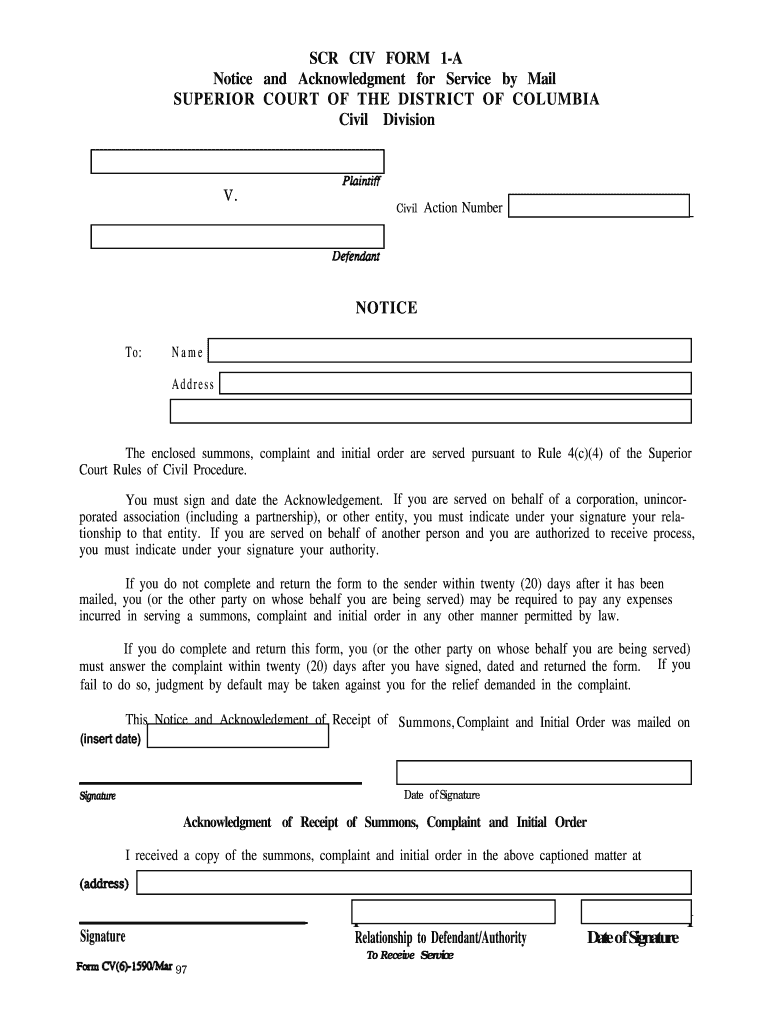
Dcsc florida court form 2026

Get Form
dcsc florida court form Preview on Page 1

Here's how it works

01. Edit your form online
Type text, add images, blackout confidential details, add comments, highlights and more.
02. Sign it in a few clicks
Draw your signature, type it, upload its image, or use your mobile device as a signature pad.
03. Share your form with others
Send it via email, link, or fax. You can also download it, export it or print it out.

How to use or fill out dcsc florida court form with our platform

Form edit decoration
9.5
Ease of Setup
DocHub User Ratings on G2
9.0
Ease of Use
DocHub User Ratings on G2
  1. Click ‘Get Form’ to open the dcsc florida court form in the editor.
  2. Begin by entering your name and address in the designated fields. Ensure that all information is accurate to avoid any delays.
  3. In the section labeled 'Date of Signature', input the date you are completing the form. This is crucial for tracking timelines.
  4. Sign the form where indicated. If you are signing on behalf of a corporation or another entity, clearly state your relationship or authority under your signature.
  5. Review all entered information for accuracy. Once confirmed, save your changes and prepare to send it back as instructed.
  6. Finally, ensure you return the completed form within twenty (20) days to avoid any legal repercussions.

Start using our platform today for free to streamline your document editing and signing process!

be ready to get more

Complete this form in 5 minutes or less

Get form

Got questions?

We have answers to the most popular questions from our customers. If you can't find an answer to your question, please contact us.
Contact us
Documents are electronically filed through the Florida Courts E-Filing Portal (the statewide portal). The statewide portal is accessible from the courts website (.2dca.org) or directly at . You must register for an account with the statewide portal.
The certification in the Certificate of Service must include the method of serving the parties (i.e. U.S. Mail and/or the Florida Courts e-filing portal) and the date that the parties were served. Saying all parties of record have been served is NOT the proper format.
In most custody battles, the winner is the parent who can best demonstrate that they serve the childs best interests. While mothers still win more cases overall, the gap has narrowed as fathers play a greater role in raising their children.
By Florida law, the Clerk of Courts in each county is the official custodian of court records. Click here to access the Clerks Online Services, including official records, civil/family/probate cases, criminal cases and traffic cases, or you may call the Clerks 24-hour voice response system at (305) 275-1155.
Essential documents to have in your possession Custody agreements. Child support payment records. School records. Medical records. Documentation of parental involvement. Communication logs. Character references. Evidence of a safe and stable living environment.

Security and compliance

At DocHub, your data security is our priority. We follow HIPAA, SOC2, GDPR, and other standards, so you can work on your documents with confidence.

Learn more
ccpa2
pci-dss
gdpr-compliance
hipaa
soc-compliance

People also ask

Parenting Plan forms 12.995 (a c) A parenting plan shows each parents responsibilities for how they will raise their child. This section includes a standard parenting plan, a supervised/safety-focused plan, and a relocation/long distance plan.

Related links