Type text, add images, blackout confidential details, add comments, highlights and more.
02. Sign it in a few clicks
Draw your signature, type it, upload its image, or use your mobile device as a signature pad.
03. Share your form with others
Send career intentions worksheet uscg via email, link, or fax. You can also download it, export it or print it out.
How to use or fill out uscg form 3600 with our platform
Ease of Setup
DocHub User Ratings on G2
Ease of Use
DocHub User Ratings on G2
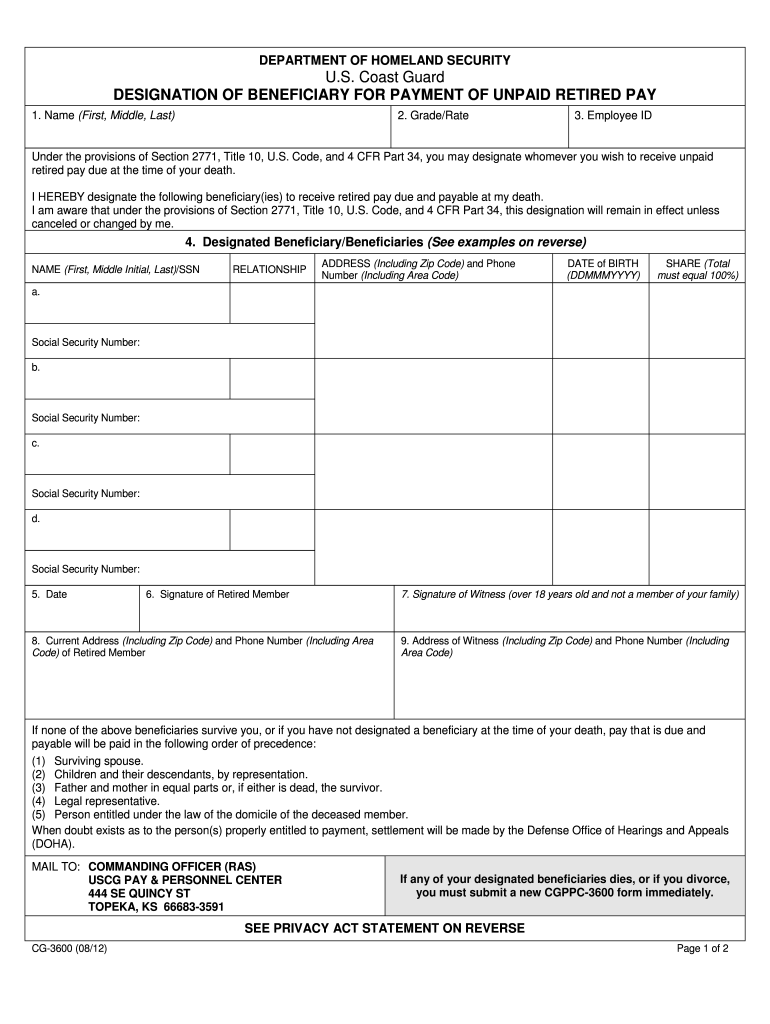
Click ‘Get Form’ to open the uscg form 3600 in the editor.
Begin by entering your name in the first section, including your first, middle, and last names. This is essential for identification.
Next, fill in your grade/rate and employee ID. These details help verify your military status.
Designate your beneficiary or beneficiaries by providing their full names, relationships to you, addresses, phone numbers, dates of birth, and social security numbers. Ensure that the total share equals 100%.
After completing the beneficiary section, enter the date and provide your signature as the retired member.
A witness must sign and provide their address and phone number. Ensure they are over 18 and not a family member.
Finally, review all entries for accuracy before submitting the form to the specified address.
Start filling out your uscg form 3600 online for free today!
Participants enlist in the Coast Guard, complete basic training in the summer, and receive full tuition coverage, a salary, housing allowance, and militaryRead more
RYCO HYDRAULICS. THE COMPANY. RYCO Hydraulics started manufacturing hoses, fittings and filters in 1946. As the hydraulics industry evolved, the Company.Read more
Cookie consent notice
This site uses cookies to enhance site navigation and personalize your experience.
By using this site you agree to our use of cookies as described in our Privacy Notice.
You can modify your selections by visiting our Cookie and Advertising Notice.