
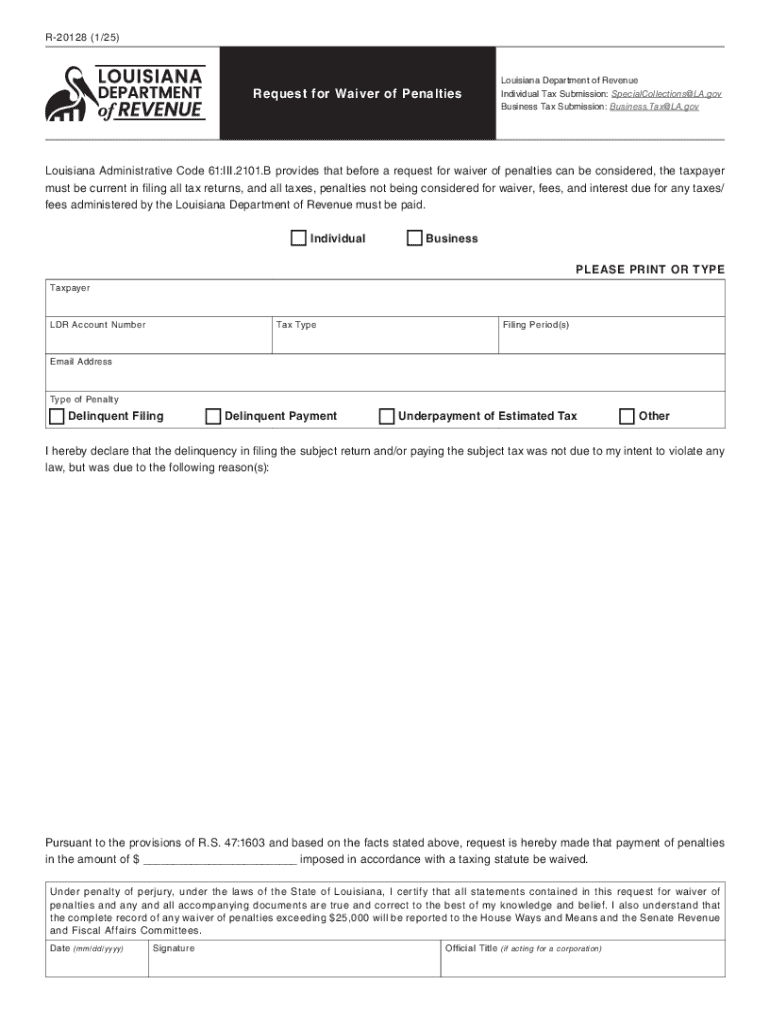







Definition and Purpose of Forms Online
Forms online encompass a range of digital documents that can be filled out, submitted, and processed over the internet. These forms streamline data collection processes across various industries, including government, finance, and healthcare. Utilizing online forms, users can efficiently submit their information without the need for physical paperwork. This method not only saves time but also reduces the possibility of errors associated with manual handling.
- Examples: Online forms are commonly used for tax submissions, student enrollments, or job applications.
- Purpose: They aim to streamline the workflow by enabling instant data capture and automated processing.
How to Use Forms Online
Using online forms involves a straightforward process that can be broken down into a few essential steps. This process is applicable to most platforms that offer online form services:
- Access: Visit the website hosting the form. Often, it's recommended to have a stable internet connection to avoid losing input data.
- Filling Out the Form: Enter the required information into each field. Most forms will guide users with tooltips or instructions for each section.
- Review: Before submitting, review all filled information to ensure accuracy. Many platforms offer a summary page for final checks.
- Submit: Click the submit button to send the form. Some sites may require verification like CAPTCHA or email confirmation.
- Confirmation: Upon successful submission, expect a confirmation message or email receipt detailing submission details.
Obtaining Forms Online
There are multiple ways to obtain forms online, varying by the issuing authority or organization:
- Direct Download: Many government or organizational websites offer direct downloads for forms. Ensure the source is official to guarantee authenticity.
- Email Request: Some services might allow users to request forms via email, after which a downloadable link or attachment is provided.
- Third-Party Portals: For tax forms or official documents, third-party services like DocHub provide access, often with enhanced features for filling and submission.
Steps to Complete Forms Online
Completing forms online typically involves a clear sequence of actions, ensuring all data is accurately captured:
- Log In/Create Account: Some platforms require users to log in or register to use the form services.
- Select Form Type: Choose the specific form needed from a list or via a search function.
- Enter Data: Fill in the required fields. Use options like dropdown lists or checkboxes for ease where applicable.
- Attach Documents: If necessary, attach supporting documents directly to the form. Ensure file types are compatible with the system used.
- Sign Electronically: Complete the form by applying any required electronic signatures using the embedded tools on the platform.
Benefits of Using Forms Online
Conducting form transactions online yields multiple advantages tailored to various user needs:
- Efficiency: Real-time data processing speeds up workflows and reduces administrative burdens.
- Convenience: Forms can be accessed and completed from anywhere with internet connectivity, offering significant flexibility.
- Reduction in Errors: Built-in validations check inputs for common errors, enhancing data accuracy.
Typical Users of Forms Online
Online forms are utilized by diverse user groups, spanning both individual and corporate entities:
- Individuals: Taxpayers and job applicants frequently submit forms online for fast processing.
- Businesses: Organizations leverage forms for employee onboarding, client registrations, and data reporting.
- Government Agencies: Use online systems for public services like permit applications or census data collection.
Key Elements of Forms Online
Understanding the core components of online forms is crucial for optimizing their use:
- Interactive Fields: Include text boxes, checkboxes, and dropdown menus tailored to data collection needs.
- Validation Rules: Ensure data quality and discourage errors by enforcing specific formatting rules or required field statuses.
- Submission Confirmation: Many forms provide immediate feedback post submission, confirming receipt and detailing any next steps.
Examples and Case Studies of Using Forms Online
Example 1: Tax Filings
Many individuals use online forms to file taxes. This method allows them to input data, seek auto-calculations, and receive instant submission confirmation.
Example 2: Healthcare Registration
Patients can fill out registration forms online before visiting a healthcare facility, enhancing check-in efficiency and reducing wait times.
Case Study: Corporate HR
A multinational company transitioned its hiring process entirely online, reducing processing time per candidate by 50% and increasing the accuracy of candidate data.
By examining these benefits and examples, users can appreciate the efficiency and versatility forms online offer across different sectors.




