
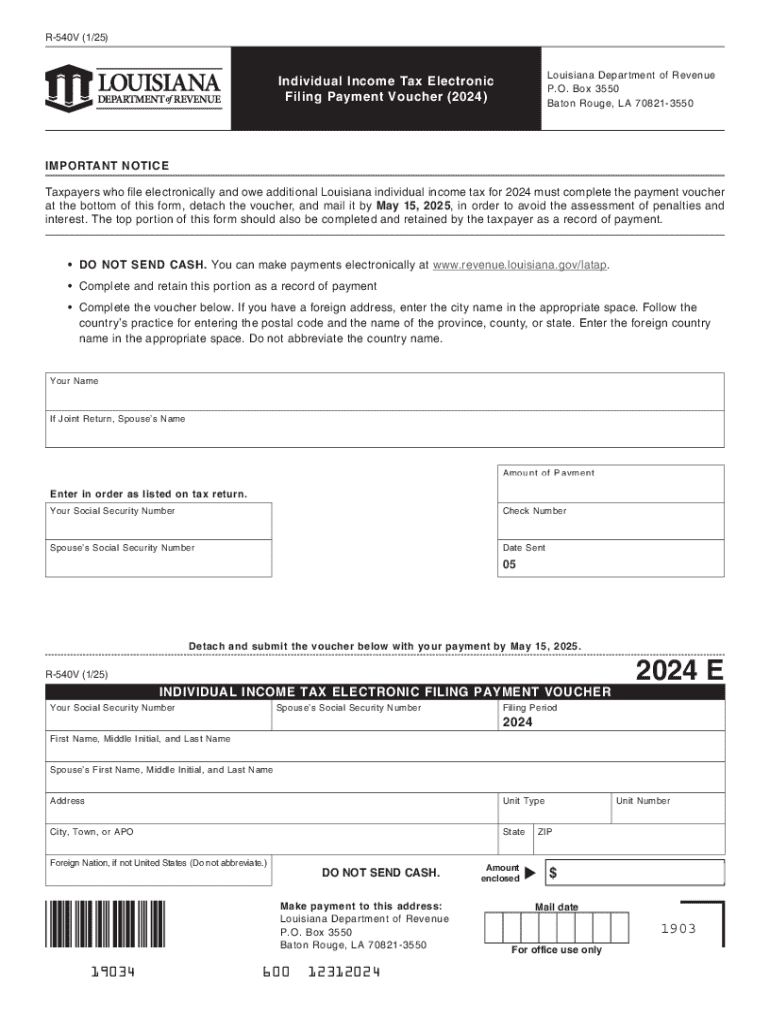







Definition and Meaning
A "form online" refers to any digital document available on the internet that users can fill out electronically. Forms online can range from simple contact information sheets to complex applications requiring detailed personal or financial data. These forms facilitate a wide range of activities such as applications, registrations, feedback collection, surveys, and data entry, streamlining processes that traditionally required physical paperwork. As they are accessible anytime, users benefit from increased convenience and efficiency.
Forms online typically function through web-based platforms like DocHub, providing users tools to input, save, and submit data securely. This digital approach helps ensure accuracy in data collection and can guide users in completing the necessary fields through validation criteria and mandatory field requirement indicators.
How to Use the Form Online
-
Access the Form: Start by navigating to the online platform where the form is hosted. This might be through a direct link, a website homepage, or within a specific online account.
-
Filling the Form: Once accessed, begin by inputting the required information. Use predefined fields such as text boxes, radio buttons, drop-down lists, and checkboxes. Some platforms may allow for auto-filling personal data to save time.
-
Save Progress: Many online form platforms include functionality to save progress. This feature is essential for longer forms or when detailed information necessitates pausing for research or gathering additional documents.
-
Review and Edit: Before submission, review all entered data, ensuring accuracy and completeness. Online forms often offer review stages or error-check indicators to spot and adjust mistakes.
-
Submit and Confirm: Once satisfied with the entries, submit the form. A confirmation email or on-screen message typically follows, acknowledging receipt and offering a reference number or copy of the submission for personal records.
How to Obtain the Form Online
-
Official Websites: Many governmental and organizational forms are available on official websites. Platforms like DocHub enable document uploading and editing, which can be instrumental in handling forms not readily available in fillable formats.
-
Email or Direct Invitations: Sometimes, forms are shared directly through email or secure links, especially for company-specific or role-specific data collection.
-
Cloud Services: Utilize cloud storage integration with platforms like Google Drive or Dropbox to find and manage forms stored within personal or organizational accounts.
Steps to Complete the Form Online
-
Read Instructions: Start by carefully reviewing any instructions provided on the form's landing page to understand requirements and expected outcomes.
-
Gather Necessary Documents: Prepare all necessary documentation and information required to complete the form efficiently. This may include identification numbers, bank details, or contact information.
-
Input Information: Methodically enter each piece of information into the appropriate fields, adhering to specific guidance related to format (e.g., date formats or required text characters).
-
Verification: Use any available tools to cross-check the entered details against the original document or guidelines to minimize errors.
-
Attach Accompanying Documents: If required, upload supporting documents. Many forms will have a drag-and-drop feature or specify formats for attachment uploads.
-
Submission: After a final verification, submit the form and save any confirmation messages. Take note of any follow-up actions or additional requests post-submission.
Key Elements of the Form Online
-
User Authentication: Secure login credentials or identification methods to ensure that data is protected and only accessible to authorized individuals.
-
Fillable Fields: Clearly labeled fields that offer guidance on the required input type, enhancing user experience and reducing input errors.
-
Validation Checks: Automatic checks performed to ensure that the data entered meets required formats and rules, such as date formatting and email validation.
-
Instructional Support: Integrated help guides or FAQs for users needing clarification on difficult sections of the form.
Examples of Using the Form Online
-
Tax Filings: Online tax return submissions such as the IRS e-file system for U.S. taxpayers.
-
University Applications: Many educational institutions facilitate their application processes via forms online, reducing paperwork and speeding up processing times.
-
Event Registrations: Event planners use forms online to manage attendee sign-ups, meal selections, and special requests efficiently and accurately.
State-Specific Rules for the Form Online
In the U.S., some online forms are subject to state-specific regulations. For example, state tax forms or business filing documents may differ based on individual state requirements. Users must ensure compliance by following state guidelines, which might include varying filing deadlines, documentation requirements, or additional state-specific fields.
Penalties for Non-Compliance
Failing to accurately or timely complete online forms can result in penalties. For instance, tax forms submitted past the deadline may incur late fees. Similarly, incorrect or incomplete submission of legal or business forms may lead to processing delays or fines. Users need to be aware of submission guidelines and potential penalties associated with non-compliance to avoid unforeseen issues.




