







Definition and Meaning
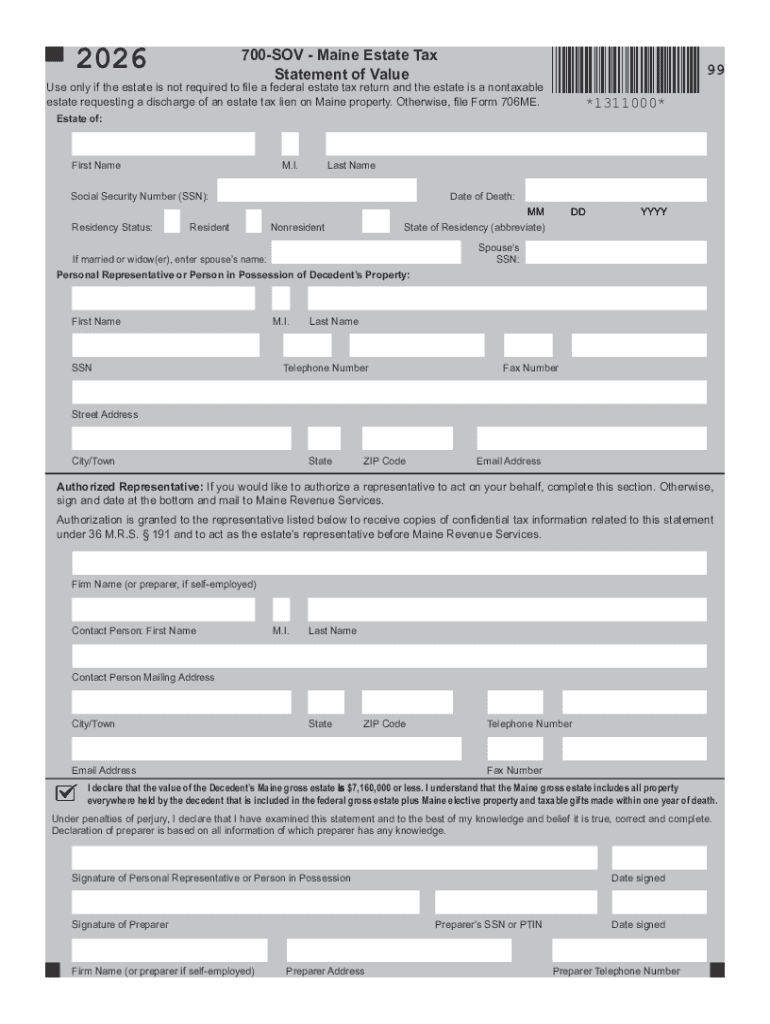
A "form online" refers to a digital document that can be accessed, filled out, and submitted via the internet. Unlike traditional paper forms, online forms offer an interactive interface that allows users to enter information directly into specified fields. These forms are integral to various processes, from tax filings and applications to surveys and data collection exercises. The flexibility and accessibility of online forms make them a crucial tool in streamlining documentation across various sectors. They can serve purposes like gathering personal data, processing legal documents, and facilitating e-commerce transactions.
How to Use the Form Online
Using an online form is a straightforward process that enhances efficiency and accuracy. Here are the steps you generally follow:
-
Access the Form: Visit the specific website providing the form. For DocHub users, import the document or create a new form directly on the platform.
-
Fill Out Required Information: Input the necessary details into the designated fields. These might include text boxes, dropdown menus, or checkboxes.
-
Review and Ensure Accuracy: There is often an option to review the information entered to ensure it is complete and correct. This step is crucial to avoid errors and omissions.
-
Submit the Form: Once all information is verified and complete, the form can be submitted. This often involves clicking a button marked "Submit" or "Finish."
Examples of frequently used online forms include job applications, tax submissions, and registration forms for various services or events.
Steps to Complete the Form Online
Completing an online form involves several key steps to ensure that it is filled out accurately. Here’s a detailed breakdown:
-
Locate the Form: Use a search engine or visit the hosting website directly to find the specific form needed.
-
Read Instructions Carefully: Each form has unique instructions that outline how it should be completed. Pay close attention to any guidelines provided.
-
Enter Information into Fields: Fill out each section of the form as specified, making sure to enter information into all required fields.
- Text Fields: Input names, addresses, and other personal details.
- Dropdown Menus: Select options from predefined choices.
- Checkboxes and Radio Buttons: Click to indicate preferences or consent.
-
Upload Required Documentation: Many forms request additional documents for verification purposes, which can be uploaded directly on the form interface.
-
Validate and Confirm Entries: Double-check every entry for accuracy to prevent delays in processing due to incorrect information.
-
Submit the Completed Form: Execute the form's submission through the designated submission button once every part is thoroughly checked.
Why Use Forms Online
Utilizing forms online offers various advantages over traditional paper forms:
-
Convenience and Accessibility: Users can fill out forms anytime and anywhere, as long as they have an internet connection.
-
Time Efficiency: Online forms allow for quicker data entry and processing, reducing the time needed for manual data handling.
-
Error Reduction: Automated validation checks help in minimizing user errors during form submission.
-
Cost-Effective: Reduces printing and postage costs associated with paper forms.
-
Environmentally Friendly: Contributes to less paper usage, supporting environmental sustainability efforts.
These benefits make online forms ideal for businesses, educational institutions, and governmental organizations seeking efficient data collection and processing solutions.
Key Elements of the Form Online
Online forms come equipped with several key elements that are critical for their functionality and user interface:
-
Form Fields: Input boxes for text, numbers, dates, and pre-set dropdown lists.
-
Navigation Controls: Buttons like "Next," "Back," and "Submit" to guide users through the form.
-
Validation Messages: Automated alerts to inform users of missing or incorrectly entered information.
-
Digital Signature Fields: Allow users to authenticate the form with electronic signatures.
-
Responsive Design: Ensures the form displays well on various devices, such as smartphones, tablets, and desktops.
Understanding these elements can greatly enhance a user’s ability to complete forms accurately and quickly.
Legal Use of the Form Online
The legal use of online forms is governed by various regulations and compliance standards to ensure authenticity and security:
-
Electronic Signatures: Under the ESIGN Act, electronically signed forms have legal validity, making them just as enforceable as handwritten signatures.
-
Privacy Laws: Compliance with data protection regulations such as GDPR or CCPA is essential for forms collecting personal information.
-
Security Protocols: Encryption and secure access measures, like SSL, are mandatory to protect sensitive data.
-
Consent and Agreements: Online forms often stipulate user consent, making it obligatory for users to agree to terms before submission.
Adhering to these legal frameworks ensures that form providers and users maintain the integrity and legality of their online interactions.
Software Compatibility
Online forms, such as those offered by DocHub, integrate seamlessly with various software and platforms to improve workflow:
-
Google Workspace: Users can directly import and export forms from Google Drive and Gmail, optimizing the document handling process without leaving the ecosystem.
-
Collaboration Platforms: Integration with platforms like Slack or Microsoft Teams facilitates communication and collaboration on shared documents.
-
Accounting Software: Compatibility with applications like QuickBooks enables efficient sharing of financial forms and statements.
These integrations are instrumental in facilitating a streamlined process for users needing to move data across different systems effectively.
Examples of Using the Form Online
Practical applications of online forms span multiple fields, demonstrating their versatility:
-
Human Resources: Employment application forms, feedback surveys, and employee onboarding documents.
-
Education: Enrollment forms, permission slips, and feedback forms for students and parents.
-
Healthcare: Patient intake forms, medical history documentation, and appointment scheduling.
-
Government and Legal: Tax forms, legal agreements, and permit applications.
These examples illustrate the wide-ranging capabilities and adaptability of online forms, highlighting their role in modern digital infrastructure.




