
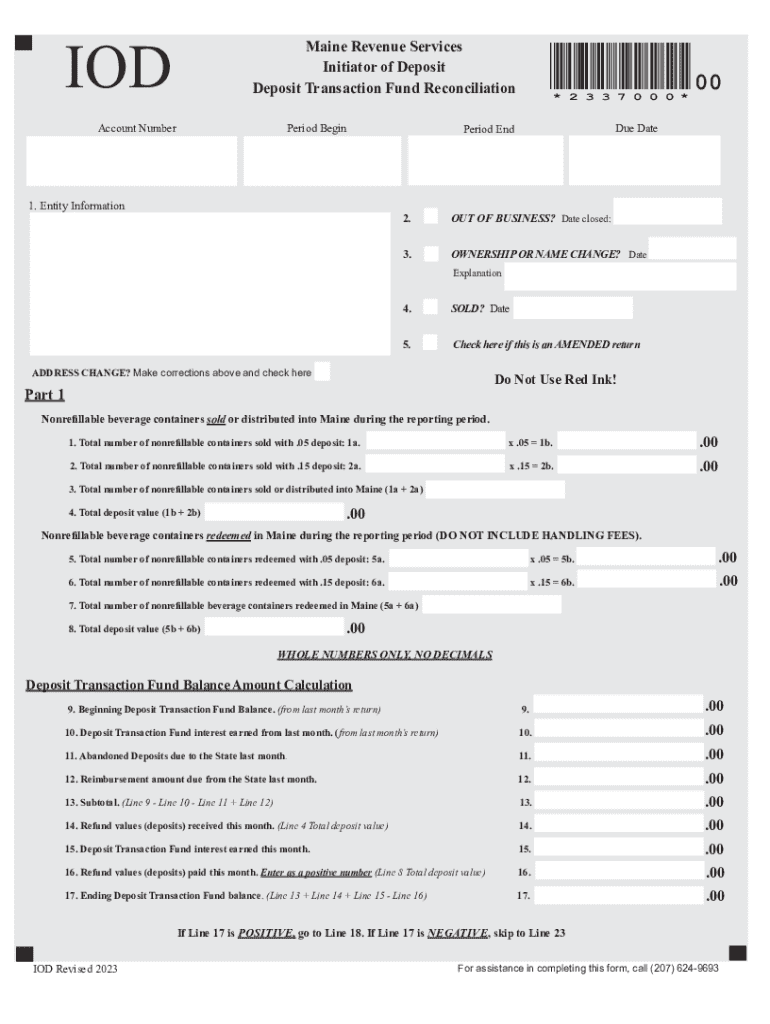







Definition & Meaning
The term "form online" refers to any type of document or template that can be created, filled out, and submitted via the internet. This allows users to complete and manage forms digitally, promoting efficiency and accessibility. Online forms can range from simple contact forms to complex tax documents, providing a versatile solution for both individuals and businesses. The accessibility of online forms enables users to access and manage important documents from any device with internet connectivity, enhancing flexibility and convenience.
How to Use the Form Online
Utilizing online forms can streamline processes significantly. Here’s a step-by-step guide on how to use them efficiently:
- Access the Platform: Begin by visiting a document management platform like DocHub, which offers comprehensive tools to handle forms online.
- Select or Create a Form: Choose from existing templates or upload your document. Platforms like DocHub allow you to create forms from scratch or convert existing files into fillable forms.
- Edit and Customize: Use the editing tools to modify fields, add text, or insert images as needed. Tailor the form to suit specific requirements by making certain fields mandatory or customizable.
- Fill Out the Form: Enter the required information into the relevant fields. Make sure all necessary data is accurately filled in, ensuring compliance with any specific guidelines related to the form’s purpose.
- Save and Review: Once completed, review the form for any errors or missing information. You can make corrections directly within the form editor.
- Submit or Share: Finalize by submitting the form online if it's linked to a submission process, or share it via email with relevant parties for further processing.
Benefits of Using Forms Online
- Efficiency: Online forms reduce the time spent managing paper documents.
- Accuracy: Built-in checks ensure required fields are completed, minimizing errors.
- Eco-Friendly: Reduces paper usage, supporting sustainable practices.
Steps to Complete the Form Online
Filling out an online form involves several key steps:
-
Login to Your Account: Ensure you are logged into the platform to access all features and save your work.
-
Select the Form: Either choose from templates or import a pertinent form that matches your needs.
-
Enter Information: Carefully fill out each required field. Skip any non-mandatory sections only if they do not apply.
Example Fields
- Name and contact details
- Official identification numbers
- Relevant dates and numerical data
-
Add Attachments if Necessary: Some forms may require additional documentation. Attach relevant files as instructed.
-
Verify Information: Double-check all entries to ensure accuracy and compliance with form guidelines.
-
Submit or Export: Submit the form through the platform if integrated with the corresponding service, or download and send as needed.
Key Elements of the Form Online
When dealing with online forms, it’s crucial to understand the main components that allow for effective use:
- User Interface: A well-designed interface simplifies navigation and enhances user experience.
- Field Flexibility: Various input types, such as text boxes, checkboxes, and dropdown menus, cater to different data input needs.
- Validation Checks: Built-in validations prevent incomplete or erroneous submissions.
- Security Features: Encryption and password protection secure user data.
- Integration Capabilities: Seamless connections with cloud services facilitate easy data import and export.
Legal Use of the Form Online
Online forms often require compliance with legal standards to ensure validity and enforceability:
- Electronic Signature Laws: Forms featuring electronic signatures must comply with laws like the ESIGN Act to ensure they are legally binding.
- Data Protection Regulations: Adherence to regulations such as GDPR and CCPA for handling personal data is critical.
- Industry-Specific Standards: Certain fields may demand compliance with specific industry regulations, such as HIPAA for healthcare-related forms.
Who Typically Uses the Form Online
Forms online are versatile tools leveraged by a diverse range of users:
- Individuals: For personal tasks like tax filing or job applications.
- Businesses: To streamline processes such as employee onboarding, customer feedback, and transaction documentation.
- Government Agencies: For public service applications and report submissions.
- Educational Institutions: Managing student admissions and records.


Examples of Using the Form Online
Online forms serve numerous practical applications across various fields:
- Tax Returns: Platforms like DocHub support forms such as the IRS’s W-9, which can be filled out and submitted online for tax purposes.
- Legal Agreements: Use online forms to draft, sign, and store contracts or NDAs securely.
- Surveys and Feedback: Collect data through online forms tailored for customer feedback or market research.
- Applications and Registrations: Efficiently manage submissions for events, courses, or services using customized forms.
State-Specific Rules for the Form Online
When dealing with forms online, it is essential to recognize that requirements can vary by state:
- Variations in Regulations: Each state may have specific guidelines or rules that must be adhered to when using an online form for legal or official purposes.
- Filing Requirements: State-specific requirements may impact fields that need completion, additional documentation, or signature processes.
Understanding these nuances ensures that form submissions maintain compliance and validity across different jurisdictions.




