
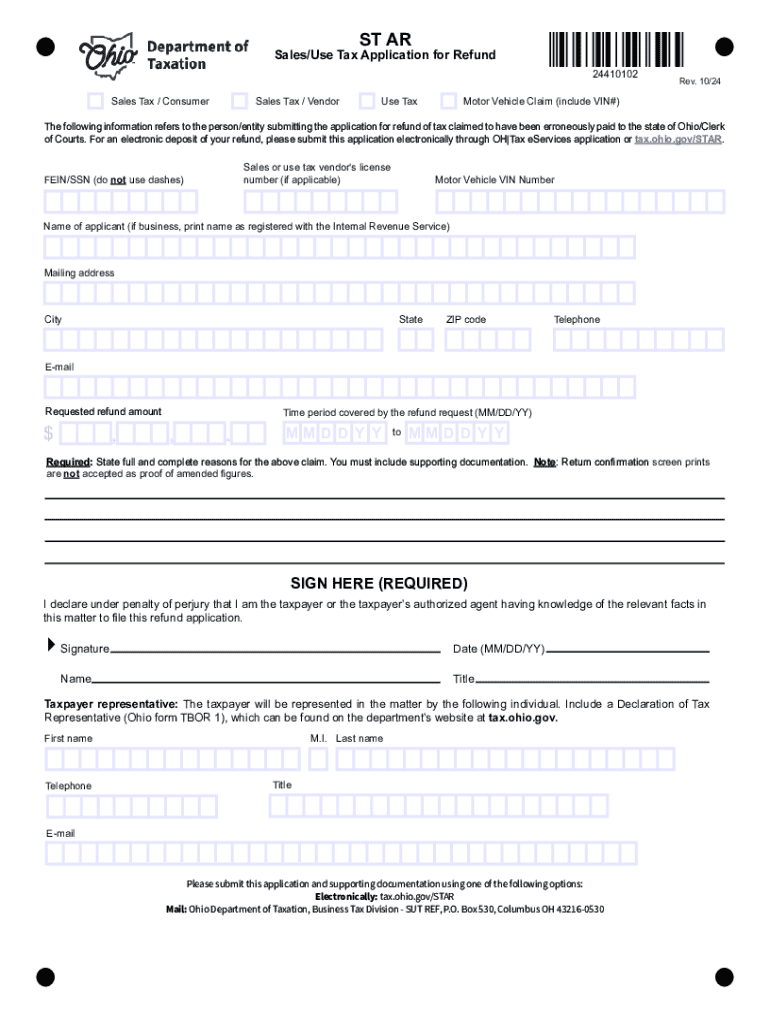







Definition & Meaning of Form Online
The term "form online" refers to the process and system of generating, filling, and submitting various types of forms through digital platforms, eliminating the need for physical paperwork. Online forms are integrated into web-based applications, such as DocHub, allowing users to interact with documents interactively. This digital approach provides significant improvements in efficiency, accessibility, and ease of completion when compared to traditional paper forms. Users can now develop forms for varied applications, such as tax filings, legal agreements, or business processes, directly from internet-enabled devices.
How to Use the Form Online
To effectively use forms online, users should follow a strategic step-by-step process:
-
Create an Account: Begin by setting up an account on the platform offering the online form services, like DocHub.
-
Select or Create a Form: Choose from pre-existing templates or design a new form tailored to specific requirements.
-
Fill in Required Information: Enter information into designated fields, ensuring accuracy and consistency across form sections.
-
Review and Edit: Use built-in tools to proofread and adjust the form as necessary, taking advantage of editing functionalities to make modifications.
-
Save and Submit: Once finalized, forms can be saved for record-keeping and submitted to the relevant parties electronically.
This process not only streamlines data collection but ensures documents are completed efficiently and accurately.
Steps to Complete the Form Online
Completing an online form involves a structured approach to ensure all sections are correctly filled:
-
Initial Preparation:
- Gather necessary documentation and information before beginning the form.
-
Field Entry:
- Complete each field, starting from personal details to specific data requirements.
- Ensure required fields are filled to avoid submission errors.
-
Review and Annotation:
- Use platform features to highlight or comment on specific sections for clarity or explanation.
- Utilize real-time collaboration to seek input or verification from others if needed.
-
Finalizing:
- Double-check all inputs for accuracy, paying attention to auto-filled or suggested entries.
- Consent to terms if applicable, and digitally sign the form to validate authenticity.
This step-by-step approach allows users to effectively manage both simple and complex forms online, maintaining both integrity and compliance.
Why Should You Form Online
Using online forms offers numerous advantages over traditional methods. Key benefits include:
- Efficiency: Online forms reduce completion time and streamline workflows by eliminating paper-based processes.
- Accessibility: Users can access forms from any location, making it convenient for remote collaboration.
- Security: Enhanced encryption and protection measures safeguard sensitive data shared through online forms.
- Real-Time Collaboration: Multiple users can work on a form simultaneously, updating and synchronizing data instantly.
These advantages support modernization and scalability for individuals and businesses, aligning with technological advancements and digital transformation initiatives.
Important Terms Related to Form Online
Familiarity with specific terminology enhances the usability and understanding of online forms:
- Fillable Fields: Sections within a form where users input data, including text, checkboxes, and dropdown menus.
- Digital Signature: An electronic symbol or process attached to a document, ensuring authenticity and consent.
- Encryption: Security method converting information into a secure format to prevent unauthorized access.
- Real-Time Sync: Continuous updating of data among collaborators, ensuring all users view the latest version.
These terms are integral to optimizing the use of online forms and ensuring compliance with digital standards and protocols.
Legal Use of the Form Online
The legality of online forms is supported within the framework of electronic signatures and digital documentation, as aligned with the ESIGN Act in the United States. Forms completed and signed online hold the same legal validity as their physical counterparts when specific conditions are met:
- Consent: Parties involved must agree to conduct transactions electronically.
- Attribution: The identity of signatories must be verifiable and attributable to a specific person.
- Integrity: The completed document should remain unchanged from the time of signing.
Online forms must adhere to these legal parameters to ensure enforceability and compliance with relevant laws and regulations.
State-Specific Rules for Form Online
Different states in the U.S. may have varying guidelines and requirements for processing online forms, particularly those related to taxes, legal filings, or business registrations:
- Example Scenarios:
- Some states may require specific formats or additional documentation for property tax submissions.
- Business licenses might have distinct filing requirements based on local regulations.
Understanding these variations is crucial for users to ensure their forms are properly completed and recognized by state authorities.
Software Compatibility
To ensure seamless integration and usage, online forms should be compatible with popular software applications such as QuickBooks and TurboTax. Compatibility facilitates:
- Data Import/Export: Allowing for easy transfer of information using CSV or Excel formats.
- Financial Calculations: Enabling auto-calculation and reporting of financial data directly from form fields.
- Simplified Tax Filing: Utilizing tax preparation software to streamline form generation and submission processes.
Using compatible platforms ensures data flow is unimpaired, significantly enhancing the overall user experience when dealing with complex financial or tax-oriented forms.




