






Definition & Meaning
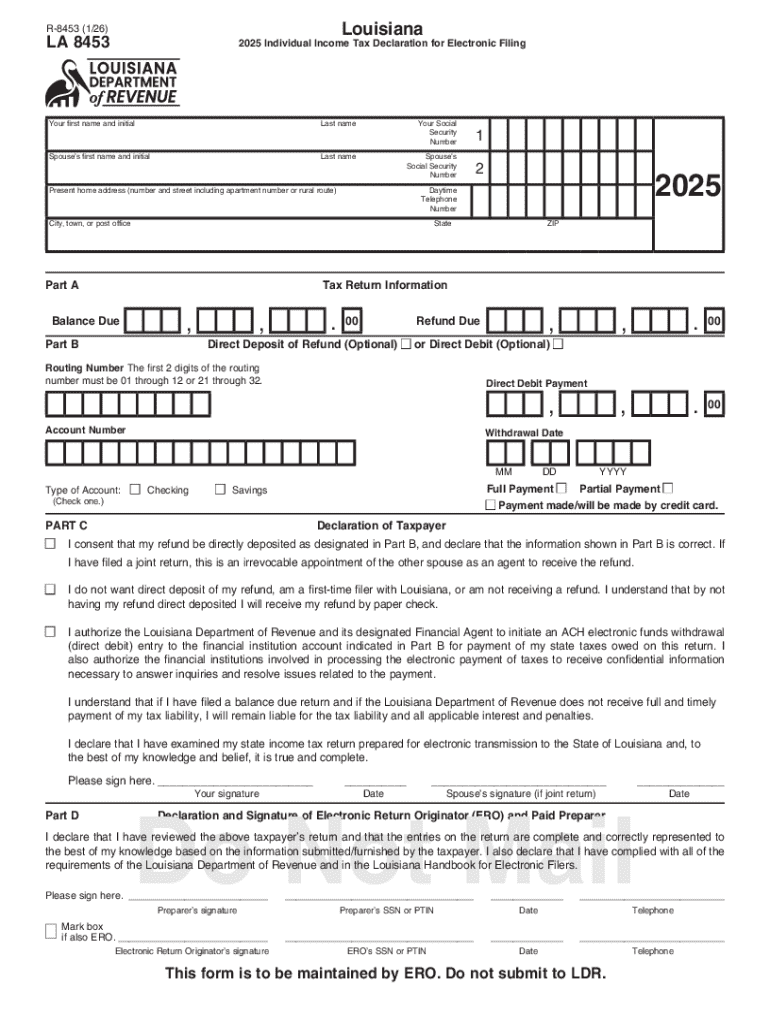
The "Individual Income Online Tax Filing" refers to the digital process of submitting personal income taxes using an electronic filing system. This method enables taxpayers to conveniently file their tax returns via authorized platforms, optimizing speed and efficiency while minimizing errors associated with manual paper forms. Electronic tax filing systems are typically integrated with governmental processes, ensuring that all submitted tax information complies with regulatory standards. Taxpayers in the United States use these systems to submit returns to the IRS and state tax agencies.
Key Features
- Convenience: File from anywhere with internet access.
- Speed: Faster processing times compared to traditional mail.
- Accuracy: Reduced likelihood of errors due to automatic calculations and validation checks.
- Security: Tax information is encrypted and securely transmitted to tax authorities.
Real-World Scenario
Consider a self-employed graphic designer who has multiple income sources. Online tax filing systems allow them to easily input different income types, automatic deductions, and tax credits, providing a consolidated and accurate tax return.
How to Use the Individual Income Online Tax Filing
Using online tax filing involves several straightforward steps, from setting up an account to submitting your finalized tax return.
- Choose a Platform: Select an approved e-filing service or software.
- Create an Account: Register with your personal details such as name, social security number, and contact information.
- Gather Documents: Collect necessary documents, like W-2s, 1099s, and deduction receipts.
- Input Information: Enter all relevant income and deduction data.
- Review Summary: Verify the auto-generated tax summary for errors or omissions.
- Submit Filing: Confirm submission to the appropriate tax authorities.
- Save Confirmation: Retain a copy of the submission confirmation for your records.
Practical Example
A college student earning both wages and scholarship income can use an online filing system to input both forms of income, ensuring their return accurately reflects their financial situation.
Steps to Complete the Individual Income Online Tax Filing
Completing your tax return via an online platform streamlines an intricate process into a series of manageable steps:
- Initial Setup: Ensure you have all necessary credentials and choose a suitable online platform.
- Information Entry: Insert personal details, income data, and claim deductions through user-friendly input fields.
- Verification: Validate each section within the platform for potential errors or missed entries.
- Submission: Electronically send your completed return to the designated tax authorities.
- Confirmation & Archival: Once submitted, download and safely store your filing confirmation and records.
Edge Cases
- Multiple States: If you earn income in more than one state, ensure the platform handles multi-state filings efficiently.
- Amendments: Post-submission, use online platforms for streamlined amendment processes if corrections are needed.
Why Should You Use Individual Income Online Tax Filing
Online tax filing presents numerous advantages over traditional paper submissions, especially considering timelines, accuracy, and security.
- Timelines: Digital filing results in quicker processing and potential issuance of refunds.
- Accuracy: Software validations minimize calculation errors and omissions.
- Environmental Impact: Reduces paper use and physical mail transportation.
- Flexibility: Allows late filers to meet deadlines without relying on postal services.
Notable Benefit
A taxpayer filing a complex return with various deductions can benefit immensely from the structured, system-guided process that reduces human error.
IRS Guidelines
The Internal Revenue Service dictates specific guidelines for online tax submissions, promoting accuracy and compliance.
- Approved Software: Use IRS-approved e-file software.
- Eligibility Criteria: Verify eligibility for online filing based on tax situation.
- Submission Deadlines: Adhere to federal deadlines to avoid penalties.
- Technical Assistance: Utilize available IRS resources for technical online filing inquiries.
Potential Issues
Taxpayers filing late may encounter heightened system demand; early submission is advisable to mitigate potential delays.
Filing Deadlines / Important Dates
Understanding critical dates in the tax filing calendar is crucial for compliance.
- Federal Tax Deadline: Generally April 15th each year.
- Extensions: For specific circumstances, filing for an extension can provide additional time.
- State and Local Variations: State-specific deadlines may differ; verify with local tax agencies.
Deadlines Insight
Those granted extensions must submit final returns by October 15th, emphasizing the importance of tracking personal tax deadlines.
Required Documents
Before embarking on online tax filing, collate all necessary documentation to ensure a smooth process.
- Income Statements: W-2s, 1099s, and any other applicable income documentation.
- Identification: Social Security numbers, and potentially, state identification numbers.
- Deductions: Receipts and statements for deductible expenses.
- Bank Details: For direct deposit of any refunds.
Document Collection Tips
Organize the documents in digital or scanned format in advance to facilitate quick data input and verification.
Software Compatibility (TurboTax, QuickBooks, etc.)
Using compatible tax software simplifies the filing process and ensures accurate returns.
- Compatibility Check: Verify software compatibility with your personal device.
- Export Functionality: Utilize functions like import from QuickBooks for business expenses or investment income.
- Integration: Consider platforms that sync with widely-used financial tools to import relevant tax data efficiently.
Software Utilization
A small business owner using QuickBooks for accounting can seamlessly import financial data directly into their tax software, decreasing manual errors and saving time.