Definition & Concept of the Register Change Email Request Form
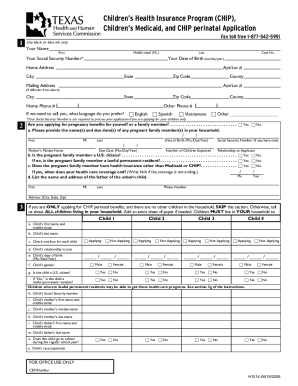
The "register change email request form" is a document utilized to update or modify the email address associated with an existing account on platforms or services. This form is essential to ensure that communications, notifications, and account recoveries are directed to the user's current email address. It serves both individuals and organizations across various sectors who seek to maintain the accuracy of their contact information within a system.
Various Scenarios for Usage
Users might need this form when they change their email service provider, experience data loss, or want to switch to a more secure email option. For businesses, ensuring the correct email is linked to their account is crucial for receiving billing notices, system updates, and client inquiries.
How to Use the Register Change Email Request Form
To effectively use the register change email request form, users should carefully follow the outlined steps to ensure accurate updates.
- Access the Form: Locate the form on the service provider's website or through direct customer support.
- Complete Personal Information: Fill in your current name and any account details required, like customer ID or account number.
- Input the New and Existing Email Addresses: Clearly enter both the new email you wish to use and the current one registered in the system.
- Security Verification: Complete any security checks, which may include answering security questions or receiving a one-time passcode on the current email.
- Sign the Form: Authenticate changes by signing digitally or manually, if submitting in physical form.
- Submit the Form: Use the preferred method of submission detailed by the service provider, whether online, mail, or in-person.
Addressing Technical Issues
In instances where users encounter technical difficulties, it is advisable to contact the help desk or customer service for alternative submission methods or troubleshooting assistance.
Obtaining the Register Change Email Request Form
Users can secure the form through several channels, depending on the service provider's operations.
- Online Portals: Most organizations allow users to download forms directly from their official websites or account dashboards.
- Customer Support: Missives can be submitted to request the form from support teams.
- Mobile Applications: Some providers may offer this form via their dedicated mobile apps for user convenience.
Steps to Complete the Register Change Email Request Form
Here is a step-by-step breakdown:
- Download or Print the Form: Access the form through the organization's website or application interface.
- Input Accurate Details: Provide all requested personal data, ensuring accuracy to avoid submission errors.
- Verify Ownership: Complete sections verifying your identity in order to ensure only authorized changes are made.
- Review Information: Double-check the new email address for typographical errors before submission.
- Sign and Date: Authenticate the action with a signature.
- Submit and Confirm: Send the form as instructed and confirm receipt with the organization.
Common Pitfalls
Errors often occur in the email address input or skipping required verifications, which might delay processing. Always check each detail thoroughly.
Importance of Register Change Email Request Form
Maintaining an up-to-date email address is critical for:
- Secure Communication: Ensures sensitive information reaches the intended recipient.
- Account Recovery: Facilitates the recovery process should users forget passwords or need to verify their accounts.
- Compliance: Some regulations require businesses to keep accurate contact records for communications and legal notices.
Legal Implications
Not updating your email can result in missing important service notifications, leading to potential legal or contractual issues.
Typical Users of the Register Change Email Request Form
A diverse range of individuals and entities leverage this form, including:
- Individual Users: People updating personal accounts for social platforms, utilities, or subscription services.
- Businesses: Both small and large enterprises adjusting email contacts for vendor management, customer communications, or administrative procedures.
- Institutions: Schools and universities ensuring student and faculty communications remain current.
Key Elements of the Register Change Email Request Form
The form generally consists of several crucial components:
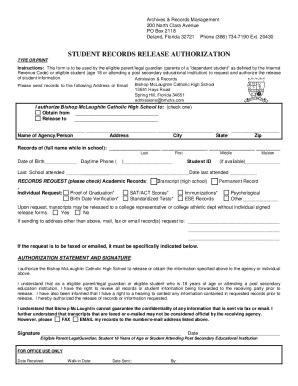
- Identification Section: Includes fields for user ID, name, and existing email.
- New Email Section: Clearly labeled space for the new email address.
- Signature Field: Where users confirm their request and identity.
- Verification Questions: Security questions ensuring authorized access and updates.
Special Features
Some forms incorporate additional fields for context or require supplementary documentation to verify identity changes.
Legal Use of the Register Change Email Request Form
In the U.S., updates to personal information such as email addresses via official forms must adhere to privacy laws like the CCPA for consumer data protection.
Compliance Tips
Always ensure the form and submission methods comply with regional data protection regulations to avoid potential legal pitfalls.
Examples of Using the Register Change Email Request Form
Consider a business scenario where an employee responsible for supplier communications leaves. The company's operations manager might use this form to switch the email contact to the new employee, ensuring continuity of communications and order processing with suppliers.
Real-World Cases
- Subscription Services: A subscriber changes email services, requiring a form submission to avoid missing billing or subscription updates.
- Legal Firms: Adjusting contact emails to route case-related communications efficiently amid staffing changes.
By understanding and correctly utilizing the "register change email request form," users maintain a seamless connection with their respective service providers, ensuring uninterrupted access and compliance.