




01. Edit your form online
Type text, add images, blackout confidential details, add comments, highlights and more.

Type text, add images, blackout confidential details, add comments, highlights and more.

Draw your signature, type it, upload its image, or use your mobile device as a signature pad.

Send it via email, link, or fax. You can also download it, export it or print it out.
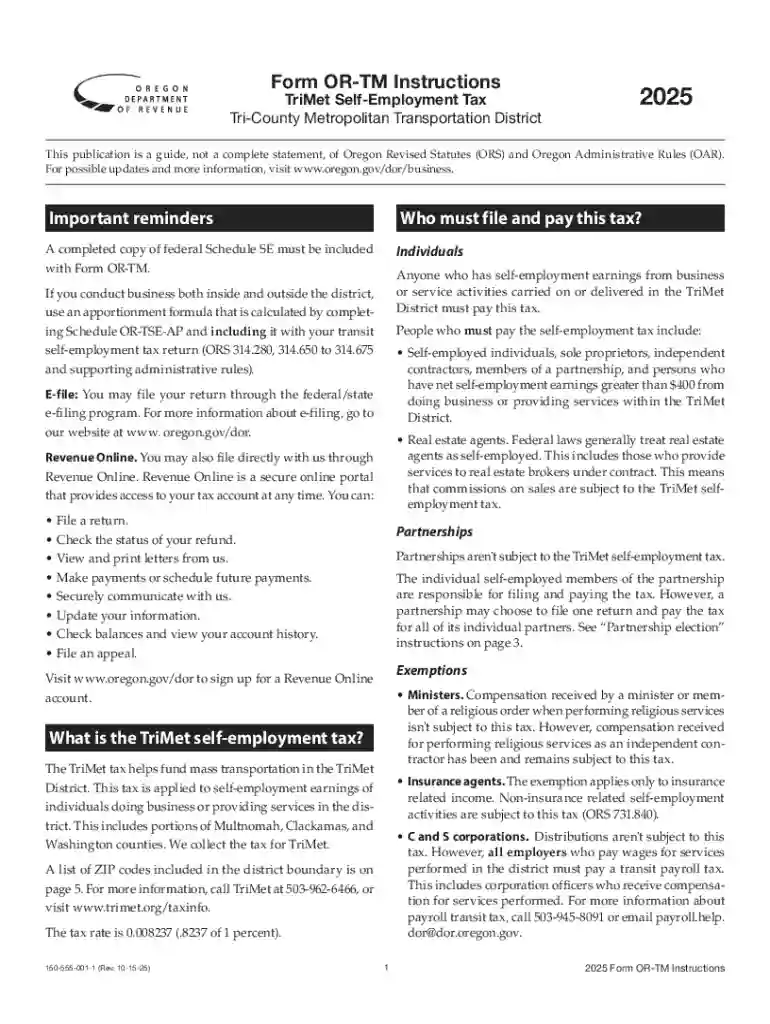
The TriMet Self-Employment Tax Form OR-TM is essential for individuals who are self-employed in the Portland, Oregon area. This form applies specifically to the Tri-County Metropolitan Transportation District and is designed to facilitate the accurate reporting and payment of self-employment taxes. Understanding its specific use and requirements is crucial for ensuring compliance with regional tax laws.
Self-employed individuals within this jurisdiction must use this form to calculate and remit taxes that fund public transportation within the district. Unlike federal self-employment taxes, the OR-TM form specifically addresses regional obligations. This form ensures that the necessary funds support essential local services and infrastructure.
Taxpayer Identification Information:
Income Reporting:
Deductions and Adjustments:
Tax Calculation Section:
Payment and Submission Instructions:
Gather Required Documents:
Calculate Gross Income:
Identify Allowable Deductions:
Determine Net Income:
Apply TriMet Tax Rate:
Complete the Payment Section:
Submit the Form and Payment:
This form is primarily used by individuals who derive their income through self-employment within the Tri-County area. Specific categories of filers include:
This form enables these individuals to fulfill regional tax obligations accurately and timely.


Understanding these terms is vital for correct interpretation and completion of the form.
Adhering to these dates ensures avoidance of penalties and interest charges.
While there is no direct integration with popular tax software like TurboTax or QuickBooks, many users can manually enter data derived from OR-TM into these systems. Users should maintain accurate spreadsheets or paper records to ensure all information is readily available for electronic filing platforms.
Non-compliance with filing and payment can result in several consequences, such as:
Understanding and adhering to regulations will help mitigate these risks.
We've got more versions of the TriMet Self-Employment Tax Form OR-TM Instructions form. Select the right TriMet Self-Employment Tax Form OR-TM Instructions version from the list and start editing it straight away!
At DocHub, your data security is our priority. We follow HIPAA, SOC2, GDPR, and other standards, so you can work on your documents with confidence.





Complete Form OR-TM, TriMet Self-Employment Tax Return and include the following: Federal Schedule SE. Schedule OR-TSE-AP if youre apportioningRead more
Form OR-TM, TriMet Self-employment Tax, 150-555-001, 2025, Form. Form OR-TM, TriMet Self-employment Tax Instructions, 150-555-001-1, 2025, PublicationRead more
Sep 14, 2016 These general terms, conditions and instructions apply to all purchases and are a part of each solicitation and every contract awarded by PWCS,Read more


