
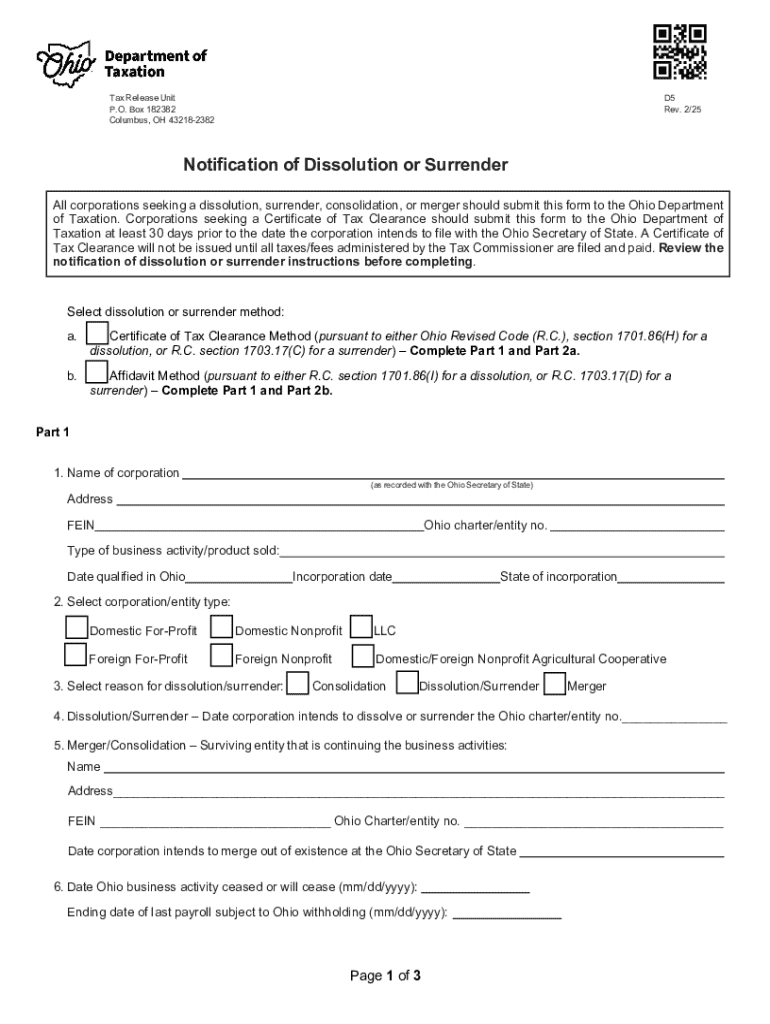







Definition & Meaning
"Form online" refers to digital versions of traditional forms that can be accessed, filled, submitted, and managed through the internet. This process allows users to handle forms without the need for physical paperwork, streamlining tasks such as application submissions, data collection, and official documentation. Users enjoy the flexibility and convenience of completing these forms on various devices, from desktops to mobile platforms, while ensuring compliance with relevant legal and operational standards. The digital nature of online forms facilitates quicker data capture, easier management, and broader access.
Steps to Complete the Form Online
- Access the Form: Locate the specific form you need through search engines, direct links, or the organization's website where it is hosted.
- Fill In Required Information: Enter the necessary details as prompted by the form's fields. Ensure accuracy to avoid re-submissions.
- Attach Supporting Documents: If applicable, upload digital copies of any required documents such as identification, financial statements, or additional forms.
- Review Your Inputs: Before submitting, thoroughly check all entries for any errors or omissions.
- Submit: Click the 'submit' button to send your completed form to its intended recipient. Many platforms provide a confirmation number or email to confirm submission.
- Track Status: If available, use tracking features to monitor the processing status of your form.
How to Obtain the Form Online
Obtaining an online form typically involves navigating to the website of the agency or company that issues the form. Here’s how you can get started:
- Visit the Official Website: Access the website of the organization responsible for the form. Often, government agencies and large corporations maintain a dedicated section for forms.
- Search Digital Libraries: Utilize digital repositories like government portals or educational institutions where forms are curated for easy access.
- Download & Save: Once you find your form, download it to your device for offline access if needed. Ensure your document is the latest version to avoid submission issues.
Why Should You Form Online
Opting for online forms over traditional paper ones brings several advantages, making the process more efficient and user-friendly:
- Convenience: Complete forms anytime, anywhere, reducing the need for in-person visits or mail submissions.
- Speed: Online submissions are much faster, with immediate delivery to the intended recipient.
- Cost-Effective: Eliminate expenses related to printing, mailing, or transportation.
- Environmentally Friendly: Reduces paper consumption, supporting eco-friendly practices.
- Error Reduction: Automated checks can prompt users to correct errors or fill in incomplete sections, enhancing the accuracy of submissions.
Legal Use of the Form Online
In the United States, online forms are legally recognized provided they comply with specific legal standards, such as the ESIGN Act for electronic signatures.
- Authentication and Security: Robust security measures ensure data integrity and confidentiality, often involving secure connections and user authentication.
- Compliance: Online forms must meet compliance standards relevant to their specific use cases, such as financial disclosures or tax filings.
- Retention and Accessibility: Legal considerations require proper maintenance of records and ensuring they are accessible upon request.
Important Terms Related to Form Online
Understanding key terms associated with online forms can simplify their use and improve comprehension:
- Digital Signature: An electronic form of a handwritten signature, verified by encryption technologies.
- Encryption: A security method used to protect data as it travels over the internet, ensuring sensitive information remains confidential.
- Form Field: Input areas in an online form where users enter data, such as text fields, checkboxes, and radio buttons.
- User Authentication: Verifying a user’s identity before granting access to the form to ensure secure transactions.
Examples of Using the Form Online
There are numerous scenarios where online forms prove advantageous:
- Job Applications: Candidates can fill out employment forms directly on company career portals.
- Tax Reporting: Taxpayers can submit their returns via platforms like TurboTax.
- Event Registrations: Attendees can quickly sign up for events without mailing responses.
- Surveys and Feedback: Organizations use online forms for collecting opinions and feedback efficiently.
- Loan Applications: Financial institutions allow applicants to submit personal and financial details securely.
Software Compatibility (TurboTax, QuickBooks, etc.)
Online forms often integrate with various software systems to streamline data handling and fiscal operations:
- TurboTax: Supports taxpayers by allowing quick upload and submission of necessary tax forms.
- QuickBooks: Facilitates syncing of financial data for business forms and accounting purposes.
- Google Workspace: Many forms can be directly accessed and managed through Google’s suite, enabling real-time collaboration and cloud storage.
- DocuSign and Similar: Supports electronic signing capabilities needed in legally binding agreements and contracts.
State-Specific Rules for the Form Online
Many online forms are subject to state-specific regulations:
- Licensing Applications: Business and professional licensing requirements vary by state, defining differing submission procedures.
- Tax Forms: Specific states may have unique tax forms or require additional documentation for accuracy in tax filings.
- Legal Filings: Such as estate documents or civil filings, which can differ in process and legal requirements across jurisdictions.
Filing Deadlines / Important Dates
Online forms, especially those related to taxes, legal, or educational submissions, have strict deadlines:
- Tax Deadlines: Federal and state tax filing deadlines often fall on April 15, but vary in extensions and specific requirements per locality.
- Financial Aid Applications: Each educational institution may have internal deadlines for financial aid forms, necessitating careful planning.
- Licensing Renewals: Profession-specific license renewals have designated cycles, often annually or biennially.




