
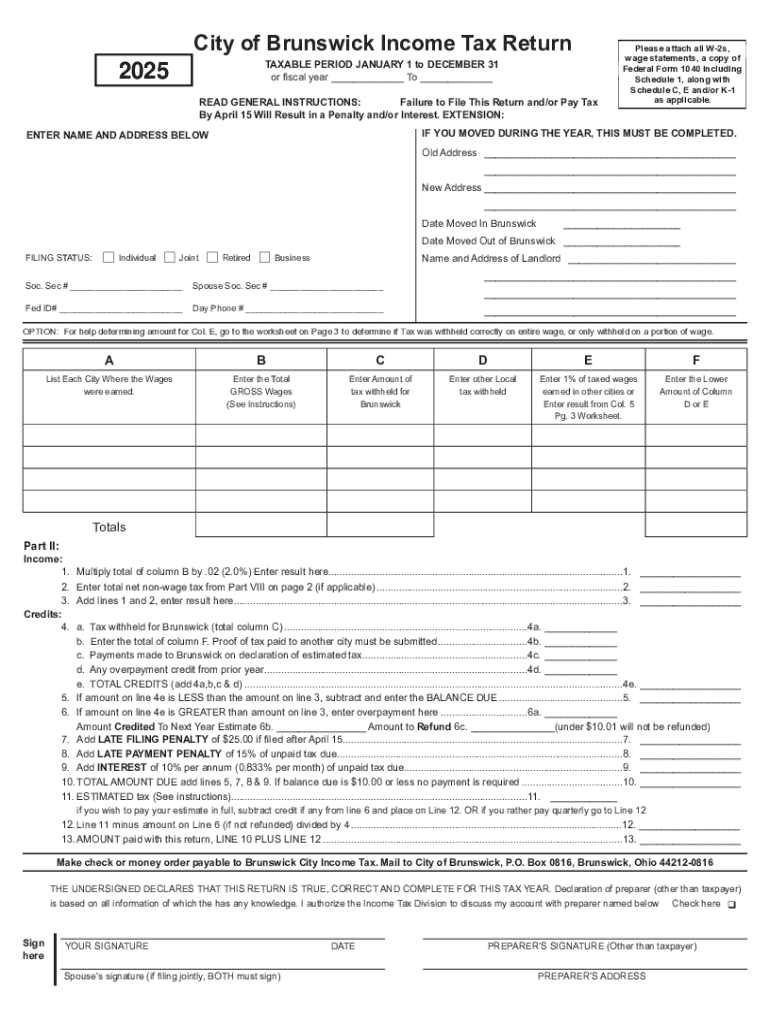







Definition and Meaning
The concept of a "form online" generally refers to electronic forms that can be filled out and submitted through the internet. These online forms are designed to streamline processes that traditionally required paper forms, such as tax submissions, applications, surveys, and more. They provide a digital solution for data collection and submission, offering convenience and efficiency to users by allowing them to complete forms from anywhere with internet access.
Online forms typically include various fields where users input their information, which can be customized according to specific requirements. This method of form submission eliminates the need for physical documentation and manual handling, reducing errors and processing time. In sectors like taxation, legal applications, and business operations, online forms significantly enhance the ease of managing document workflows.
How to Use the Form Online
Utilizing a form online involves several simple steps that allow users to efficiently complete and submit their forms. Here's a typical process:
-
Access the Form: Find the desired form on the respective website or platform. This may involve navigating through menus or searching for the specific form.
-
Fill Out the Form: Enter the required information into the various fields provided. These fields can include text boxes, dropdown menus, checkboxes, and signature areas.
-
Review the Entries: Before submitting, it's important to review all the information entered to ensure accuracy and completeness.
-
Submit the Form: Once everything is verified, submit the form by clicking the "Submit" button or equivalent on the platform. Some systems might confirm submission or provide a copy of the completed form.
-
Confirmation: After submission, a confirmation message or email may be provided, indicating that the form has been successfully received.
This process highlights the ease and accessibility of using forms online, allowing users to handle important tasks without the need for physical paperwork.
Steps to Complete the Form Online
Filling out a form online can be straightforward when following a clear, step-by-step process:
-
Open the Form: Navigate to the form you need through the institution or service's website. Make sure you have all necessary documents or information ready.
-
Select Appropriate Fields: Carefully choose the specific fields where your input is needed. This includes selecting options from dropdown menus or filling in text fields.
-
Enter Accurate Information: Enter the required details into each field, ensuring that all mandatory fields are completed. Some platforms make use of autofill features to streamline this process.
-
Attach Necessary Files: If the form requires additional documents (like photocopies of ID, W-2s, etc.), use provided upload functions to attach these files securely.
-
Check for Errors: Review the entire form for any errors or omissions. Many online forms have validation checks that highlight potential mistakes.
-
Submit and Save: Submit the completed form and save a copy of the submission confirmation for your records.
This ensures that the form is properly filled out and submitted without any missing information.
Why You Should Form Online
Completing forms online has numerous advantages that make it an appealing option for both individuals and businesses:
- Convenience: Online forms can be completed from any device with internet access, eliminating the need for physical presence or postal services.
- Speed: Electronic submissions often lead to quicker processing times compared to traditional methods.
- Accuracy: Built-in validation checks and easy-to-read interfaces reduce the likelihood of errors and ensure accurate data entry.
- Environmentally Friendly: Reducing reliance on paper forms conserves resources and aligns with green initiatives.
- Security: Many platforms use encryption and authentication protocols to protect personal information.
These benefits illustrate the growing preference for digital form submissions across multiple sectors.
Key Elements of the Form Online
When dealing with forms online, several key elements are essential to their functionality and ease of use:
- Input Fields: Ranging from text boxes to dropdowns, these fields capture user information.
- Validation Features: Automated checks that ensure input is correct and complete before submission.
- Attachments: Options to upload necessary external documents that support the form data.
- Submission Confirmation: A message or email that confirms receipt of the form and provides a reference for both parties.
- Help Sections: Built-in assistance or FAQ sections help guide users through filling out the form.
These elements work together to create a seamless and user-friendly experience.
Legal Use of the Form Online
Forms submitted online often involve compliance with legal standards to ensure their validity and enforceability:
- E-signature Legality: Electronic signatures are considered legally binding when compliant with laws such as the ESIGN Act.
- Data Privacy: Adherence to data protection regulations (like GDPR or CCPA) ensures personal information is handled securely.
- Authentication Processes: Use of secure login protocols to verify user identity and protect sensitive form data.
These legal frameworks provide confidence and legality to the online form process.
Examples of Using the Form Online
Online forms are versatile and used across various scenarios, such as:
- Tax Forms: Submitting forms like the W-9 online for faster processing and future record-keeping.
- Applications: College applications, job openings, and membership requests are increasingly submitted through online forms.
- Surveys: Gathering feedback or conducting market research efficiently through widely distributed online forms.
These examples demonstrate the broad application and effectiveness of using forms in digital formats.
Required Documents
When filling out a form online, certain documents might be needed to complete the submission process. These documents are often necessary to verify identities, substantiate claims, or provide additional information:
- Identification: Scanned copies of government-issued identification like driver's licenses or passports.
- Financial Records: Recent pay stubs, tax returns, or bank statements to validate income or financial information.
- Supplementary Documentation: Any relevant papers specific to the form's purpose, such as legal documentation or letters of reference.
Ensuring these documents are prepared in advance can significantly streamline the process of completing your online form.




