







Definition and Meaning
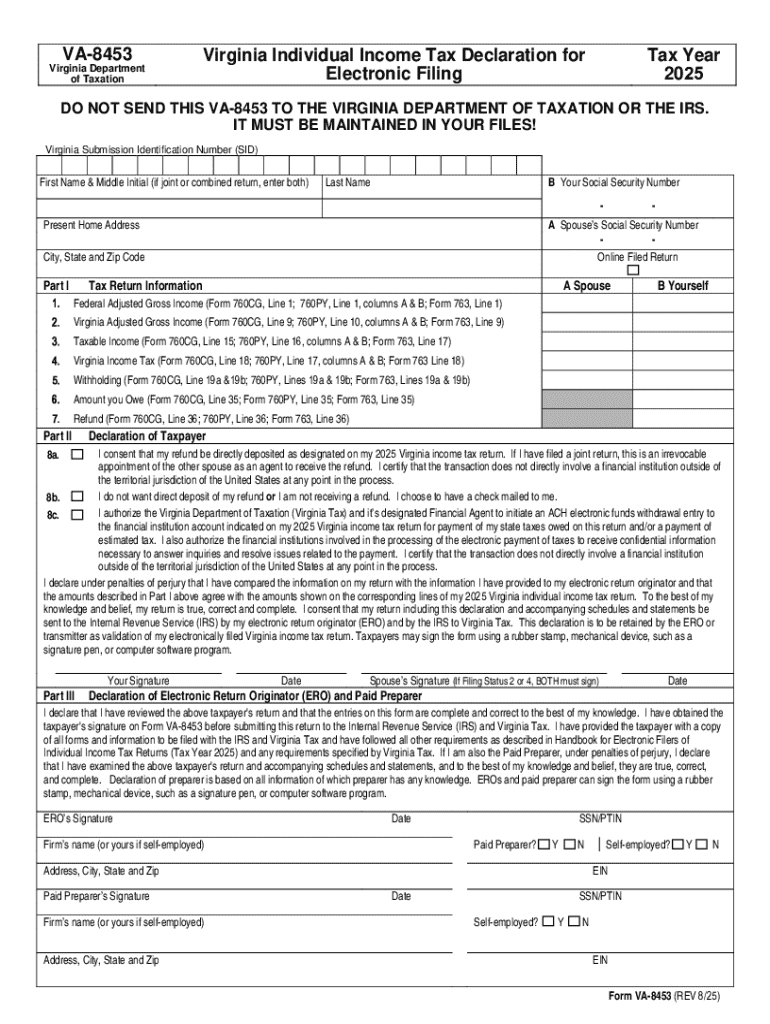
Form online refers to the digital versions of various forms that can be completed and submitted through a web-based platform rather than the traditional paper format. These forms facilitate streamlined processes in areas such as governmental applications, tax submissions, and business transactions. The online forms leverage technology to enhance accessibility, reduce human error, and expedite processing times. They can encompass anything from simple contact forms to complex tax forms. Just as electronic filing, known as e-filing, has become common in tax submissions, these digital forms can be filled out using computers or mobile devices, providing convenience and flexibility to users.
How to Use the Form Online
Using a form online typically involves accessing an electronic form through a web browser. Users are required to follow these general steps:
-
Access the Form: Visit the official website hosting the form. This can be a government portal, a business website, or a dedicated platform like DocHub.
-
Fill in Details: Enter the required information in the designated fields. Online forms often include features such as pre-filled information to save time.
-
Uploading Documents: Many forms allow or require users to upload supporting documents. Ensure the documents are in accepted formats, like PDF or DOC, for smooth submission.
-
Review: Before submission, review all entered information to ensure accuracy.
-
Submit: Complete the process by submitting the form. Some platforms offer instant confirmation, while others may send a follow-up email.
Among the many advantages of using forms online are improved accuracy due to built-in error-checking features, as well as immediate feedback and confirmation of submission.
Steps to Complete the Form Online
Completing an online form involves several steps that help guide users through the process:
-
Prepare Necessary Information: Gather all relevant documents and details required for completion, such as identification numbers and specific records.
-
Navigate to the Form: Open the web page hosting the form using a supported web browser.
-
Input Information: Carefully enter information into each field. Check for any tooltips or prompts that may provide additional guidance on what is needed.
-
Attach Files: Use the 'Upload' feature to attach any supporting documents. Ensure files are clear and legible.
-
Verify Details: Double-check entered information to ensure there are no typos or mistaken data.
-
Submit Form: Use the submit button to send your form for processing. Keep an eye out for any on-screen confirmation or identification numbers you might receive, serving as proof of submission.
Who Typically Uses the Form Online
A wide array of users benefit from the convenience of online forms. These include:
-
Businesses: Utilize forms to streamline processes like job applications, client onboarding, and regulatory compliance.
-
Individuals: Commonly used for tax filing, service applications, or purchasing activities.
-
Government Entities: For forms related to social services, permits, and licenses.
-
Educational Institutions: Use forms for applications, registrations, and submissions of student information.
The broad applicability of online forms makes them essential for efficient, modern-day administrative management across various sectors.


Key Elements of the Form Online
Forms in the online environment are structured to capture specific information effectively. Key elements include:
-
Form Fields: Text boxes, dropdown selections, and checkboxes that guide data entry.
-
Guidelines: Instructions or tooltips that clarify expected inputs, reducing submission errors.
-
Validation Checks: Systems embedded to ensure data entered meets specified criteria, such as character limits or format requirements.
-
Submission Button: The final step for submitting information to the relevant authority or system.
These elements ensure the efficient collection of accurate data while minimizing user errors, thus facilitating faster processing of submitted forms.
Legal Use of the Form Online
The legal acceptance of online forms varies depending on jurisdiction and form type. However, in many cases, forms completed online hold the same legal weight as their paper counterparts, provided they include:
-
Electronic Signatures: Recognized under laws like the ESIGN Act, these are legally binding in many contexts.
-
Secure Transmission: Ensures personal data is safely encrypted and protected from unauthorized access.
-
Audit Trails: Offer traceability for edits, submissions, and confirmations, highly respected in legal environments.
Legal compliance requires careful attention to the rules governing such documents, ensuring that all online forms used, submitted, or requested by an entity meet relevant legal standards.
Examples of Using the Form Online
The use of online forms spans numerous scenarios:
-
Job Applications: Candidates submit resumes and information through an electronic application form.
-
Permit Requests: Individuals apply for building permits using state-specific online forms.
-
Tax Filings: Taxpayers file digitally, leveraging online forms for federal and state taxes.
-
University Applications: Prospective students apply to colleges using comprehensive digital forms.
These examples highlight the diverse applicability of online forms, facilitating efficient completion and processing for various types of applications.
Digital vs. Paper Version
When choosing between digital and paper forms, several factors come into play:
-
Accessibility: Online forms are accessible from any location with an internet connection.
-
Environmental Impact: Reducing the use of paper conserves resources and aligns with sustainable practices.
-
Efficiency: Digital forms enable quicker submission, processing, and response times.
-
Customization and Integration: Online forms can automate data population and integrate with other digital systems, enhancing workflow.
However, some may still prefer paper forms for situations that require physical signatures or in environments with limited technological infrastructure. Both forms have their advantages depending on the specific use case.
Important Terms Related to Form Online
Understanding key terminology associated with online forms can enhance comprehension:
-
Responsive Design: Refers to forms that adjust to different device sizes, ensuring usability on computers, tablets, and smartphones.
-
Authentication: Verification process to confirm user identity, often through passwords or biometric data.
-
Encryption: A security measure that protects data in transit from unauthorized access, maintaining privacy.
-
Form Field Validation: Automated confirmation ensuring the data entered complies with predefined rules, such as format or required fields.
These terms are crucial for navigating the online form landscape, particularly concerning security and usability aspects.




