






Definition & Meaning
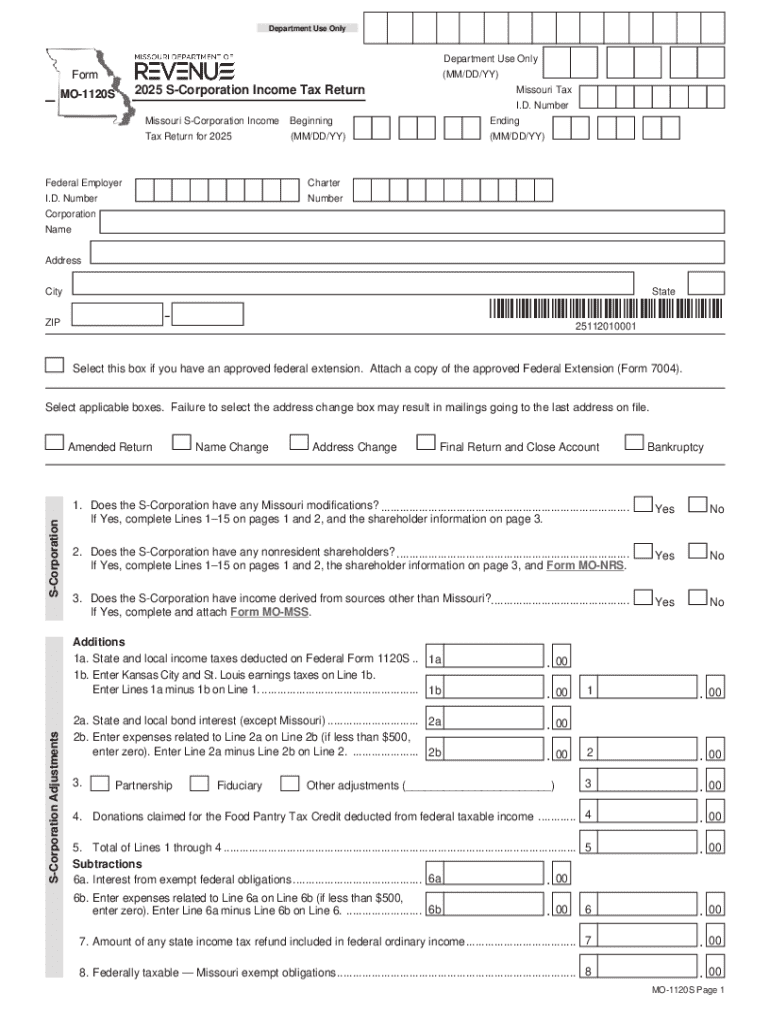
Corporate Tax Electronic Filing refers to the process of submitting corporate tax returns electronically to the taxation authorities, specifically the Internal Revenue Service (IRS) in the United States. This method streamlines the tax filing procedure, ensuring accuracy, efficiency, and quicker processing times compared to traditional paper filing. Corporate entities are often required to report their earnings, credits, deductions, and tax liabilities through this method, adhering to regulatory requirements for timely submission.
How to Use the Corporate Tax Electronic Filing System
Electronic filing of corporate taxes involves several steps to ensure compliance and accuracy:
- Preparation: Gather all necessary financial documents related to income, expenses, credits, and deductions.
- Software Selection: Choose approved tax preparation software compatible with IRS e-filing systems, such as TurboTax or QuickBooks.
- Data Entry: Accurately input the required financial data into the software, ensuring it aligns with corporate financial statements and records.
- Review: Double-check entries for data accuracy and verify that all information meets IRS requirements.
- Submission: Use the software to submit the completed tax return electronically to the IRS. Confirmation of receipt will be provided.
Steps to Complete the Corporate Tax Electronic Filing
Comprehensive steps to efficiently complete electronic filing include:
- Understand Filing Obligations: Recognize which forms are necessary based on business structure (e.g., Form 1120 for corporations).
- Create an EFIN: If filing directly, businesses need an Electronic Filing Identification Number (EFIN), obtainable through IRS application.
- Navigate Filing Software: Familiarize with the tax software interface, utilizing built-in tutorials or help sections.
- Input Data: Enter tax details into designated areas, completing schedules related to income, deductions, and credits.
- Update Taxpayer Info: Confirm and update any changes in business information, such as address or contact details.
- Validate Entries: Use validation tools offered by the software to detect errors before submission.
Required Documents for Corporate Tax Electronic Filing
To ensure a smooth electronic filing process, the following documents are often required:
- Financial Statements: Complete balance sheet, income statement, and cash flow statements for accurate data entry.
- Payroll Records: Details on employee payments and withholdings.
- Records of Deductions and Credits: Documentation supporting eligible deductions and tax credits.
- Previous Year’s Tax Return: Provides a reference for consistency and comparison.
- Bank Statements: Supports reconciliation of financial data.
- Receipts and Invoices: Evidence of expenses and income for verification.
Legal Use of the Corporate Tax Electronic Filing System
The electronic filing system is legally endorsed and regulated by the IRS, ensuring the process meets statutory requirements:
- Corporate electronic filings are governed by the IRS's legal framework, ensuring compliance with U.S. tax laws.
- The ESIGN Act ensures electronically submitted tax returns are legally binding, with the same validity as paper filings.
- Using e-filing reduces the risk of errors, safeguarding against legal and financial penalties.
- Companies must retain electronic and paper copies of submissions for a set duration as stipulated by IRS guidelines.
Software Compatibility for Corporate Tax Electronic Filing
Locating compatible software solutions is crucial for a successful e-filing process:
- Approved Software Providers: A list is available on the IRS website indicating accredited software options.
- Integration Features: Leading software like TurboTax and QuickBooks allow for seamless integration with other financial tools.
- Regular Updates: Ensure your chosen software is up-to-date with current IRS tax code changes and e-filing protocols.
- Customer Support: Opt for software with robust customer support to assist with troubleshooting any submission issues.
IRS Guidelines for Corporate Tax Electronic Filing
Adhering to IRS guidelines is vital for a successful filing:
- Electronic filers must comply with specific IRS requirements, such as using approved e-filing platforms.
- The IRS provides extensive documentation, offering insights into common filing errors and correction procedures.
- Deadline adherence is crucial, with penalties applicable for late submissions unless an extension is granted.
- Technical bulletins and updates are regularly released by the IRS to ensure filers remain informed of any changes in filing procedures or requirements.
Filing Deadlines and Important Dates
Awareness of important deadlines ensures compliance and prevents penalties:
- Tax Deadline: The annual deadline for corporate tax returns is typically March 15. Extensions may permit submissions until September 15.
- Extension Requests: Must be filed electronically prior to the initial deadline to avoid late filing penalties.
- Quarterly Payments: Corporates may need to remit estimated taxes quarterly, on January 15, April 15, June 15, and September 15.
- Acknowledgment Receipt Deadline: Filing confirmations must be received by the filer to ensure successful submission and avoid IRS penalties.
The above sections provide a comprehensive overview of Corporate Tax Electronic Filing, each vital for ensuring legal compliance and optimizing the filing process.