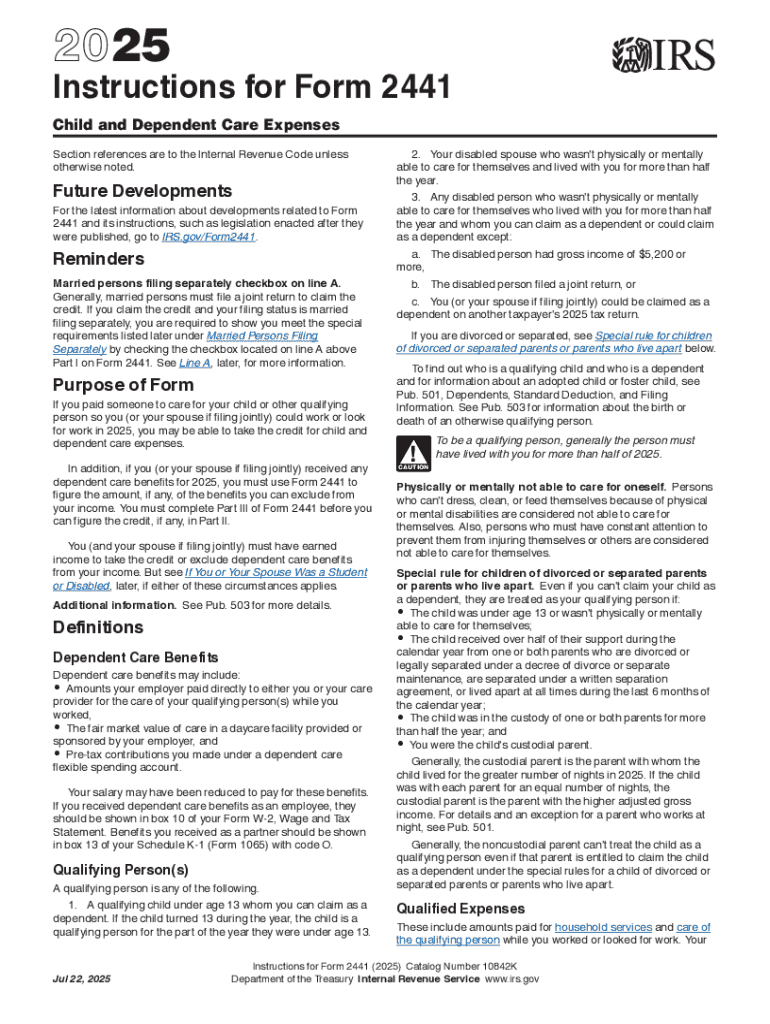







Definition & Meaning
IRS Form 2441, related to Child and Dependent Care Tax Credits, is a tax form used by taxpayers in the United States to claim credits for expenses incurred for the care of qualifying individuals that enable the taxpayer to work or actively look for work. This form is crucial for individuals seeking to reduce their taxable income by accounting for daycare expenses paid for their dependents, such as children under 13 and other dependents who are physically or mentally incapable of self-care.
Steps to Complete IRS Form 2441
- Identify Eligible Expenses: Only certain costs can be claimed, such as daycare, babysitting, or other care provider fees essential for the taxpayer to work or find work.
- Fill in Part I: This section requires the child's or dependent’s name, taxpayer identification number, and care provider information, including their name and address.
- Calculate Credit Amount: Use Part II to determine the allowable credit by comparing your expenses to your earned income.
- Determine Income Limitations: Adjust the credit based on income caps specified by the IRS.
- Review Part III for Dependent Care Benefits: If your employer provided dependent care benefits, reconcile these in Part III.
- Attach to Tax Return: Ensure that Form 2441 is attached to your Form 1040 or 1040A before submission.
Eligibility Criteria
- Work-Related Expenses: To qualify, expenses must be necessary for you and your spouse if filing jointly to work or actively look for work.
- Qualifying Individuals: Generally, children under 13 or incapacitated spouses or dependents living with you for more than half the year qualify.
- Income Requirements: The credit percentage decreases as the taxpayer’s income increases, phasing out at higher income levels.


How to Obtain IRS Form 2441
- Download from irs.gov: The form can be downloaded directly from the IRS website.
- Tax Preparation Software: Many platforms like TurboTax and QuickBooks include Form 2441 in their packages, offering step-by-step assistance.
- Paper Copies: Request a paper version by calling the IRS or visiting an IRS office.
Software Compatibility
DocHub facilitates seamless form management with major tax filing software. Compatibility with platforms like TurboTax and QuickBooks ensures that you can import Form 2441 easily, make necessary edits, and directly save documents to your preferred storage or software following completion.
Required Documents
Gather supporting documents such as:
- Employer's Details: Especially if they provide dependent care benefits.
- Care Provider's Information: Including name, address, and taxpayer identification number.
- Receipts and Records: To support your claim of expenses incurred for the care.
Legal Use of IRS Form 2441
IRS Form 2441 should be accurately completed to lawfully claim Child and Dependent Care Tax Credits. Misrepresentation or erroneous entries could lead to penalties or forfeiture of the tax credit. The form ensures compliance with tax rules governing credits for dependent care expenses.
Examples of Using IRS Form 2441
- Dual-Income Families: Both parents work, incurring daycare expenses for children under the age of 13.
- Single Parents: A single parent paying for a babysitter while they work.
- Care for Incapacitated Spouse/Dependent: Costs associated with caring for a mentally or physically incapacitated dependent who lives with you can also be claimed.
Filing Deadlines / Important Dates
Typically, IRS Form 2441 should be filed alongside your federal tax return by the April deadline. Extensions can be applied for but be mindful that this does not extend the payment cutoff for any taxes owed. Timely submission ensures that eligible taxpayers can fully benefit from applicable credits.