Definition and Meaning
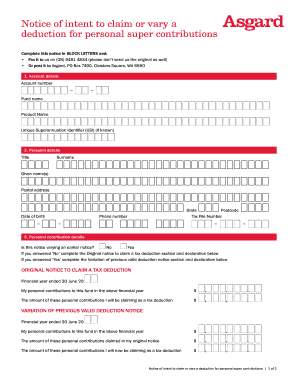
A Second B Notice is an official notification issued by an organization to inform a payee or vendor about discrepancies related to their taxpayer identification number (TIN) as compared with the IRS records. The primary purpose of this notice is to ensure correct identification for tax purposes, thereby preventing backup withholding, which can be as high as 28%. This notice is a follow-up communication to a previous notice from the IRS, indicating the need for immediate corrective action. Understanding the significance of this form is crucial, as it plays a vital role in maintaining compliance with tax regulations.
How to Use the Second B Notice Template
Using a Second B Notice template involves several key steps to ensure accurate and efficient communication of TIN discrepancies. First, review the notification from the IRS to understand the specific errors reported. Fill out the template with the recipient's name, address, and the incorrect TIN that was reported. Clearly state the requirement for the recipient to verify and correct their TIN with the IRS or Social Security Administration (SSA). Include a submission deadline for returning the corrected information to avoid penalties. The template is designed to streamline this process, ensuring that all necessary information is communicated clearly and accurately.
Steps to Complete the Second B Notice Template
-
Verify IRS Notification: Before filling out the template, confirm the details provided in the IRS notification to ensure accuracy and relevance.
-
Enter Recipient Information: Include the recipient's full name, contact information, and the incorrect TIN as indicated by the IRS.
-
Communicate the Issue: Clearly explain the discrepancy between the recipient's reported TIN and IRS records, emphasizing the importance of rectifying this.
-
Provide Instructions: Outline the steps necessary for the recipient to correct their TIN, such as contacting the IRS or SSA for verification.
-
Set a Deadline: Specify a date by which the corrected TIN must be submitted to avoid penalties or withholding.
-
Review and Send: Double-check all entered information for accuracy before dispatching the notice to the concerned party.
Legal Use of the Second B Notice Template
The Second B Notice template serves a legal purpose, ensuring that organizations remain compliant with federal tax laws. By issuing this notice, organizations prompt recipients to address TIN mismatches, thus minimizing the risk of unintended backup withholding. The use of this template aligns with IRS mandates that organizations must notify payees about such discrepancies, thereby fulfilling legal obligations. This document may also serve as evidence of due diligence should any legal disputes or audits arise concerning tax reporting processes.
Key Elements of the Second B Notice Template
- Reported Error: Details regarding the reported TIN mismatch as communicated by the IRS.
- Recipient Notification: Clear instructions and information directed to the individual or entity whose TIN is in question.
- Corrective Measures: Steps required from the recipient to rectify the error, along with guidance on verifying TIN information.
- Deadline Specification: A timeline indicating when the corrected information should be submitted to prevent enforcement actions such as withholding.
- Contact Information: Details of whom to contact for further inquiries or clarification regarding the notice.
Examples of Using the Second B Notice Template
- Vendor-Client Relationships: A company noticing a TIN discrepancy with one of their vendors may use the Second B Notice to prompt timely correction.
- Human Resources Departments: Businesses can issue this notice to employees who have reported incorrect TINs during tax form submissions.
- Financial Institutions: Banks or credit unions may utilize this notice when there's a mismatch in TINs for account holders, requiring them to resolve discrepancies to ensure accurate tax reporting.
IRS Guidelines
The IRS provides specific guidelines on the issuance and handling of B Notices. These include the responsibility of businesses to verify mismatch notices upon receiving information from a backup withholding notice. Organizations must ensure recipients are aware of the need to correct their TINs within a specific timeframe. It is essential for companies to familiarize themselves with these guidelines to avoid penalties and maintain proper tax compliance. The IRS may require documentation proving the issuance of Second B Notices during audits; therefore, accurate record-keeping is paramount.
Penalties for Non-Compliance
Failure to adequately address the issues raised by a Second B Notice can lead to significant penalties. Entities that do not verify and update TIN discrepancies may be subject to enforced backup withholding of 28% on all reportable payments. Additionally, not adhering to IRS requirements for notifying recipients of such errors could result in fines or penalties against the organization. It is critical for entities to act swiftly and accurately to navigate these compliance obligations effectively.
Who Typically Uses the Second B Notice Template
Entities such as financial institutions, corporations, and human resources departments are common users of the Second B Notice template. These organizations rely on the accuracy of taxpayer information for reporting and compliance purposes. By using this template, they ensure that necessary corrections are clearly communicated to individuals or entities whose TINs have been flagged by the IRS. This facilitates smooth operations and mitigates the risk of enforced backup withholding or other IRS penalties.