
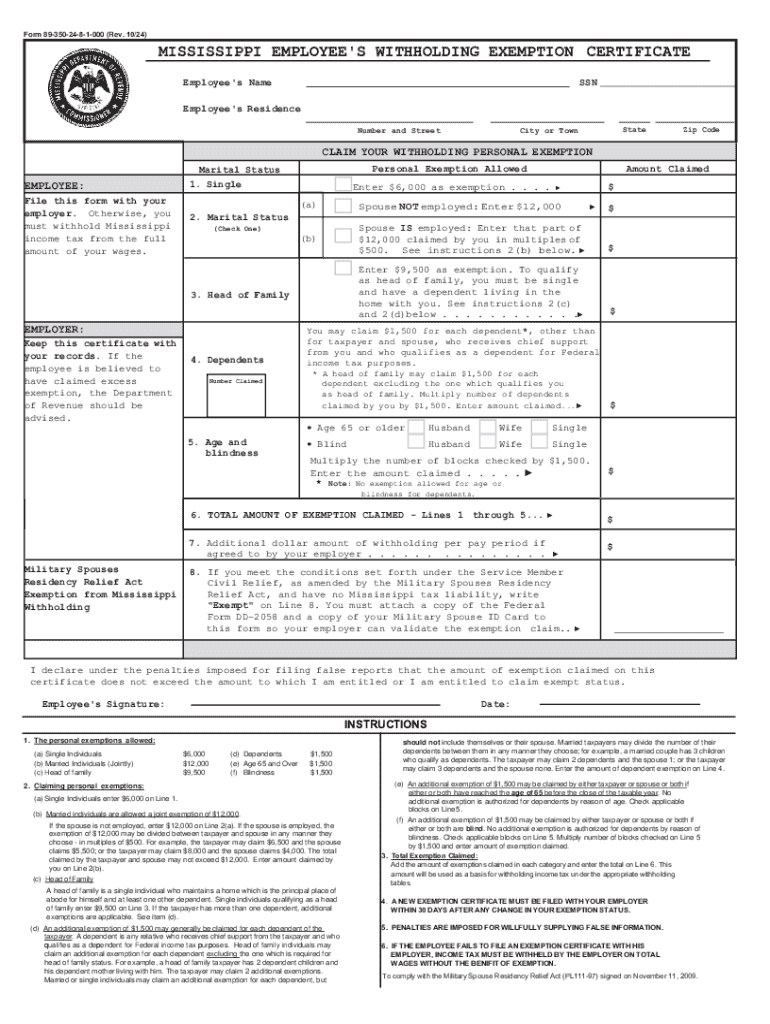







Definition & Meaning of Form Online
Online forms are digital versions of traditional paper forms that allow users to enter and submit information electronically. This process eliminates the need for physical copies and simplifies data collection by automating the submission process. Forms online can range from simple contact forms to complex tax returns, offering a versatile solution for both personal and professional use. They can be used for a variety of purposes, such as registering for services, completing applications, or submitting financial data. The transition to digital forms reduces manual data entry errors and improves the speed and efficiency of processing submissions.
How to Use the Form Online
Utilizing a form online typically involves a simple process that includes accessing, completing, and submitting the form:
- Access the Form: Locate the online form through the relevant website, usually provided by the organization requiring the form.
- Complete Required Fields: Fill in all mandatory fields with the necessary information. These fields are often marked with an asterisk (*) to denote their necessity.
- Review for Accuracy: Double-check all entered data to ensure accuracy and completeness, as incorrect submissions may cause delays or rejections.
- Submit the Form: Once verified, use the "Submit" button to send your information through the specified electronic system. Some platforms may offer direct confirmation via email.
Forms online might include interactive elements such as dropdown menus, checkboxes, and signature fields, making it easier to input and verify data.
Steps to Complete the Form Online
Completing forms online generally follows a structured approach:
- Step 1: Open the form on the official website or platform. Ensure it's the correct and official version to avoid errors.
- Step 2: Enter your personal details, such as name, address, and contact information. These foundational details are often necessary for identification purposes.
- Step 3: Provide specific data required by the form, which may include employment details, financial information, or health records, depending on the form's purpose.
- Step 4: Attach any necessary documentation. Online forms often allow for uploading scanned documents or images to provide further verification.
- Step 5: Review the inputted information carefully. Some forms may provide a preview option before final submission.
- Step 6: Finalize and submit the form, receiving a confirmation of submission, either on-screen or via email, often with a reference number for tracking purposes.
Who Typically Uses the Form Online
Various individuals and organizations benefit from using forms online:
- Individuals: For personal applications, submitting taxes, job applications, or online registrations.
- Businesses: For customer intake, order forms, employee onboarding, and regulatory compliance.
- Educational Institutions: For student registration, scholarship applications, and event sign-ups.
- Government Agencies: For tax collection, census surveys, benefits applications, and more.
The convenience, efficiency, and paperless aspect make online forms an attractive option across diverse sectors.


Key Elements of the Form Online
Forms online share some common elements ensuring comprehensive data capture:
- Form Fields: Designed to capture specific information like names, addresses, and other personal data.
- Interactive Elements: Includes dropdowns, radio buttons, and checkboxes to enhance user interaction and streamline data entry.
- Validation Features: Ensures that information entered is correct and complete, reducing errors in submission.
- Security Protocols: Utilizes encryption and authentication measures to protect sensitive data transmitted via the form.
- Submission Confirmation: Provides feedback confirming receipt of the form, ensuring the user that their data was successfully submitted.
Examples of Using the Form Online
Online forms serve multiple practical applications:
- Job Applications: Candidates submit resumes and cover letters through employment portals using online forms.
- Tax Filing: Individuals and businesses can submit their tax returns via government websites to streamline taxation processes.
- Online Surveys: Organizations use online forms to gather customer feedback and market research data.
- Event Registrations: Attendees register for conferences or events directly through interactive online forms without needing to print or mail documentation.
Software Compatibility
Online forms are often compatible with various software platforms, enhancing their accessibility and utility:
- Web-Based Platforms: Accessible from any browser, making them widely available regardless of operating system.
- Integration with Software Tools: Compatible with CRM systems, document management tools, and accounting software like QuickBooks and TurboTax, enhancing the efficiency of data transfer and management.
- Cloud Storage Compatibility: Allows for storing completed forms directly to cloud services like Google Drive, Dropbox, and OneDrive for easy access and backup.
This compatibility ensures that users can integrate forms online seamlessly into their existing workflows and systems.
Form Submission Methods (Online / Mail / In-Person)
There are multiple ways forms can be submitted:
- Online Submission: Fastest method, often preferred due to its convenience and immediate confirmation upon receipt.
- Mail Submission: Useful for individuals with limited internet access, requiring mailing physical copies to the designated address.
- In-Person Submission: Appropriate for documents that require notarized signatures or personal verification, often involving visits to specific locations or government offices.
Online submission remains the most efficient and eco-friendly method, minimizing the time and resources required for processing.




