Definition & Meaning
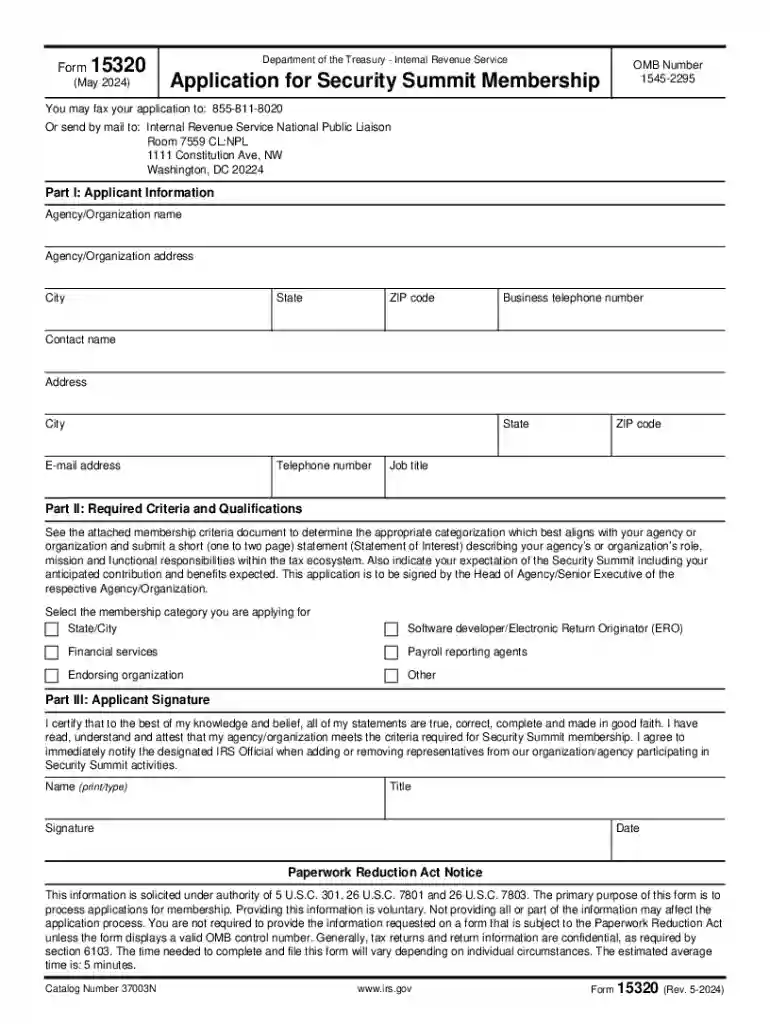
Form 15320 (Rev 5-2024) is an application form issued by the Department of the Treasury - Internal Revenue Service (IRS) for entities seeking membership in the Security Summit. The Security Summit is a collaborative effort between the IRS, state tax agencies, and the private-sector tax industry to combat identity theft and refund fraud. The form serves as a formal request for partnership, allowing organizations to contribute to national efforts to safeguard taxpayer information and enhance data security.
Importance of Membership
- Being part of the Security Summit allows organizations to influence and develop strategies that protect taxpayer data.
- Membership provides access to shared insights and resources aimed at preventing fraud.
- Organizations benefit from a network of security professionals and can contribute to setting industry standards.
Who Should Use This Form?
- Tax preparation firms
- Financial institutions
- Software developers specializing in tax solutions
- Any entity responsible for handling sensitive taxpayer information
Steps to Complete the Form 15320 (Rev 5-2024)
Gather Required Information:
- Organization details: legal name, address, and contact information.
- Description of operations that relate to data protection.
- Security protocols currently in place within the organization.
Fill out the Form:
- Complete each section as per the instructions provided.
- Accurately detail the nature of your business and its compliance with security measures.
Verification:
- Review the form to ensure all information is correct.
- Check for any missing required fields that may lead to processing delays.
Submission Process:
- Decide on the preferred submission method: mail or fax.
- If submitting by mail, ensure the address is accurate and contains all necessary postage.
- Confirm fax number if opting for fax submission.
Completing Online
- While the IRS typically accepts paper versions, digital submissions can be done through authorized platforms that facilitate electronic document handling.
Legal Use of the Form 15320 (Rev 5-2024)
Key Elements of the Form 15320 (Rev 5-2024)
Attachments and Supporting Documents
- Include any additional documentation that supports claims regarding data security measures.
- Attach a security protocol summary to strengthen the application.
Benefits of Usage
- Benefits include enhanced credibility as data protectors and potential for increased business through networked partnerships.
IRS Guidelines for Form Submission
Due Diligence:
- Ensure all application details comply with IRS publication standards and regulations.
- Use the official guidelines to validate each section of the form before submission.
Process Adherence:
- Follow any updates announced by the IRS regarding Security Summit operations and form revisions.
Filing Deadlines / Important Dates
Regular Filing Periods:
- Forms should be submitted well in advance of summit sessions to ensure processing time.
Critical Deadlines:
- Any deadline changes will be communicated through official IRS channels, emphasizing the importance of regular consultation with these resources.
Examples of Using the Form 15320 (Rev 5-2024)
- Scenario Applications:
- A tax software company submitting the form to contribute to new security measures.
- A CPA firm applying to access and share insights within the Security Summit framework.
Case Studies
- Companies having improved client trust and data security by actively participating in Security Summit activities.
Conclusion
- Detailed examination and correct completion of Form 15320 (Rev 5-2024) ensure successful application for membership in the Security Summit.
- Collectively, participating entities can enhance national data security efforts through cooperation and shared responsibility.