
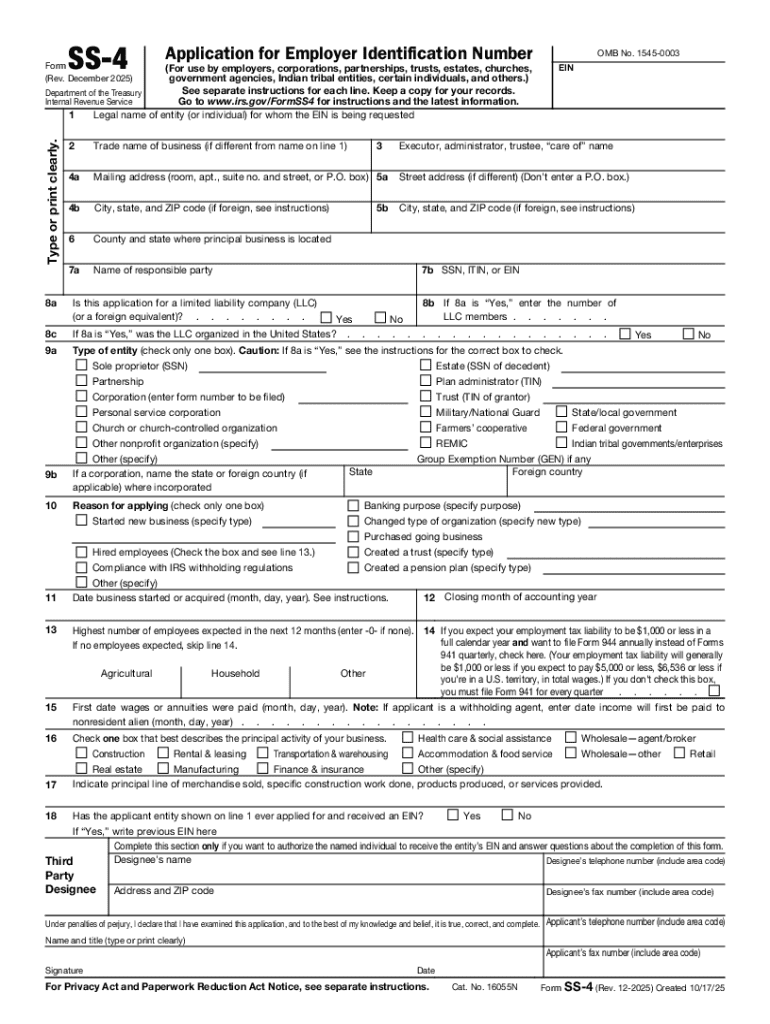







Definition and Meaning of Form Online
Form online refers to the digital version of traditional paper forms that are designed to be completed, submitted, and stored electronically. Such forms are made available through websites or specialized platforms, offering users the convenience of interacting with necessary documents from any location with internet access. This electronic approach simplifies data collection, reduces paperwork, and provides accessibility improvements over traditional methods.
Online forms can range from simple contact forms on websites to complex government applications that require intricate data input. They often mimic the structure of their paper counterparts but are enhanced with features like auto-fill, validations, and interactive components to ensure accuracy and ease of completion.
How to Use the Form Online
To effectively use a form online, begin by locating the form on its designated platform or website. If required, create an account or log in to access the tools for filling out, reviewing, and submitting the form. Most online forms are intuitive, guiding users through each section sequentially, so it's crucial to follow the laid-out structure.
-
Read Instructions Carefully: Before inputting any data, ensure you understand the instructions provided. Some forms might include tooltips or pop-up guides for additional assistance.
-
Fill Out Required Fields: Use text boxes, checkboxes, drop-down menus, and any other fields available to fill out the form. Mandatory fields are typically marked with an asterisk.
-
Review and Edit: After completing all sections, review your inputs for accuracy. Look for any errors or missing information highlighted by the form's built-in validation mechanisms.
-
Submit the Form: Once satisfied, follow the prompted steps to submit the form. Some systems offer a chance to save a copy for your records.
Online forms may also have features such as auto-save to prevent data loss and secure submission protocols to protect your information.
How to Obtain the Form Online
Obtaining a form online typically involves several straightforward steps that facilitate access to the necessary document:
-
Identify the Source: Determine the official or designated website where the form is hosted. This could be a government portal, a business platform, or a specialized document management service like DocHub.
-
Account Creation: For some services, creating an account may be required to access or fill out the form. This step ensures your data can be saved and retrieved when necessary.
-
Downloading Options: Not all online forms need to be downloaded. However, if a downloadable version is available, simply click the download button to save a copy to your device. Alternatively, some forms are designed solely for completion and submission within the platform.
-
Direct Access: Once accessed, you may either fill out the form online or print it for offline completion, maintaining a digital copy for future reference.
Steps to Complete the Form Online
Completing a form online involves a systematic approach to ensure accuracy and completeness:
-
Gather Necessary Information: Before starting, collect all required documents and data that the form might require.
-
Complete Information Fields: Methodically fill out each section. Utilize any help features embedded in the form to clarify any uncertainties.
-
Validate Entries: Ensure data coherence by utilizing any validation prompts provided by the system. This reduces submission errors.
-
Attach Supporting Documents: If the form requires attachments such as identification or proof of eligibility, upload these as specified.
-
Final Review: Conduct a thorough review of your responses. Many platforms highlight sections where data is missing or incorrect, allowing you to make adjustments before submission.
Why Should You Form Online
Filling forms online provides multiple advantages over traditional methods:
- Efficiency and Speed: Online forms save time by offering streamlined processes, automated data entry options, and quicker submission.
- Access from Anywhere: As they are digital, users can access and complete forms from any location, provided they have internet connectivity.
- Environmentally Friendly: Reduces paper consumption and the associated waste involved in producing, mailing, and storing paper forms.
- Enhanced Security: Many platforms employ encryption and security measures that enhance user data protection compared to paper forms that could be lost or misplaced.
Key Elements of the Form Online
A standard form online will typically consist of the following key elements to facilitate data entry and collection:
- Header Information: Contains the form's title, logo, and brief description or guidance on its use.
- Input Fields: These include text boxes, dropdown lists, radio buttons, and checkboxes for data entry.
- Validation Rules: Systems often have built-in checks to prevent incomplete or incorrect data from being submitted.
- Interactive Segments: These segments allow for dynamic data input based on previous answers, streamlining the form completion process.
- Submission Button: Enables the user to officially send their completed form for processing.
- Help and Support Options: Integrated links or contact options should the user encounter any difficulties.
Legal Use of the Form Online
Online forms adhere to legal standards to ensure compliance and legitimacy. These forms must comply with regulations like e-signature laws, ensuring that digital uploads and signatures are considered valid and enforceable.
Legal mandates require online forms used for sensitive data collection, like applications or contracts, to include:
- User Consent: Explicit consent from users agreeing to the terms and conditions of data collection.
- Compliance with Data Protection Laws: Adhering to regulations like GDPR or the U.S. E-Sign Act, which govern how data can be collected, stored, and processed.
- Secure Authentication: Implementing secure logins and authentication protocols to protect user access.
Such measures render online forms a secure and recognized means for legal document handling.
Software Compatibility for Form Online
Online forms are often compatible with various software platforms, facilitating ease of access and submission. Compatibility features ensure that users can interact with the form using different browsers and devices:
-
Web Browser Compatibility: Ensure the forms work seamlessly across major web browsers like Chrome, Firefox, and Safari.
-
Integration with Tools: Platforms like DocHub provide integrations with popular tools such as Google Drive or Dropbox, allowing users to import and manage forms directly.
-
Mobile-Friendly Design: Adaptability for mobile devices through responsive design ensures that users can complete forms from smartphones or tablets.
Such software compatibility enhances the user experience by providing a flexible, platform-agnostic approach to completing and submitting forms online.




