






Definition and Purpose of Forms 1099-MISC and 1099-NEC
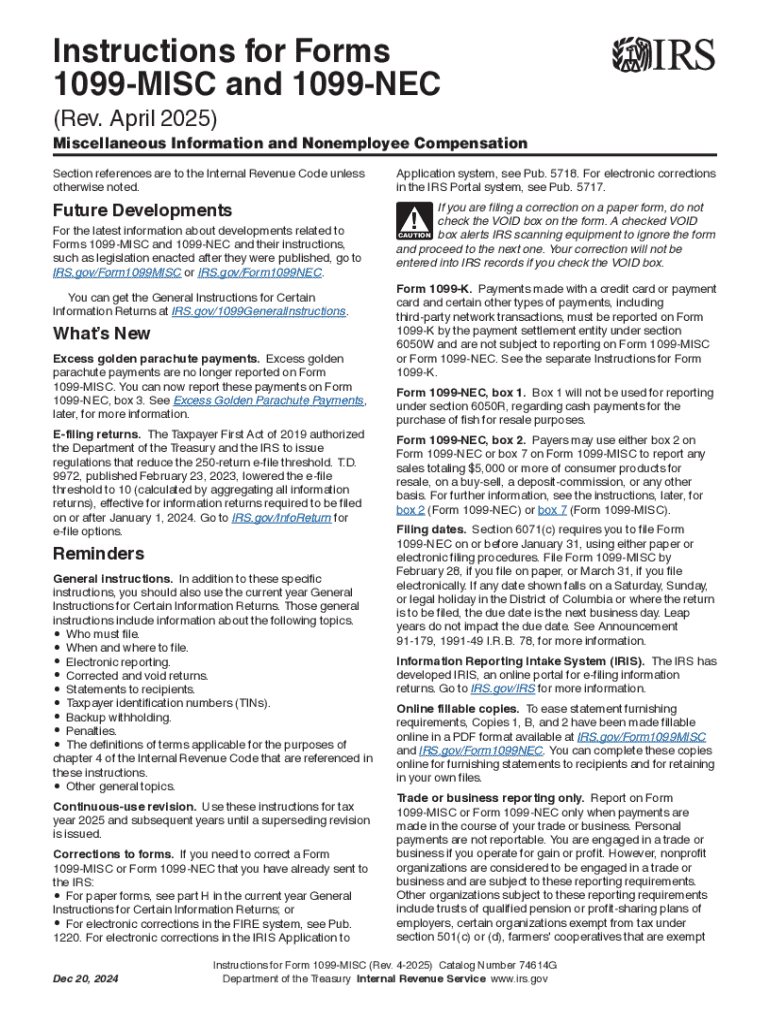
Forms 1099-MISC and 1099-NEC are crucial for reporting different types of compensation and miscellaneous income to the IRS. The Form 1099-MISC is used to report various types of payments, such as rent, prizes, and other income payments, that exceed $600. On the other hand, Form 1099-NEC is specifically used to report nonemployee compensation, such as payments to independent contractors or freelancers for their services. These forms ensure that the IRS receives accurate information regarding income that may not be otherwise reported on standard payroll forms.
- 1099-MISC: Utilized for miscellaneous income reporting including rents, royalties, and other financial payments.
- 1099-NEC: Focuses strictly on reporting nonemployee compensation, highlighting the split from 1099-MISC to address specific reporting needs.
Steps to Complete Forms 1099-MISC and 1099-NEC
Completing these forms correctly is essential to avoid penalties. Here's a step-by-step guide on how to complete each form.
- Gather Necessary Information: Obtain the taxpayer identification number and the total payment amount paid to the recipient.
- Fill Out Payer Information: Enter your business name, address, and tax identification number on each form.
- Recipient’s Details: Include the recipient's name, address, and identification number.
- Enter Payment Amounts: For Form 1099-MISC, fill out any rents, prizes, and other income. For Form 1099-NEC, only enter nonemployee compensation.
- Submit Copies: Send Copy A to the IRS, Copy B to the recipient, and keep a Copy C for your records.
Key Points for Accurate Filing
- Ensure all identification numbers are correct before submission.
- Double-check that the payment amounts correspond to each recipient as per your financial records.
Important IRS Guidelines and Compliance
Adhering to IRS guidelines when filing Forms 1099-MISC and 1099-NEC is critical. Non-compliance can result in penalties or audits.
- Correct Use: Ensure each type of payment is reported on the correct form.
- Filing Deadlines: Report Form 1099-NEC by January 31 and Form 1099-MISC by March 31 if filing electronically.
- E-File if Possible: It is recommended to e-file to prevent common errors associated with paper filing.
Avoiding Common Mistakes
- Avoid mix-ups between 1099-MISC and 1099-NEC by understanding what each form covers.
- Ensure all copies of the form are delivered to appropriate parties by the deadlines.
Legal Implications and Penalties
Failing to file or submitting inaccurate information can lead to significant legal consequences.
- Penalties: Penalties for late filing can reach up to $560 per form depending on how late the filing is.
- Misreporting: Providing incorrect information can lead to further penalties or trigger an IRS audit.
Preventative Steps
- Use reliable accounting software to track payments and complete forms accurately.
- Verify information with recipients to avoid discrepancies and ensure that records match.
Key Elements and Specific Terms Explained
Understanding key elements and terminology associated with these forms is essential to complete them accurately.
- Nonemployee Compensation: Payments made to independent workers not on a company's payroll.
- Miscellaneous Income: Includes any income that does not fall under traditional wages or salary.
- Threshold for Reporting: Generally, $600 is the minimum amount requiring a 1099 form.
Software Compatibility and Paper vs. Digital Submission
Both forms can be completed using various tax software platforms, offering different submission methods.
- TurboTax, QuickBooks, etc.: These software programs offer guided steps for preparing and filing the forms accurately.
- Digital Submission: Preferred for ease and accuracy, minimizing common errors associated with manual entries.
Choosing Between Paper and Digital
- Digital: Faster processing with instant verification options.
- Paper: Slower and requires careful manual review, but may be necessary if electronic resources are unavailable.
Examples and Scenarios of Usage
Forms 1099-MISC and 1099-NEC are utilized by various individual and business types, each with unique scenarios.
- Freelancers and Contractors: Utilize 1099-NEC for reporting compensation received from different clients.
- Businesses with Rental Income: File 1099-MISC to report rental income over $600.
- Case Study: A small business owner issues 1099-NEC to several freelancers they worked with throughout the year.
Model Scenarios
- A graphic designer receiving project-based payments must report earnings via 1099-NEC.
- A landlord receiving rental income must issue a 1099-MISC to report the earnings to the IRS.
Application Process and Eligibility Criteria
To apply or obtain these forms, identify if your transactions meet the reporting threshold criteria.
- Who Needs to File: Any individual or business that makes qualifying payments of $600 or more.
- How to Obtain Forms: Forms can be ordered from the IRS website or filled out via tax preparation software.


Eligibility Considerations
- Consult with an accountant if unsure about the specifics of your reporting requirements.
- Regularly update recipient and payment records to meet IRS criteria accurately.
By comprehensively understanding these key areas, anyone tasked with completing and filing Forms 1099-MISC and 1099-NEC can do so confidently and compliantly.