




01. Edit your form online
Type text, add images, blackout confidential details, add comments, highlights and more.

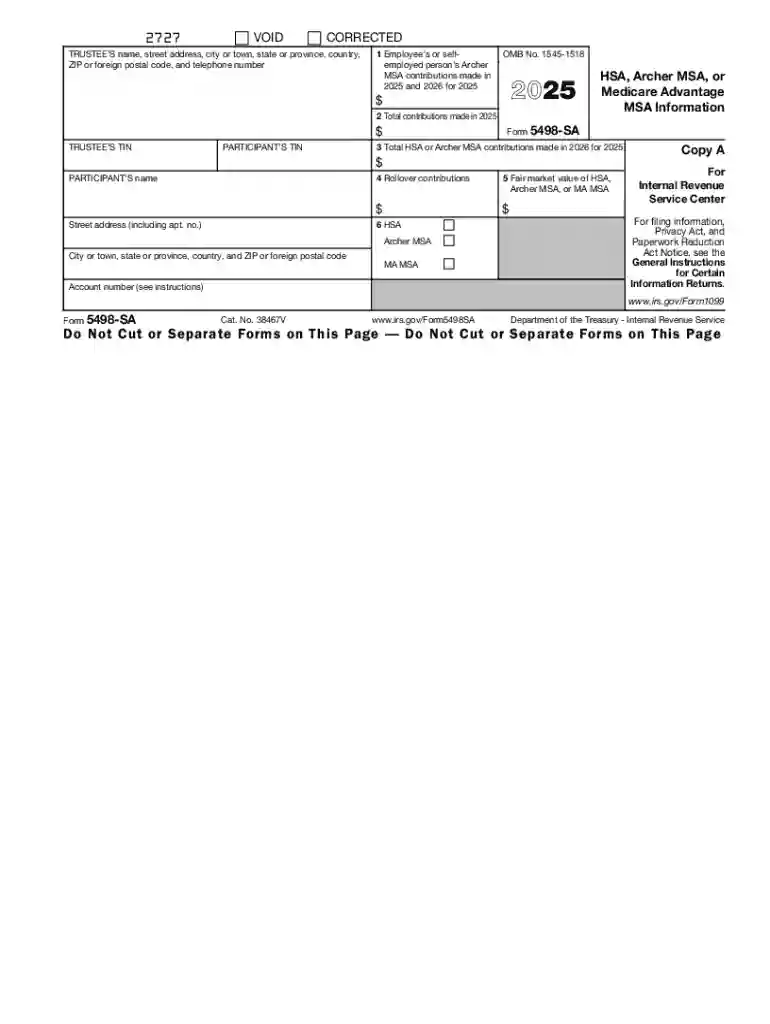
Type text, add images, blackout confidential details, add comments, highlights and more.

Draw your signature, type it, upload its image, or use your mobile device as a signature pad.

Send it via email, link, or fax. You can also download it, export it or print it out.
The "1 Employees or Self-Employed Persons Archer" form is designed to report contributions made to Archer Medical Savings Accounts (MSAs) by either employees or self-employed individuals. This form plays a crucial role in detailing how much has been contributed to MSAs during a tax year, ensuring compliance with federal tax regulations pertaining to these accounts. Archer MSAs are tax-advantaged accounts that help individuals with high-deductible health plans save for medical expenses. Understanding this form is essential for those who want to optimize their tax benefits via Archer MSA contributions.
Using the "1 Employees or Self-Employed Persons Archer" form involves understanding its different sections and what information needs to be inputted. Typically, this includes:
By ensuring accurate data entry, taxpayers can maximize their potential tax deductions and avoid potential disputes with tax authorities.
Here's a step-by-step guide to completing the "1 Employees or Self-Employed Persons Archer":
This form is primarily utilized by:
Using the form correctly assists these groups in claiming relevant tax benefits associated with their MSA contributions.


The "1 Employees or Self-Employed Persons Archer" form consists of several critical components:
These elements must be completed with precision to ensure all aspects of the account are appropriately reported.
Understanding when to file is crucial for compliance. Key deadlines typically include:
Meeting these deadlines ensures no penalties due to late submission of information related to your Archer MSA.
Using this form aligns with legal requirements surrounding health savings account management:
Remaining informed about these legal aspects helps users leverage their benefits while maintaining compliance.
The form should be compatible with popular tax software solutions such as:
Using compatible software enables accurate and efficient completion of the "1 Employees or Self-Employed Persons Archer" while maintaining accurate tax records.
We've got more versions of the 1 Employees or selfemployed persons Archer form. Select the right 1 Employees or selfemployed persons Archer version from the list and start editing it straight away!
| Versions | Form popularity | Fillable & printable |
|---|---|---|
| 2025 | 4.3 Satisfied (45 Votes) | |
| 2024 | 4.7 Satisfied (28 Votes) | |
| 2023 | 4.5 Satisfied (21 Votes) | |
| 2022 | 4.3 Satisfied (30 Votes) | |
| 2021 | 4.8 Satisfied (222 Votes) | |
| 2020 | 4.4 Satisfied (62 Votes) | |
| 2019 | 4.1 Satisfied (57 Votes) | |
| 2018 | 4.2 Satisfied (65 Votes) | |
| 2017 | 4.2 Satisfied (40 Votes) | |
| 2016 | 4.3 Satisfied (244 Votes) |
At DocHub, your data security is our priority. We follow HIPAA, SOC2, GDPR, and other standards, so you can work on your documents with confidence.


Box 1. Employee or Self-Employed Persons Archer MSA Contributions Made in 2025 and 2026 for 2025. Enter the employees or self-employed persons regular
(iii) Self-employed individuals. In the case of an individual described in subclause (II) of subsection (c)(1)(A)(iii), the cut-off date is November 1 of the
Jan 23, 2018 Self-employed persons. If you are self-employed in a business that provides services (where the production, purchase, or sale of merchandise


