FINAL REPORT GUIDELINES and FORMS 2026

Get Form
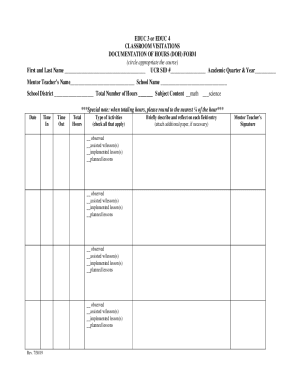
FINAL REPORT GUIDELINES and FORMS Preview on Page 1

Here's how it works

01. Edit your form online
Type text, add images, blackout confidential details, add comments, highlights and more.
02. Sign it in a few clicks
Draw your signature, type it, upload its image, or use your mobile device as a signature pad.
03. Share your form with others
Send it via email, link, or fax. You can also download it, export it or print it out.

The easiest way to modify FINAL REPORT GUIDELINES and FORMS in PDF format online

Form edit decoration
9.5
Ease of Setup
DocHub User Ratings on G2
9.0
Ease of Use
DocHub User Ratings on G2

Adjusting paperwork with our feature-rich and user-friendly PDF editor is simple. Adhere to the instructions below to complete FINAL REPORT GUIDELINES and FORMS online quickly and easily:

  1. Sign in to your account. Sign up with your email and password or register a free account to try the product before upgrading the subscription.
  2. Import a document. Drag and drop the file from your device or import it from other services, like Google Drive, OneDrive, Dropbox, or an external link.
  3. Edit FINAL REPORT GUIDELINES and FORMS. Easily add and underline text, insert images, checkmarks, and signs, drop new fillable areas, and rearrange or delete pages from your document.
  4. Get the FINAL REPORT GUIDELINES and FORMS accomplished. Download your updated document, export it to the cloud, print it from the editor, or share it with other people via a Shareable link or as an email attachment.

Benefit from DocHub, one of the most easy-to-use editors to quickly manage your paperwork online!

be ready to get more

Complete this form in 5 minutes or less

Get form

Got questions?

We have answers to the most popular questions from our customers. If you can't find an answer to your question, please contact us.
Contact us
The structure of a report typically includes an executive summary, introduction, body, and conclusion, often supplemented by a title page, table of contents, and references. Different report formats include academic, business, and scientific reports, each tailored to specific purposes, audiences, and writing styles.
Example table of contents from a final report Executive Summary. Introduction. Description of the project. Evaluation purpose and Methodology context of evaluation, questions, team, limitations) Findings, Conclusions and Recommendations. Lessons Learned. Appendices: Terms of Reference.
A project final report must necessarily include: A description of the process with which the project was approved and the reason why it started. A summary of the project execution with the specification if the project has achieved its goals. Details on the project budget performance.
The key steps for writing a report are 1) selecting a topic, 2) conducting research, 3) creating a thesis statement, 4) preparing an outline, 5) drafting the report, 6) revising the content, and 7) proofreading for final touches.
To help you out, here are five guidelines and steps you can follow when creating a business report. Establish What Type Of Report You Need. Structure the Business Report. Make the Report Easy to Read. Proofread the Report. Keep it Professional.
be ready to get more

Complete this form in 5 minutes or less

Get form

People also ask

Whats the standard report format? Introduction. Methodology. Findings/Results. Analysis/Discussion. Recommendations. Conclusion. References/Bibliography. Appendices.

Related links