
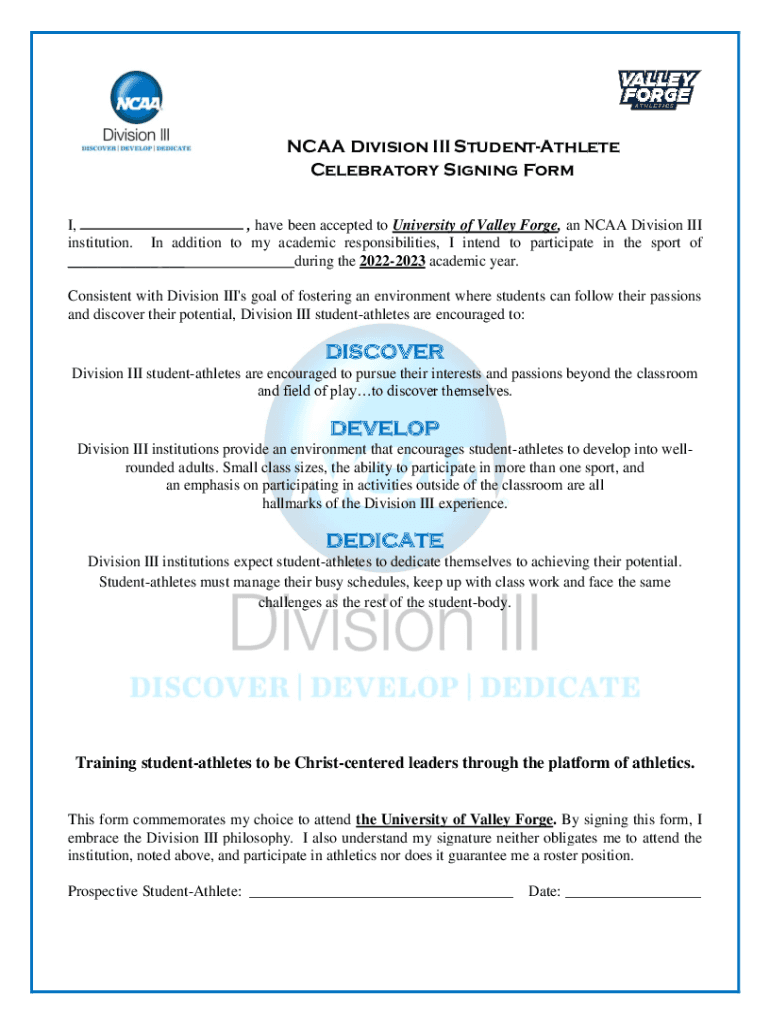







Definition & Purpose of the Celebratory Signing Form 23-24 (PDF)
The Celebratory Signing Form 23-24 serves as a formal acknowledgment for prospective student-athletes who have been accepted to participate in the athletics programs at the University of Valley Forge, an NCAA Division III institution. This document underscores the core values of Division III, which emphasize academic and athletic balance, personal development, and exploration of diverse interests. Although signing this form demonstrates a commitment to these principles, it does not equate to an obligation to enroll or ensure a position on the sports team roster.
How to Use the Celebratory Signing Form 23-24 (PDF)
To use the Celebratory Signing Form, prospective student-athletes need to review the document thoroughly, ensuring they understand the Division III philosophy and the expectations involved. The form may be filled out electronically using platforms like DocHub, which allows for easy editing, saving, and sharing. Ensure all sections are completed accurately, with particular attention paid to personal information, acknowledgment of Division III values, and any sections requiring a signature.
Necessary Signatures
- Athlete
- Parent or Guardian (if the athlete is under 18)
- Coach or University Representative
How to Obtain the Celebratory Signing Form 23-24 (PDF)
Obtaining the Celebratory Signing Form can be done through different channels:
-
University Contact: Prospective student-athletes typically receive the form from their university's athletics department. Contact the department's administrative office or coach for a direct link or emailed copy.
-
Online Platforms: The form can often be found on the university's official athletics page or associated document management systems like DocHub, allowing for direct download and completion.
-
Cloud Services: Accessibility through platforms including Google Drive, Dropbox, or OneDrive ensures that you can manage the document seamlessly across personal devices.
Steps to Complete the Celebratory Signing Form 23-24 (PDF)
Completing the Celebratory Signing Form involves the following steps:
-
Document Review: Carefully read all sections, ensuring a full understanding of the commitments and statements within.
-
Personal Information: Enter all required personal and contact information as requested. Ensure accuracy to avoid future administrative issues.
-
Acknowledgment Section: Initial or sign acknowledgment sections to confirm understanding and agreement with the values and expectations outlined.
-
Signature Requirement: Digital or handwritten signatures may be needed from the athlete, a parent or guardian, and a university representative.
-
Submission: Once completed, submit the form electronically or via mail as directed by the university's athletics department.
Key Elements of the Celebratory Signing Form 23-24 (PDF)
The form includes specific sections critical for the athlete's commitment process:
- Division III Philosophy: An explanation of the NCAA Division III approach to balancing athletics with academic and personal growth.
- Personal Commitment: Sections requiring the athlete's declaration of alignment with university principles.
- Information Confirmation: Boxes to confirm details such as name, contact information, and athlete's sport.
Personal Information Section
- Full name
- Date of birth
- Prospective sport
- Contact information
Legal Use of the Celebratory Signing Form 23-24 (PDF)
The Celebratory Signing Form is not contractually binding for purposes of enrollment or athletic participation. It serves as an indicator of intention and understanding of the university's values.
Compliance
- Fulfills NCAA requirements for non-binding agreements in Division III
- Aligns with the ESIGN Act, ensuring digital signatures are legally accepted
Examples of Using the Celebratory Signing Form 23-24 (PDF)
Consider the following real-world scenario involving Mary, a high school senior accepted into the University of Valley Forge's volleyball team. Mary completes her Celebratory Signing Form using DocHub to digitally sign and forward it to her coach and parents. This not only confirms her passion for athletics but also her commitment to academic excellence.
Use Case Scenarios
- Acceptance Confirmation: Utilized by administrative offices as a part of onboarding for student-athletes.
- Documentation for Future Reference: Retained as a record of dedication to holistic education ideals.
Document Accessibility and Editing
DocHub provides multiple tools to facilitate document edits, offering:
- Text and Annotation Tools: Modify text or add notes to clarify commitments.
- Real-Time Collaboration: Share the document with family or team advisors for their input.
Software Compatibility
- Works seamlessly on both desktop and mobile browsers for flexible access
- Integrates with Google Workspace for smooth import and export actions
Adhering to these guidelines ensures that you navigate and complete the Celebratory Signing Form 23-24 effectively, fulfilling your role as a prospective student-athlete committed to both athletic and academic excellence.




