




01. Edit your form online
Type text, add images, blackout confidential details, add comments, highlights and more.

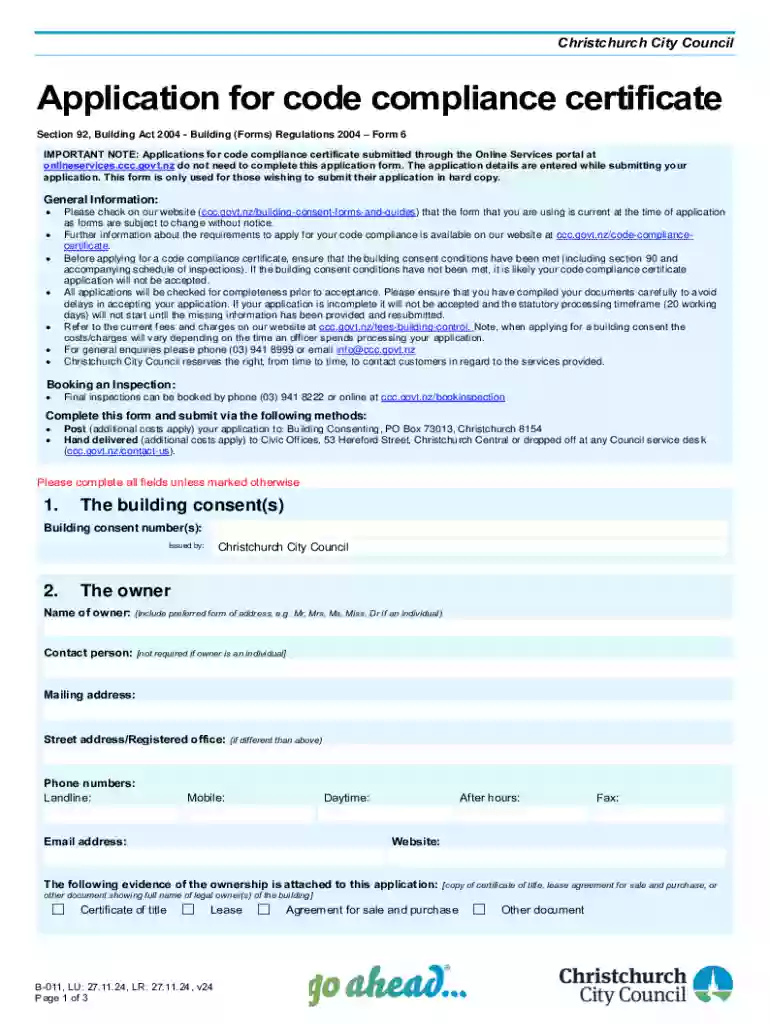
Type text, add images, blackout confidential details, add comments, highlights and more.

Draw your signature, type it, upload its image, or use your mobile device as a signature pad.

Send it via email, link, or fax. You can also download it, export it or print it out.
The term "form online" refers to the process of completing and submitting documents through an internet-based platform rather than in paper format. This approach allows users to access forms digitally, fill them out, and submit them without the need for physical paperwork. Online forms are often designed to be interactive, guiding users through the necessary fields to ensure all required information is provided. This digital method is widely used for applications, registrations, surveys, and legal documents, offering convenience and efficiency in managing paperwork.
Using a form online typically involves accessing a secure web platform that hosts the digital form. Here's a step-by-step guide on how to use an online form:
Access the Platform: Navigate to the website that hosts the form. Ensure that it is a secure site to protect your personal information.
Locate the Form: Search for or select the specific form you need to fill out. Many platforms categorize forms by type or function for easier navigation.
Fill Out the Form: Enter your information in the designated fields. These might include personal details, contact information, or specific data related to the form's purpose.
Review Your Entries: Carefully review all entered information to ensure accuracy. Most platforms allow you to edit fields before submission.
Submit the Form: Once verified, click on the submission button. A successful submission usually triggers a confirmation message or email.
Save or Print a Copy: Some platforms provide options to save or print a copy of the completed form for your records.
Completing an online form involves several key steps that ensure the information provided is accurate and the form is submitted successfully. Follow these comprehensive steps:
Preparation: Gather all necessary documents and information required for the form. This may include identification numbers, financial information, or other details relevant to the form's context.
Creating an Account: If the platform requires user accounts, set up an account with a secure username and password to protect your data.
Form Filling: Enter data in a logical sequence, following any prompts or instructions the platform provides.
Verification: Double-check each entry for correctness and typos. Some platforms have built-in verifications, such as verifying email formats or ensuring numerical values are valid.
Attachments: If the form requires additional documents, use the upload feature to attach scanned copies or digital versions of these documents.
Confirmation: Upon submitting the form, ensure you receive a confirmation. This might be a tracking number or a receipt indicating your submission is being processed.
Follow-Up: Check if there are any follow-up actions required, such as an in-person appointment or additional documentation submissions.
Utilizing online forms offers several advantages that can streamline processes for both individuals and organizations:
Convenience: Online forms can be filled out and submitted from anywhere with an internet connection, eliminating the need for physical presence or mailing delays.
Efficiency: Automated systems often handle data entries faster and more reliably than manual methods, reducing the risk of errors.
Real-Time Processing: Many online forms are processed in real-time, enabling quicker responses from the recipient organization.
Environmentally Friendly: Reducing the use of paper and physical documents aligns with environmentally sustainable practices.
Cost-Effective: Online forms save costs associated with printing, mailing, and physical storage of documents.
The use of forms online spans a wide range of users across different sectors:
Individuals: People seeking to complete applications, tax forms, or registrations find online forms particularly useful for their convenience and ease of access.
Businesses: Companies often use online forms for HR processes, client feedback, and transactional documentation. This method facilitates streamlined operations across departments.
Educational Institutions: Universities and schools employ online forms for admission processes, enrollment management, and administrative functions.
Government Agencies: Various departments use online forms for applications, permits, and public services, enhancing accessibility for citizens.


Online forms must comply with legal standards to ensure their validity and enforceability:
Compliance with Laws: Online forms must adhere to legal requirements such as the ESIGN Act, which grants electronic signatures the same legal weight as handwritten ones.
Data Protection: Platforms hosting online forms must employ robust security measures to protect sensitive information, including encryption and secure password protocols.
Record Keeping: Digital records of submitted forms need to be stored securely for future reference and compliance purposes.
User Agreement and Consent: Forms should include terms of use or consent sections where users acknowledge the legality and purpose of the information provided.
Creating and managing fillable forms online involves several critical steps to ensure functionality and user-friendliness:
Form Design: Design forms with clear and user-friendly interfaces. Use intuitive layouts that guide users naturally through the process.
Field Inclusion: Include fields that capture all necessary data. Use various input types like text fields, radio buttons, and date pickers to enhance usability.
Validation Rules: Implement validation checks to ensure data integrity. For instance, verify email formats or restrict numerical inputs to valid ranges.
Distribution and Access: Share forms via secure links or emails. Enable collaboration by allowing stakeholders to access and review form content as needed.
Tracking and Analytics: Use tracking tools to monitor form submission rates and completion times. Analytics can provide insights into user behavior and form performance.
Understanding key terms associated with online forms can enhance the form-filling experience:
Interactive Elements: Features like drop-down menus or radio buttons that allow users to select options more conveniently.
SSL Encryption: A security protocol ensuring the protection of data transmitted over the internet.
OAuth 2.0: An authentication framework that enables secure access to user accounts by third-party services.
Mandatory Fields: Fields marked as required must be completed before a form can be submitted successfully.
Audit Trail: A record of actions taken with a document, often including timestamps for each action, providing oversight and transparency.
Platforms supporting online forms often integrate seamlessly with various software applications to enhance functionality:
Google Workspace Integration: Many form platforms integrate with Google Drive, Gmail, and other applications to streamline document management.
Third-Party Software Compatibility: Ensure compatibility with tools like Microsoft Office, TurboTax, and QuickBooks for data synchronization and efficient workflows.
Custom API Support: Advanced users may use APIs to connect forms with their internal systems for automated data transfer and processing.
Understanding these facets of online forms allows users to utilize them effectively, ensuring accurate information submission and streamlined operations.
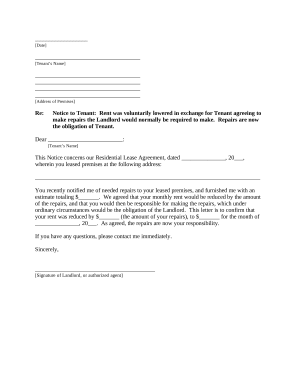
We've got more versions of the Christchurch Code Compliance Certificate Application form. Select the right Christchurch Code Compliance Certificate Application version from the list and start editing it straight away!
At DocHub, your data security is our priority. We follow HIPAA, SOC2, GDPR, and other standards, so you can work on your documents with confidence.
Use Microsoft Forms to easily create online surveys, forms, quizzes and questionnaires. AI powered, free survey tool from Microsoft.
Creating a Form. Most forms should be instances of Djangos models.ModelForm class. This makes it simpler to create a form for most, if not
Oct 30, 2025 This page lists the USCIS forms that are currently available to file online. Visit the File Online page to learn about the benefits of filing a form using our


