Type text, add images, blackout confidential details, add comments, highlights and more.
02. Sign it in a few clicks
Draw your signature, type it, upload its image, or use your mobile device as a signature pad.
03. Share your form with others
Send it via email, link, or fax. You can also download it, export it or print it out.
How to modify OK DIRECTORY online
Ease of Setup
DocHub User Ratings on G2
Ease of Use
DocHub User Ratings on G2
With DocHub, making changes to your documentation requires only a few simple clicks. Follow these quick steps to modify the PDF OK DIRECTORY online for free:
Register and log in to your account. Log in to the editor using your credentials or click on Create free account to examine the tool’s capabilities.
Add the OK DIRECTORY for redacting. Click on the New Document option above, then drag and drop the document to the upload area, import it from the cloud, or using a link.
Modify your document. Make any changes required: insert text and images to your OK DIRECTORY, underline important details, erase sections of content and replace them with new ones, and add icons, checkmarks, and fields for filling out.
Finish redacting the template. Save the modified document on your device, export it to the cloud, print it right from the editor, or share it with all the parties involved.
Our editor is very easy to use and effective. Try it out now!
Ok directory public schoolsOk directory phone numberOk directory schoolsOk directory staffOklahoma state university Staff DirectoryOklahoma state university directoryOSU faculty DirectoryOklahoma DHS employee directory
Related forms
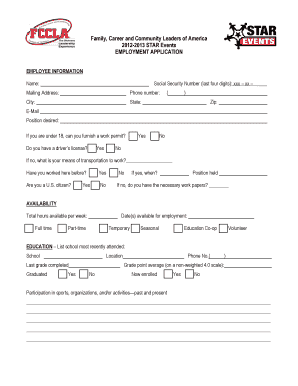
2012-13 Job Interview Application Form - Ohio FCCLA
Cookie consent notice
This site uses cookies to enhance site navigation and personalize your experience.
By using this site you agree to our use of cookies as described in our Privacy Notice.
You can modify your selections by visiting our Cookie and Advertising Notice.