




01. Edit your form online
Type text, add images, blackout confidential details, add comments, highlights and more.

Type text, add images, blackout confidential details, add comments, highlights and more.

Draw your signature, type it, upload its image, or use your mobile device as a signature pad.

Send it via email, link, or fax. You can also download it, export it or print it out.
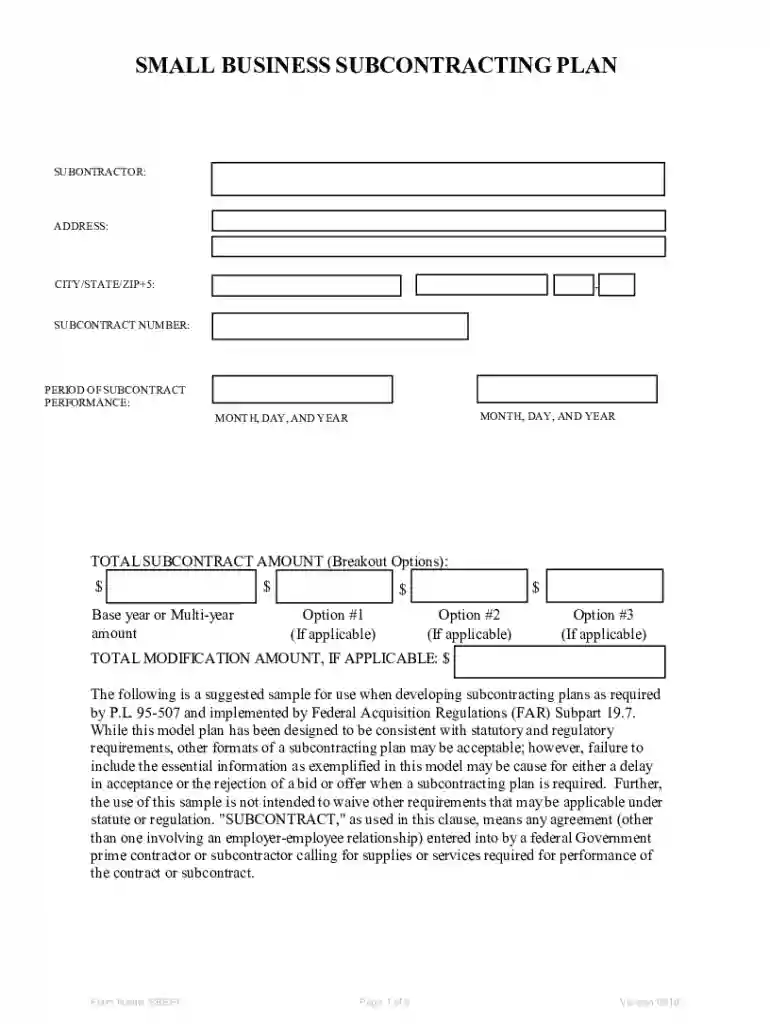
The Model Small Business Subcontracting Plan serves as a strategic framework for federal contractors to ensure they are providing subcontracting opportunities to small business concerns. This plan is pivotal for businesses aiming to collaborate with a variety of small business categories, such as Small Disadvantaged, Women-Owned, HUBZone, Veteran-Owned, and Service-Disabled Veteran-Owned businesses. Its primary purpose is to foster equitable subcontracting practices, enhance competitive opportunities for diverse small businesses, and ensure compliance with federal procurement regulations.
In practice, utilizing the Model Small Business Subcontracting Plan involves several key steps. Contractors must first identify potential small business partners and assess their capabilities. Once partnerships are considered, contractors should outline how these businesses will fit into the broader scope of work required for federal projects.
The plan is primarily used by federal contractors, which include businesses of various sizes that engage in projects funded by the federal government. These entities are often required to implement a subcontracting plan when a contract exceeds a specific dollar threshold and are seeking to fulfill federal subcontracting requirements.


Understanding certain terms is crucial for effectively navigating and implementing the subcontracting plan. These terminologies not only clarify the requirements but also assist in ensuring compliance and fostering meaningful partnerships.
The legal framework governing the use of the subcontracting plan is primarily based on federal acquisition regulations. It stipulates necessary measures contractors must undertake to meet regulatory obligations regarding small business participation.
Completing the plan involves a series of methodical steps to ensure all aspects of subcontracting are adequately addressed, documented, and meet federal requirements.
Examples of practical implementation can illuminate the versatility and importance of the plan in real-world scenarios, showcasing its role in promoting diversity and strengthening small business sectors.
Failure to adhere to the plan's requirements can result in significant penalties, impacting a contractor's ability to secure future federal contracts and reputation within the industry.
In summary, the Model Small Business Subcontracting Plan plays a critical role in shaping inclusive and equitable subcontracting practices for federal projects, thereby enhancing opportunities for small businesses across the United States. Implementing the plan requires detailed planning, strategic partnerships, and ongoing compliance efforts to meet federal regulations effectively.
At DocHub, your data security is our priority. We follow HIPAA, SOC2, GDPR, and other standards, so you can work on your documents with confidence.



Subcontracting. Page 19. GS00T07NSD0037. H-17. Plan pursuant to FAR 52.219-9, Small Business Subcontracting Plan (See. Contract Section I.1.25). The target
This plan meets minimum requirements for small business subcontracting, including separate goals for various small business types, and can be commercial or
The SBSP outlines goals for subcontracting to small businesses, required for contracts over $750,000, and details the process for docHubing those goals.


