







Definition and Meaning
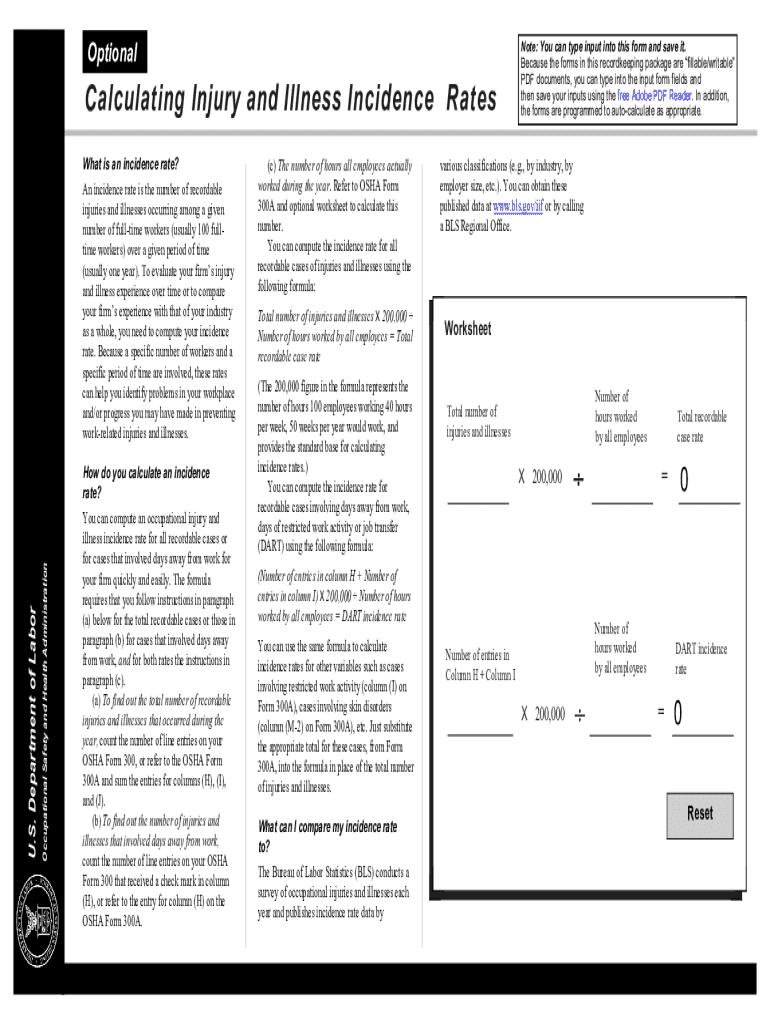
Understanding the OSHA Forms for Recording Work-Related Injuries and Illnesses is essential for maintaining workplace safety and compliance. These forms are designed to document and keep track of injuries and illnesses that occur on the job. They serve as a standardized method for employers to report and evaluate workplace incidents, thus playing a crucial role in enhancing overall worker safety and health. The forms, which include Form 300 (Log of Work-Related Injuries and Illnesses) and Form 300A (Summary of Work-Related Injuries and Illnesses), provide crucial data that helps in identifying workplace hazards and implementing prevention strategies.
Key Elements of the OSHA Forms
The OSHA forms include several critical components that capture comprehensive information about each work-related injury or illness:
- Nature of the Incident: This section details what happened and the type of injury or illness. It includes whether it resulted in days away from work, job restrictions, or a transfer.
- Identification of the Affected Employee: Information such as the employee's name, job title, and date of the incident are recorded.
- Description of the Incident: A detailed narrative of how the event transpired, including the workplace location and the equipment involved.
- Classification of the Incident: This involves categorizing whether the incident resulted in serious outcomes, like hospitalization or fatality.
How to Use the OSHA Forms
Employers are required to accurately fill out these forms upon the occurrence of a work-related incident. Here's how they can be used effectively:
- Immediate Recording: As soon as a workplace injury or illness occurs, enter the details into the appropriate fields on Form 300.
- Review and Update: Regularly review the entries to ensure accuracy, and update them if further medical evaluation provides additional information.
- Annual Summary: At the end of each year, complete Form 300A, which summarizes the injuries and illnesses logged throughout the year. Post this summary in a visible workplace location.
- Documentation and Retention: Keep these records for at least five years, during which OSHA may request to review them.
Steps to Complete the OSHA Forms
Accurate completion of OSHA forms is vital for legally compliant recordkeeping. Here’s a step-by-step guide:
- Determine Recordability: Assess whether the incident is work-related and meets OSHA's recording criteria.
- Fill Out Form 300: Enter the employee’s details, describe the incident, and note the type of injury or illness.
- Log the Dates: Document the number of days away from work or restricted duties if applicable.
- Prepare Form 300A: Summarize the data recorded on Form 300 annually. Ensure it is certified by a company executive.
- Post the Summary: Display Form 300A in a common area from February 1st to April 30th for transparency with employees.
Legal Use of the OSHA Forms
OSHA forms are not just a procedural formality but a legal requirement. They are used to ensure compliance with federal workplace safety regulations and are subject to inspection by the Occupational Safety and Health Administration (OSHA). Failure to accurately complete and maintain these forms can lead to significant penalties. Proper documentation can help protect companies in the event of a legal dispute related to workplace safety.
Penalties for Non-Compliance
Non-compliance with OSHA's recordkeeping requirements can result in various penalties:
- Fines: Monetary penalties that vary based on the severity and frequency of the violations.
- Increased Inspections: Non-compliance may result in more frequent and detailed inspections by OSHA.
- Legal Liabilities: Failing to document an incident can lead to legal challenges if an employee claims a work-related injury was neglected or misreported.
Who Typically Uses the OSHA Forms
These forms are primarily used by employers across various industries within the United States. They are integral for:
- Safety Officers: Ensuring that the data collected helps in hazard identification and prevention.
- Human Resources: Managing and maintaining the records required to comply with OSHA regulations.
- Management: Utilizing insights from the data to improve workplace safety protocols.


State-Specific Rules for the OSHA Forms
While OSHA provides federal guidelines, some states may have their regulations or additional requirements for recordkeeping:
- State Plan States: Federal OSHA allows states to operate their safety and health programs, which may have different or additional recording requirements.
- Localized Compliance: Employers must be aware of and comply with both federal and state-specific rules to avoid penalties.
Digital vs. Paper Version
Recording work-related injuries and illnesses can be managed using either digital platforms like DocHub or traditional paper forms:
- Digital Tools: Offer enhanced accuracy, accessibility, and ease of updating or modifying entries. Platforms like DocHub allow for secure, cloud-based storage and sharing.
- Paper Forms: While still permissible, they can be cumbersome to update and store, especially for companies with high incident rates.
Software Compatibility
DocHub and other document management systems are compatible with OSHA form completion and storage requirements:
- Integration with Existing Systems: These platforms can integrate with existing HR or compliance software, facilitating efficient data import and export.
- Accessibility: Employees can access and update records from multiple devices, ensuring data is always current and easily retrievable.




