




01. Edit your form online
Type text, add images, blackout confidential details, add comments, highlights and more.

Type text, add images, blackout confidential details, add comments, highlights and more.

Draw your signature, type it, upload its image, or use your mobile device as a signature pad.

Send it via email, link, or fax. You can also download it, export it or print it out.
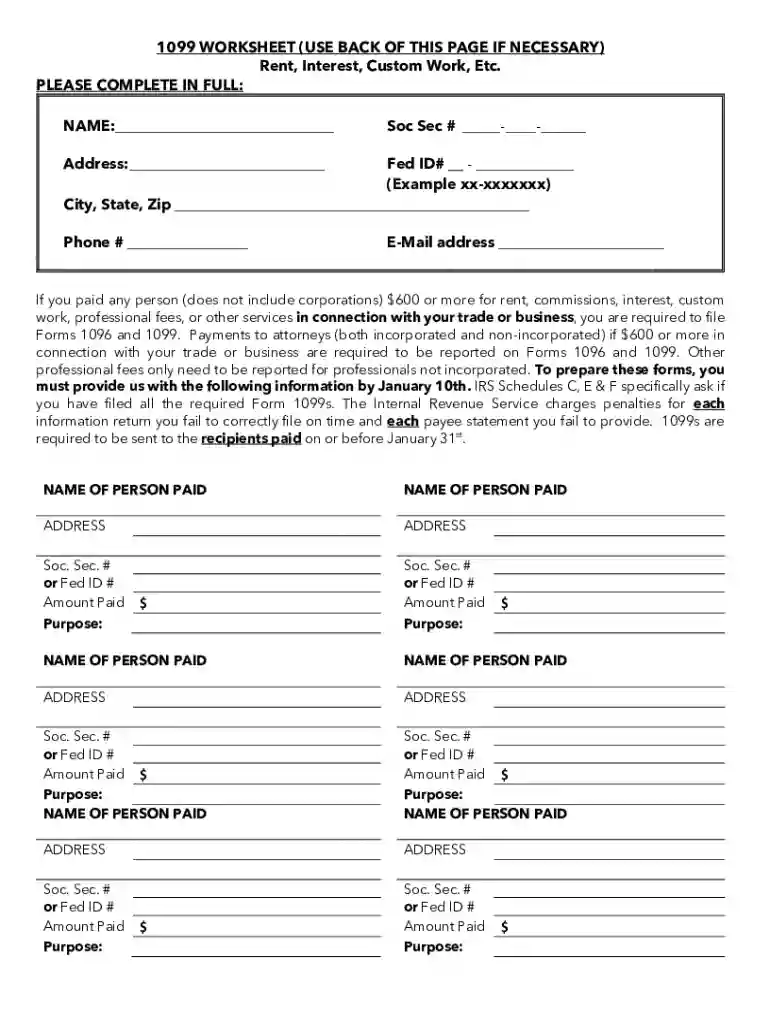
The 1099 worksheet is a tool used by individuals and businesses to document payments made to non-corporate entities for services rendered. This includes reporting income such as rent, commissions, and professional fees. The primary aim is to provide necessary information for the accurate completion and submission of Form 1099 and Form 1096 to the Internal Revenue Service (IRS). The worksheet is essential in ensuring compliance with federal tax regulations by capturing all relevant payment data.
Gather Required Information: Collect all payment details that need reporting, such as the amount paid, date of payment, and recipient's Tax Identification Number (TIN).
Enter Payer Information: Include your business name, address, and employer identification number (EIN).
Fill in Recipient Details: Accurately add the recipient's name, address, and TIN for proper record-keeping.
Document Payment Amounts: List each payment made during the tax year that meets the IRS threshold for reporting on a 1099 form.
Review for Accuracy: Double-check all entries to avoid errors that could result in penalties for incorrect filings.
Prepare for Submission: Once completed, use the worksheet to fill out IRS Forms 1099 and 1096.
Understanding key terms is vital for using the worksheet effectively:
For timely compliance, note these key filing deadlines:
Missing these deadlines can lead to penalties, so it's crucial to complete the worksheet and related forms promptly.
Real-world scenarios help illustrate the practicality of the worksheet:
The IRS provides directives for the worksheet's proper use:
Failure to comply with IRS reporting rules can result in varying penalties:
Thoroughly using the 1099 worksheet helps mitigate these risks, ensuring precise reporting and submission of tax forms.
At DocHub, your data security is our priority. We follow HIPAA, SOC2, GDPR, and other standards, so you can work on your documents with confidence.




The report is saved as an Excel worksheet for AP to review. If any changes need to be made, they are done on the upload file used to create the FILE10992013.
Form 1099-MISC is for reporting important tax information to the IRS. Copy A is for informational purposes only, and Copy B can be downloaded and printed.
Jan 4, 2017 This publication contains information that you need to understand the fol- lowing topics. How to figure the tax-free part of periodic payments.


