
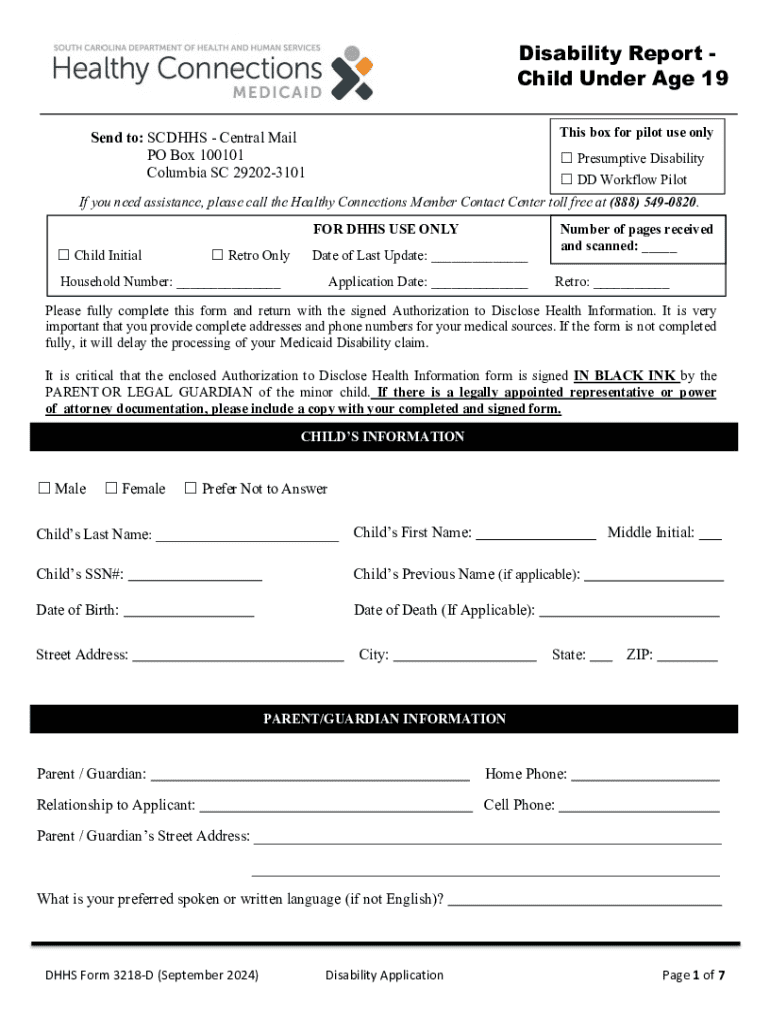







Understanding Form Online
Form Online refers to digital equivalents of traditional paper forms, enabling individuals and organizations to complete, submit, and process forms electronically. This digital innovation offers efficiency and ease, eliminating the need for physical paperwork and manual processing. Forms are integral tools across various sectors including government, healthcare, education, and business, facilitating a wide range of activities such as applications, registrations, and data collection. With the shift towards digital transformation, understanding how to effectively use and manage forms online is crucial for both individuals and organizations.
How to Use Forms Online
Navigating digital forms can initially seem daunting, but with a structured approach, it becomes straightforward. Start by accessing the required form on a suitable platform, such as DocHub, which offers tools to edit, fill, and even sign documents digitally. Follow these steps:
-
Access the form: Locate the specific form you need online. This may be provided directly by organizations or through platforms that host a variety of documents.
-
Complete the form: Use available tools to fill in personal information, checkboxes, and other required fields. Online platforms often provide features to assist with data input and reduce errors, such as auto-fill and validation checks.
-
Review your entries: Double-check information for accuracy. Since digital forms can automatically check for completion errors, utilize this feature to avoid missing sections.
-
Submit the form: Once verified, submit the form electronically. Online forms typically include submission buttons or specify email addresses for sending completed documents.
How to Obtain Forms Online
To access forms online, start by visiting the official website of the organization issuing the form. For example, tax forms can be found on the IRS website, while business forms might be available through state government portals or professional platforms like DocHub. Here are some general steps:
-
Identify the form type: Search for the precise form you require by name or number.
-
Download the form: Once located, download it if necessary. Some platforms allow users to fill the form directly on the site without download.
-
Register or log in: In some cases, accessing a form might require creating an account on the issuing platform. This step often ensures secure access and saves progress for future use.
Steps to Complete Forms Online
Completing forms online involves several steps to ensure accuracy and compliance:
-
Understand the requirements: Read the guidelines provided with the form carefully to understand the information required and any associated documents you may need to gather in advance.
-
Fill out the fields: Enter data into each field, ensuring the information aligns with instructions. Digital forms often highlight required fields to prevent omissions.
-
Attach required documentation: If additional documents are needed, prepare to upload them. Most online platforms include clear instructions for attaching digital files.
-
Electronic signature: Many forms require a signature. Use available digital signature tools, such as DocHub's legally binding electronic signatures, to authenticate your submission.
-
Verify and submit: Ensure all information is correct and submit the form following on-screen instructions.
Advantages of Completing Forms Online
Utilizing online forms offers numerous benefits, primarily revolving around efficiency and accuracy:
-
Time-Savings: Online forms reduce the time spent on physical processing and delivery.
-
Environmental impact: Digital submissions minimize paper usage, contributing to environmentally friendly practices.
-
Accessibility: Access forms from any location with internet connectivity. Platforms like DocHub allow editing across devices, whether you're using a computer or mobile device.
-
Error Reduction: Digital forms often include automated error-checking features, reducing the likelihood of mistakes in critical submissions.
Typical Users of Online Forms
Online forms serve a diverse range of users. They are frequently used by:
-
Individuals: For personal applications such as employment, education, or benefits.
-
Businesses: For client onboarding, internal processes, and compliance documentation.
-
Government Entities: To facilitate tax submissions, licenses, and permits processing.
-
Educational Institutions: For admissions, course registrations, and record-keeping.
Legally Binding Use of Forms Online
Many online forms, especially those requiring signature fields, are designed to be legally binding. Platforms implementing encryption and robust authentication ensure compliance with legal standards. For instance, electronic signatures collected via DocHub adhere to the ESIGN Act, making them recognized and enforceable in legal settings. Always verify that the platform you're using complies with relevant legal frameworks to ensure the enforceability of signed documents.
Key Components of an Online Form
An online form generally includes several integral components to facilitate comprehensive data collection:
-
Input Fields: Text boxes, dropdown menus, checkboxes, and date pickers for user input.
-
Instructions: Guidance on completing and submitting the form correctly.
-
Submission Protocols: Clearly identified submission buttons or procedures to finalize the process.
-
Security Features: Encryption and authentication measures for data protection.
Software Compatibility for Forms Online
Online forms need to be compatible with a range of software to ensure broad accessibility and usability. For instance, forms available through DocHub can integrate seamlessly with Google Workspace, allowing users to import and export to Google Drive and Gmail. Additionally, compatibility with office software like Microsoft Word and Excel ensures users can work with diverse file formats without hindrance, thus promoting a streamlined workflow.
By understanding these elements of online forms, users can significantly enhance their efficiency in managing digital documents, ultimately leading to improved productivity and reduced administrative burdens.




