
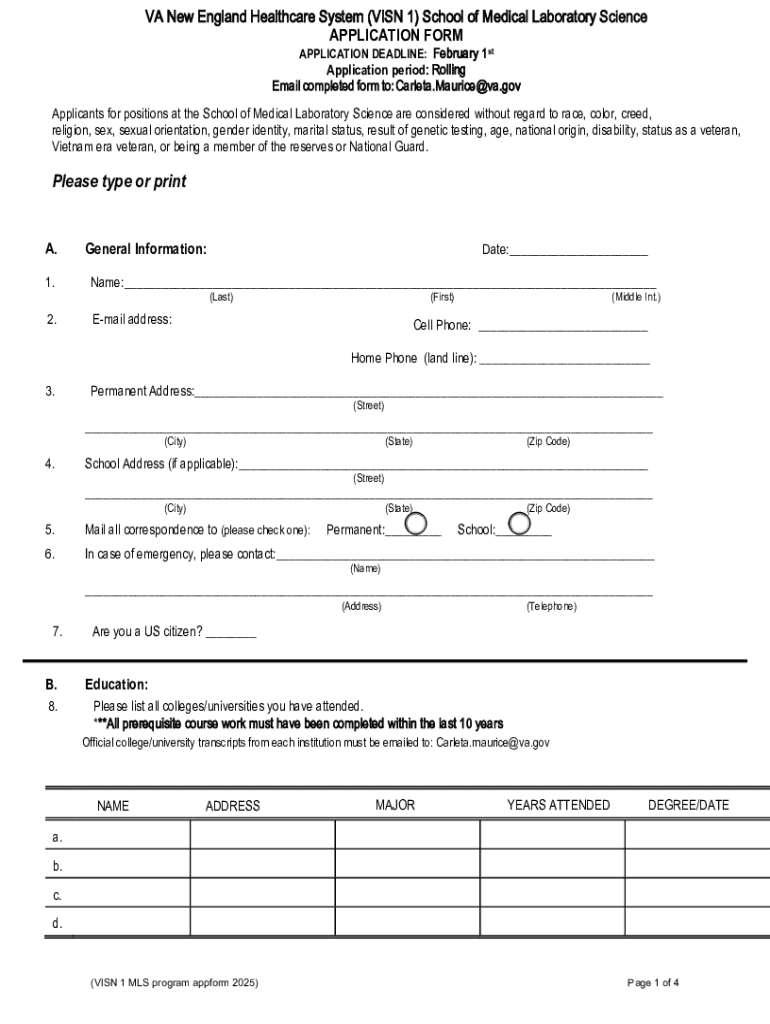







Definition and Meaning of Form Online
The term "form online" refers to digital versions of documents that users can fill out and submit over the internet. These forms are designed to simplify data collection and submission processes by eliminating the need for physical paperwork. They are commonly used for applications, registrations, surveys, and other processes requiring structured information input from users. Digital forms often incorporate interactive elements such as text boxes, checkboxes, and dropdown menus to enhance the ease and accuracy of data entry.
How to Use the Form Online
Digital forms are user-friendly and accessible across various devices, including desktops, tablets, and smartphones. To use a form online, follow these general steps:
-
Access the Form: Navigate to the website or platform hosting the form. This could involve visiting a specific URL or accessing the form through a service like DocHub.
-
Fill in the Required Fields: Enter the necessary information in the provided fields. Mandatory fields are often marked with an asterisk (*) to indicate their importance.
-
Use Interactive Elements: Make use of checkboxes, radio buttons, or dropdown menus to complete sections that require selection from multiple options.
-
Review Your Entries: Before submission, review all the information entered to ensure accuracy and completeness.
-
Submit the Form: Click the submit button to send your completed form to the designated recipient or process.
Steps to Complete the Form Online
Completing a form online typically involves several steps to ensure all data is accurately recorded and submitted. Here's a detailed breakdown:
-
Gather Required Information: Before starting, collect all necessary documents and information that you might need.
-
Account Creation: Some platforms require account creation or login before you can access and fill out the form.
-
Input Data: Carefully input all required information into the appropriate fields. Double-check for typos or errors that might cause processing delays.
-
Attach Supporting Documents: If the form requires supporting documents (e.g., ID proofs, certificates), upload these files as instructed.
-
Verify Information: Use the reviewing feature to verify that all information entered is correct and complete.
-
Digital Signature: If required, apply a digital signature to authenticate your form submissions.
-
Submit and Confirm: Submit the form online, and ensure you receive a confirmation email or message indicating successful submission.
Who Typically Uses the Form Online
Online forms are utilized by a diverse range of users, including:
-
Individuals: For personal applications, such as job applications, tax filing, or healthcare registration.
-
Businesses: For client onboarding, feedback collection, and internal processes like leave applications.
-
Educational Institutions: To streamline student registrations and alumni surveys.
-
Government Agencies: Simplify public service applications and reduce queues in physical service centers.


Legal Use of the Form Online
Using forms online has legal implications, especially concerning signature compliance and data protection. Important considerations include:
-
Electronic Signatures: Forms requiring signatures should adhere to legal standards like the ESIGN Act in the United States to ensure they are legally binding.
-
Data Protection: Compliance with data protection laws such as GDPR or CCPA is essential, demanding transparency on data usage and secure handling of personal information.
-
Audit Trails: Maintaining an audit trail provides a record of access and changes, enhancing integrity and accountability.
Important Terms Related to Form Online
Understanding key terminology related to online forms enhances user navigation and comprehension:
-
Fillable Fields: Areas within a form where users enter or select data.
-
Digital Signature: An electronic method of signing a document, ensuring authentication.
-
Submission Confirmation: A message or receipt confirming form receipt by the receiving platform.
-
Consent Statements: Sections of a form that require user agreement, often related to data handling or legal terms.
Examples of Using the Form Online
Online forms find application in various real-world scenarios:
-
Job Applications: Companies utilize online forms to streamline the application process, making it easier to manage incoming resumes.
-
Customer Feedback: Online surveys collect customer feedback efficiently, allowing for quick analysis and response.
-
Event Registrations: Organizers can track participant numbers and preferences using digital forms.
-
Tax Filings: Tools like TurboTax use form online to facilitate tax submissions.
Software Compatibility and Integration
To enhance user experience, online forms are often compatible with various software applications, particularly when integration is crucial for data transfer:
-
DocHub: Seamless integration with Google Workspace, enabling smooth document imports and exports.
-
Accounting Software: Forms are compatible with tools like QuickBooks, aiding financial data entry and analysis.
-
Cloud Storage Services: Direct syncing with services like Dropbox and OneDrive for streamlined document management.
These integrations ensure that users experience a cohesive and efficient workflow when dealing with forms online.




