Type text, add images, blackout confidential details, add comments, highlights and more.
02. Sign it in a few clicks
Draw your signature, type it, upload its image, or use your mobile device as a signature pad.
03. Share your form with others
Send it via email, link, or fax. You can also download it, export it or print it out.
The fastest way to redact CUSTOMER SERVICE FORM online
Ease of Setup
DocHub User Ratings on G2
Ease of Use
DocHub User Ratings on G2
Dochub is the greatest editor for updating your documents online. Follow this simple instruction to edit CUSTOMER SERVICE FORM in PDF format online free of charge:
Sign up and log in. Register for a free account, set a strong password, and go through email verification to start working on your templates.
Upload a document. Click on New Document and choose the form importing option: add CUSTOMER SERVICE FORM from your device, the cloud, or a secure URL.
Make changes to the sample. Use the upper and left-side panel tools to modify CUSTOMER SERVICE FORM. Insert and customize text, pictures, and fillable areas, whiteout unneeded details, highlight the significant ones, and comment on your updates.
Get your paperwork done. Send the form to other parties via email, generate a link for faster document sharing, export the sample to the cloud, or save it on your device in the current version or with Audit Trail included.
On the business side, a customer service app can keep all tickets organised and automatically route them to the proper agent, no matter which channel the customer uses. A customer service app for small business may also include mobile capabilities so agents can solve issues in the field.
What is a customer service request form?
A customer request form is a communication tool between a customer and a business. With this form, businesses can gather relevant information such as the customers contact information, reason for the request, details of the request and so on. This form can be used as a standalone form or embedded on your website.
What is a customer service form?
A customer service form is an online tool used by businesses to collect inquiries, feedback, complaints, or service requests from customers in a structured and organized manner.
What is a customer profile form?
A customer profile is a detailed outline describing your ideal customers characteristics, including age, location, job, and preferences. It helps businesses tailor their offerings and marketing to meet these needs, ensuring a more personalized approach to docHubing and serving customers.
What are 5 examples of customer service?
What do great customer service examples look like? Responsiveness. Timely and efficient responses to customer inquiries can greatly boost satisfaction and build trust. Proactive support. Quick resolution. Kind and professional communication. Accessibility. Knowledgeable staff. Consistency. Feedback loops.
Related Searches
Customer service form pdfCustomer service form templateCustomer service form exampleCustomer form templateFree customer service formCustomer form template WordCustomer form pdfCustomer Service request form
Related forms
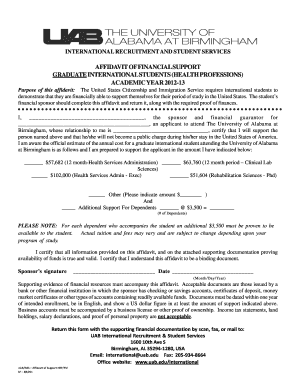
Request form - University of Alabama at Birmingham
The 7 Cs include Customer, Cost, Convenience, Communication, Credibility, Connection and Cocreation.
What is the short form for customer service?
One way to streamline this communication is through the use of abbreviations. Abbreviation for Customer Service, such as CS, CustServ, or CX, can save time and effort for both parties involved.
Related links
Customer Service Request Form Template
Use our customer service form template to accept requests online. Send data where you need it. Easily customize this template to fit your needs.
Provide your billing, shipping and contact information. 3. Provide the product model, serial number and problem/service requested. 4. The customer service agent
Cookie consent notice
This site uses cookies to enhance site navigation and personalize your experience.
By using this site you agree to our use of cookies as described in our Privacy Notice.
You can modify your selections by visiting our Cookie and Advertising Notice.