01. Edit your form online
Type text, add images, blackout confidential details, add comments, highlights and more.

Type text, add images, blackout confidential details, add comments, highlights and more.

Draw your signature, type it, upload its image, or use your mobile device as a signature pad.

Send it via email, link, or fax. You can also download it, export it or print it out.
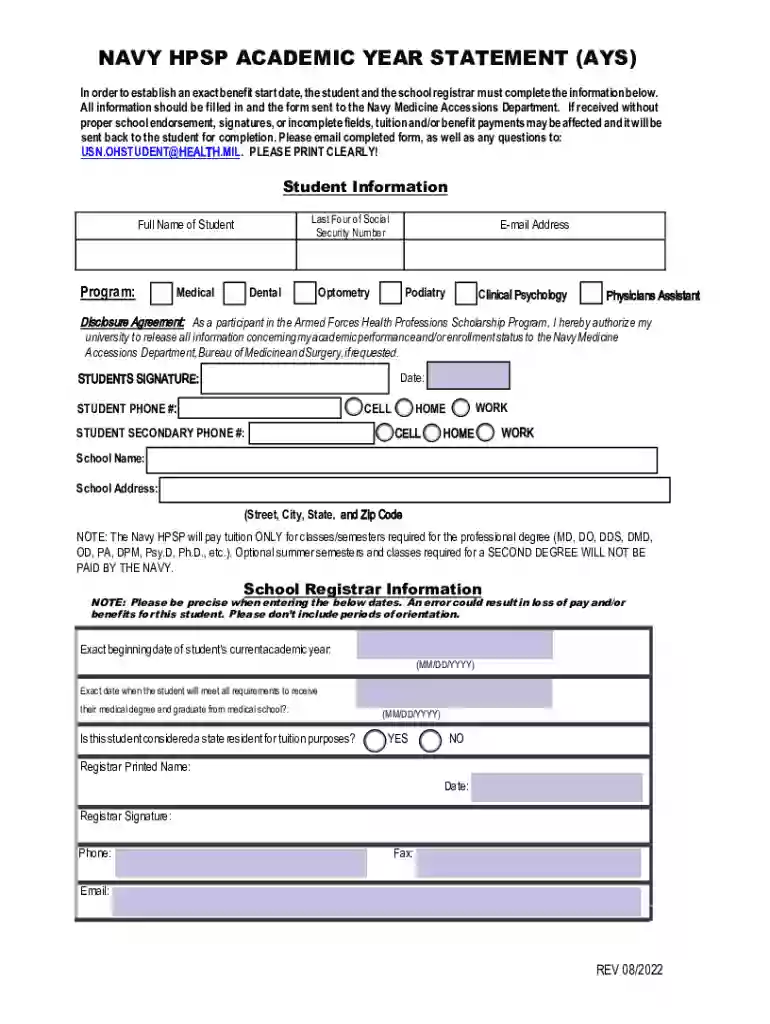
The 2 Form NAVY HPSP - Academic Year Statement (AYS) is integral for students participating in the Navy Health Professions Scholarship Program (HPSP). It plays a critical role in establishing their benefit start date and ensures accurate processing of tuition and benefit payments. The form requires participants to provide comprehensive personal and academic information, allowing the Navy Medicine Accessions Department to manage and verify the scholarship details effectively.
Users need to fill out the form by following the specific instructions provided. The process involves:
Participants must ensure the form is completely filled and submitted in accordance with any given deadlines as missing information can result in delays in receiving tuition payments and benefits.
Handling the form meticulously helps in smooth processing and avoids unnecessary delays.
This form comprises several key elements crucial for participants:
Each element ensures comprehensive tracking and management of scholarship benefits for the participant.
The form must be used in accordance with legal regulations governing the Navy HPSP. It includes a mandatory disclosure agreement permitting universities to share essential academic information with the Navy. This agreement must be completed and signed to ensure compliance with program requirements. Failure to adhere to this can result in legal and administrative issues.
Understanding essential terms ensures a smooth form completion process:
Familiarity with these terms ensures accuracy and compliance in handling the form.
Applicants must meet specific eligibility criteria to fill out the form, including enrollment in a qualifying health professions program and being part of the Navy HPSP. They must:
Meeting eligibility requirements is crucial for effective participation in the program.


To streamline the form completion process, the 2 Form NAVY HPSP - Academic Year Statement (AYS) supports various software tools. It can be edited and managed using:
These tools provide a versatile platform to efficiently manage and submit the form.
At DocHub, your data security is our priority. We follow HIPAA, SOC2, GDPR, and other standards, so you can work on your documents with confidence.