
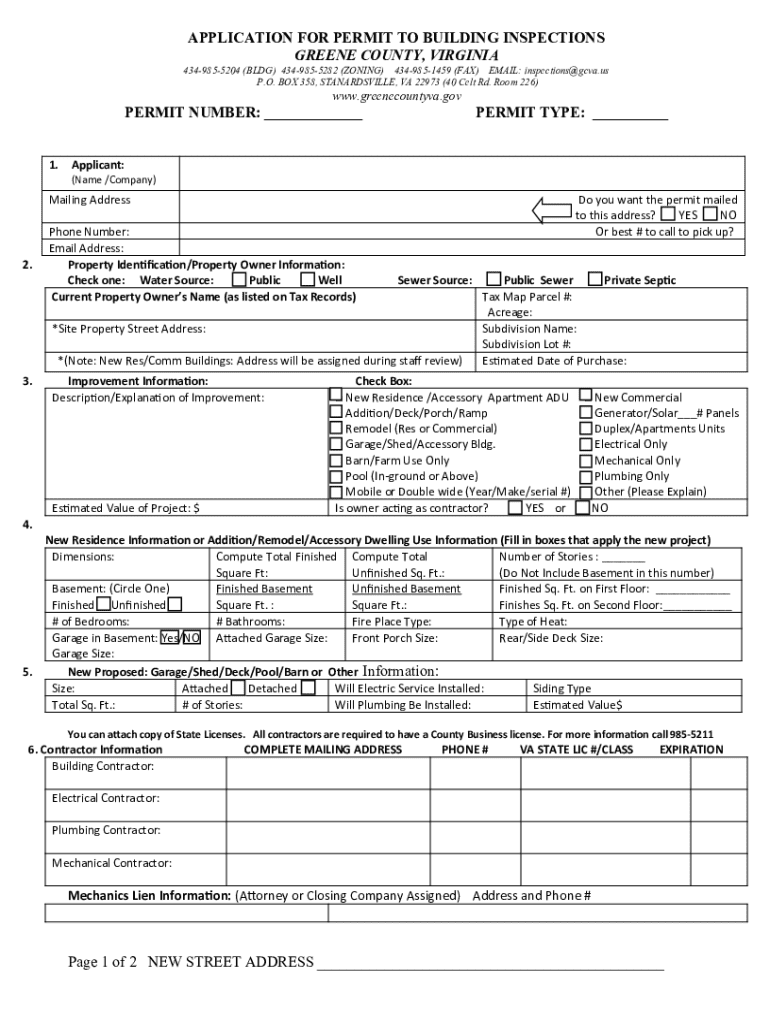







Definition and Meaning of "Form Online"
Forms online refer to digital versions of documents that users can access, fill out, and submit via the internet. Unlike traditional paper forms, online forms streamline data collection and submission processes, delivering convenience and efficiency. These forms typically include spaces or interactive fields where users can input information. Data collected through online forms are usually organized and stored in a digital format, making it easier to manage and analyze.
Organizations use online forms for a wide range of purposes, from collecting customer feedback to processing applications for services or products. As digital transformation continues to shape the way businesses operate, online forms have become an essential tool for improving accessibility and operational efficiency.
How to Use the Form Online
Using online forms involves a straightforward process that can typically be completed in a few simple steps:
- Access the Form: Users can retrieve the form online through a direct link, a website portal, or a document-sharing service.
- Fill Out the Form: Input required information directly into the designated fields. Many platforms offer features like auto-fill to ease the data entry process.
- Review and Edit: Prior to submission, double-check the entered information to ensure accuracy. Editing tools are frequently available to update entries.
- Submit the Form: Upon completion, submit the form through a 'Submit' button or similar function. Confirmation of receipt is often provided.
The user-friendly design of online platforms promotes intuitive navigation, ensuring that even users with minimal technical expertise can efficiently complete forms. Online forms are hosted in secure environments to protect user data during entry and transmission.
How to Obtain the Form Online
Accessing forms online typically involves one of several methods:
- Direct Download: Some forms can be downloaded directly from a website or document management system.
- Email Distribution: Organizations may send links to specific forms via email to streamline access.
- Cloud Storage Integration: Users can access forms stored on cloud platforms such as Google Drive or Dropbox.
To find a specific form, users may need to visit the organization's official website or a designated page where such forms are stored. Search functionalities on websites and integrations with cloud services make retrieving forms straightforward.
Steps to Complete the Form Online
For those completing a form online, the process often comprises these steps:
- Identify Necessary Information: Gather all required documents and personal information needed to complete the form.
- Access the Form: Navigate to the form via a link, portal, or document platform.
- Fill in Details: Enter information into required fields, ensuring all sections are complete. Use fillable templates for efficiency.
- Review All Entries: Check entries for typos or incomplete information. Utilize preview functions when available.
- Submit and Confirm: Once finalized, submit the form and save any confirmation or reference number provided.
Detailed instructions and tooltips may accompany forms to guide users through specific sections, minimizing the risk of errors.
Why Should You Use Forms Online?
Using forms online offers multiple benefits that make them a preferred choice for many users:
- Convenience: Access and submit forms at any time from any internet-enabled device.
- Speed: Quickly fill out and submit forms, often receiving immediate receipt confirmation.
- Cost Efficiency: Reduce or eliminate printing, paper, and mailing costs.
- Security: Data is protected using encryption standards, ensuring that personal information remains confidential.
Many organizations prefer online forms to improve efficiency and accountability, streamline operations, and provide a better user experience.
Who Typically Uses Forms Online?
Forms online are employed by a diverse range of users, including:
- Individuals: For tasks such as job applications, tax filings, or service requests.
- Businesses: For customer data collection, employee onboarding, and transactional processes.
- Educational Institutions: For registering students, gathering academic data, or collecting feedback.
- Governments: For processing applications, permits, and public data collection.
Each user group leverages the accessibility and efficiency of online forms to meet specific needs swiftly and accurately.
Key Elements of Online Forms
Online forms typically include:
- Interactive Fields: Text boxes, checkboxes, radio buttons, and dropdown menus.
- Guidance Elements: Tooltips, error messages, and format instructions.
- Security Features: SSL encryption, CAPTCHA verification, and authentication protocols.
- Customization Options: Branding elements such as logos or custom form layouts.
These elements transform static paper forms into dynamic tools for efficient data collection and processing.
Digital vs. Paper Version of Forms
Comparing digital (online) forms with their paper counterparts highlights several key differences:
- Accessibility: Online forms can be completed anywhere with internet access, whereas paper forms require physical handling.
- Processing Speed: Submissions and processing are faster with online forms.
- Data Management: Online forms provide easier data compilation and analysis, as entries are often directly integrated into databases or systems.
- Environmental Impact: Digital forms reduce paper waste, promoting environmentally friendly practices.
Organizations increasingly favor digital forms to optimize operational efficiency, ensure faster data collection, and support sustainability initiatives.




