
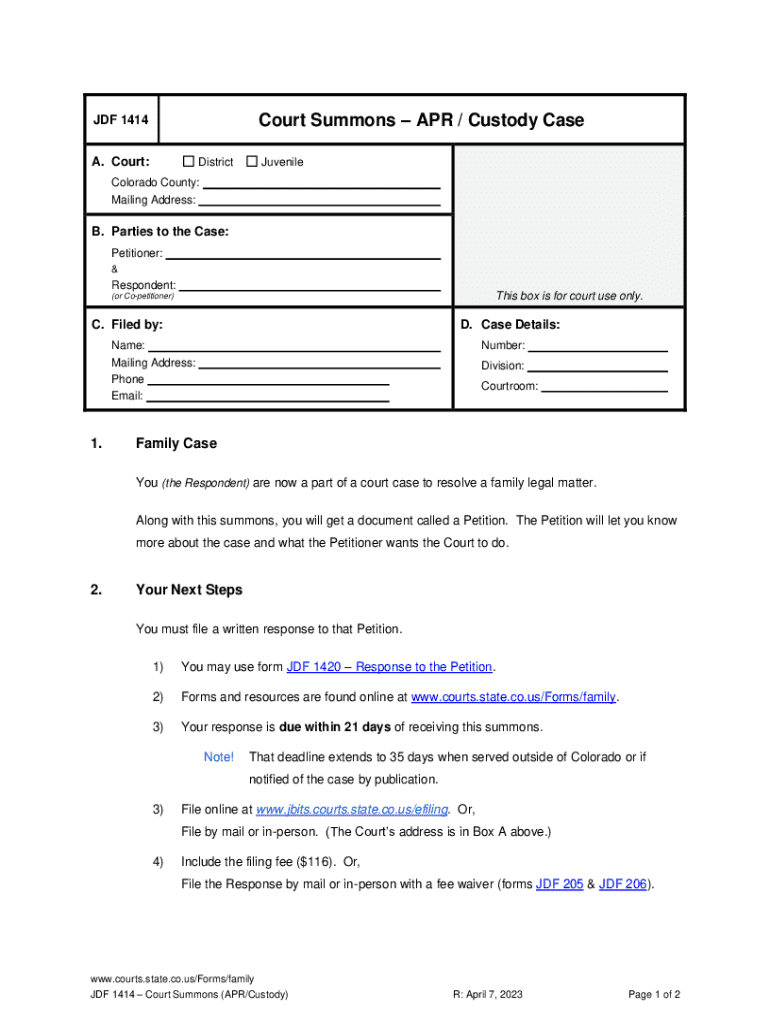







Definition & Meaning
The term "form online" refers to electronic versions of documents that users can fill out, submit, and process on digital platforms. These forms eliminate the need for physical paperwork by allowing users to complete necessary fields using a keyboard and mouse. Unlike traditional paper forms, online forms can incorporate interactive elements such as dropdowns, radio buttons, and checkboxes to facilitate ease of use and efficient data collection. The adoption of online forms is driven by their ability to streamline processes for users and organizations alike, enhancing accessibility and ensuring secure data transfer.
How to Use the Form Online
Utilizing a form online involves a straightforward process that enhances user experience by guiding users through required fields and submission procedures. To use an online form, begin by accessing the form through a web browser. Ensure you have a stable internet connection, as this facilitates seamless navigation and data entry. Next, read any instructions provided on the form's main page to understand the requirements and the type of information needed.
While filling out the form, pay attention to required fields, which are typically marked with an asterisk. Complete these fields to avoid submission errors. Users may also encounter optional fields that they can fill in to provide additional details. Once all necessary information is entered, review the form for accuracy, ensuring that all mandatory fields are complete and that the data provided is correct. Finally, click the submit button to send the information electronically. A confirmation screen or email usually follows successful submission to inform you that your data has been received.
How to Obtain the Form Online
Accessing an online form usually begins with navigating to the website of the issuing organization. Forms can often be found in sections labeled "Resources," "Forms," or "Services." Use the website's search function if available, typing in the form's name or number to quickly locate it. Many organizations provide downloadable versions in PDF format that users can fill out digitally or print if necessary.
Web platforms often offer features to assist in securing the document, such as direct links to the form, ensuring users have access to the most current version. Ensure that your device has PDF reader software, such as Adobe Acrobat Reader, if downloading forms in PDF format. Alternatively, some forms can be accessed through integrated online portals, which guide users directly to electronic submission pages without needing any software except a web browser.
Steps to Complete the Form Online
- Access the Form: Visit the relevant website and locate the form.
- Read Instructions: Carefully review any guidelines provided to understand the fields and the necessary supporting documents.
- Input Data: Start entering your information into the appropriate fields. Some forms offer the ability to save partially filled forms and return later.
- Review Entries: Double-check your input for accuracy, ensuring all mandatory fields are complete and that you've provided correct information.
- Attach Documents: If required, upload any supplementary documents as per the form's instructions.
- Submit the Form: Once satisfied with your entries, click the submit button. Ensure that you receive a submission confirmation to validate entry.
- Save Evidence: Save or print a copy of the confirmation for your records.
Who Typically Uses the Form Online
Various individuals and entities find online forms beneficial, including:
-
Individuals: Everyday users who fill out forms for personal matters such as job applications, tax filings, or registering for events.
-
Businesses: Companies employ online forms for various administrative tasks, including employee onboarding, client data collection, and compliance reporting.
-
Educational Institutions: Schools and universities use forms for student registrations, applications, and feedback collection.
-
Government Agencies: These entities leverage online forms for public services, such as filing taxes or applying for permits.


Important Terms Related to Form Online
Understanding common terminology associated with online forms enhances user clarity and effectiveness:
- Interactive Fields: These are user input sections like text boxes, dropdowns, and radio buttons that allow direct interaction for data entry.
- Encryption: A method that protects data as it moves across networks, important for maintaining privacy and security.
- OAuth 2.0: A protocol that enables secure user authorization without revealing their password.
- SSL Encryption: Technology that establishes a secure encrypted link between a server and a client to safeguard confidential information.
Legally Binding Electronic Signatures
Online forms often integrate electronic signature capabilities, which hold the same legal significance as handwritten ones. Users can create their signatures using a mouse, stylus, or upload an image of their handwritten signature. Legal frameworks such as the ESIGN Act in the U.S. provide these signatures with legal validity, ensuring that documents signed electronically can be upheld in legal proceedings. These solutions offer users confidence and efficiency, as forms can be signed and submitted from any location.
Penalties for Non-Compliance
Failure to adhere to submission requirements, such as completing necessary fields or meeting deadlines, can lead to penalties. Depending on the context, an incomplete or late form submission could result in fines, denial of service, or nullification of the application. For instance, tax forms with errors or omissions may attract auditing attention or fines from the IRS. Thus, understanding and ensuring adherence to submission guidelines is crucial for avoiding penalties.
Software Compatibility
Many online forms are designed to be compatible with various software systems, enhancing user flexibility. This includes integration with programs like TurboTax and QuickBooks for financial and tax-related documentation. Such compatibility ensures that users can seamlessly transfer data between systems, reducing manual input errors and conserving time. Before submitting, verify that the form supports the software platform you are using to minimize compatibility issues.




