







Understanding the Soccer Referee Evaluation Form
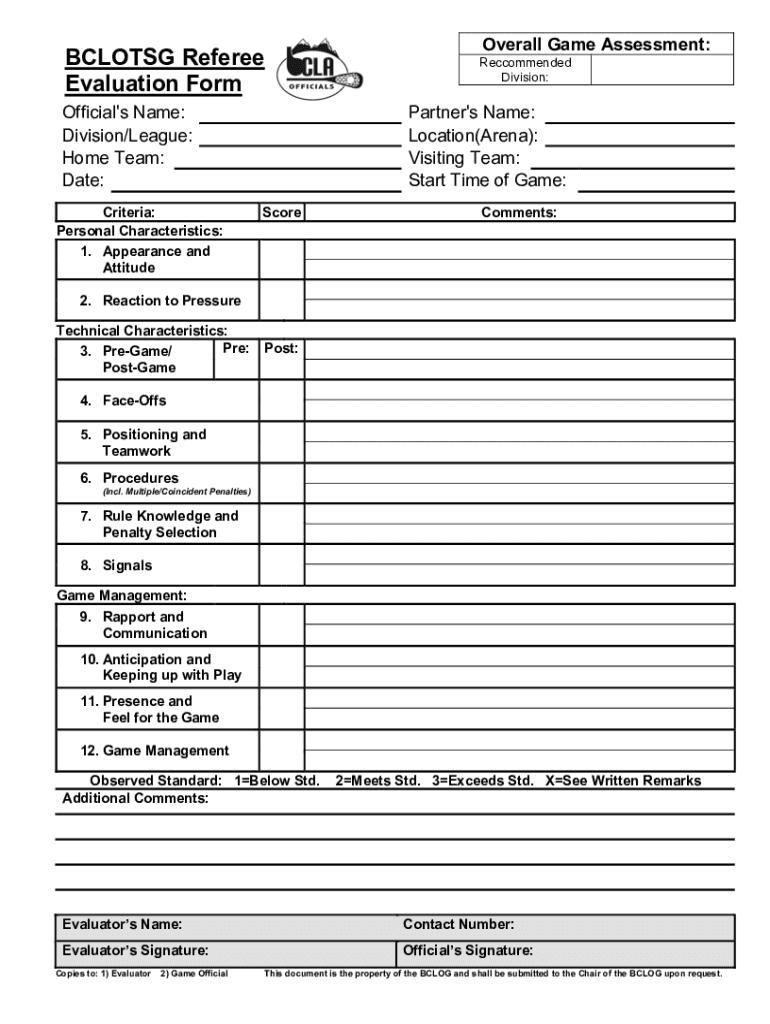
The Soccer Referee Evaluation Form is a comprehensive tool used to assess the performance of soccer referees. It evaluates a range of criteria, including personal characteristics, technical skills, and game management abilities. This form is essential for maintaining and improving the quality of soccer officiating by providing structured feedback.
How to Use the Soccer Referee Evaluation Form
To effectively use the Soccer Referee Evaluation Form, evaluators need to assess the referee's performance across several dimensions during a match. This involves observing the referee's decision-making, adherence to rules, management of players, and other critical aspects. Evaluators provide scores and detailed comments in each section to constructively critique the referee's work.
Steps for Completing the Form
- Observation: Attend the soccer match and closely observe the referee’s performance.
- Scoring: Use the scale provided to score the referee in various categories, such as appearance, rule comprehension, and communication.
- Comments: Provide specific examples and comments that justify each score.
- Recommendations: Offer suggestions for improvement or note any exceptional performance observed.
- Submission: Once completed, submit the form to the relevant soccer association or governing body.
Key Elements of the Soccer Referee Evaluation Form
The form typically includes several key sections designed to be thorough and user-friendly. These sections cover:
- Personal Characteristics: Evaluating demeanor, fitness, and appearance.
- Technical Skills: Reviewing knowledge of the rules and application during the game.
- Communication: Assessing clarity and effectiveness in interactions with players and assistants.
- Game Management: Judging the ability to maintain control and handle pressure situations.
Who Typically Uses the Soccer Referee Evaluation Form
The form is primarily used by referee assessors, mentors, and officiating committees. These users are tasked with ensuring that referees adhere to the highest standards and receive the necessary feedback to improve their skills. It is also occasionally used by coaches or team representatives who wish to provide feedback on the officiating during a match.


Importance of the Soccer Referee Evaluation Form
This form plays a crucial role in developing referee performance by highlighting strengths and areas for improvement. It ensures transparency and accountability in the officiating process. Feedback obtained through the form helps referees enhance their skills and adapt to different game scenarios.
Examples of Using the Soccer Referee Evaluation Form
An example of using the form would be during a regional soccer tournament, where referees are evaluated post-match to maintain consistency throughout the competition. Evaluations are compared to ensure fairness and consistency in the application of rules across all matches.
Legal Use of the Soccer Referee Evaluation Form
In the U.S., using the Soccer Referee Evaluation Form must comply with any relevant league or association regulations. It should be utilized in a manner that respects the privacy and career development of the referees being assessed. The feedback must be constructive and designed to aid in the developmental process.




