
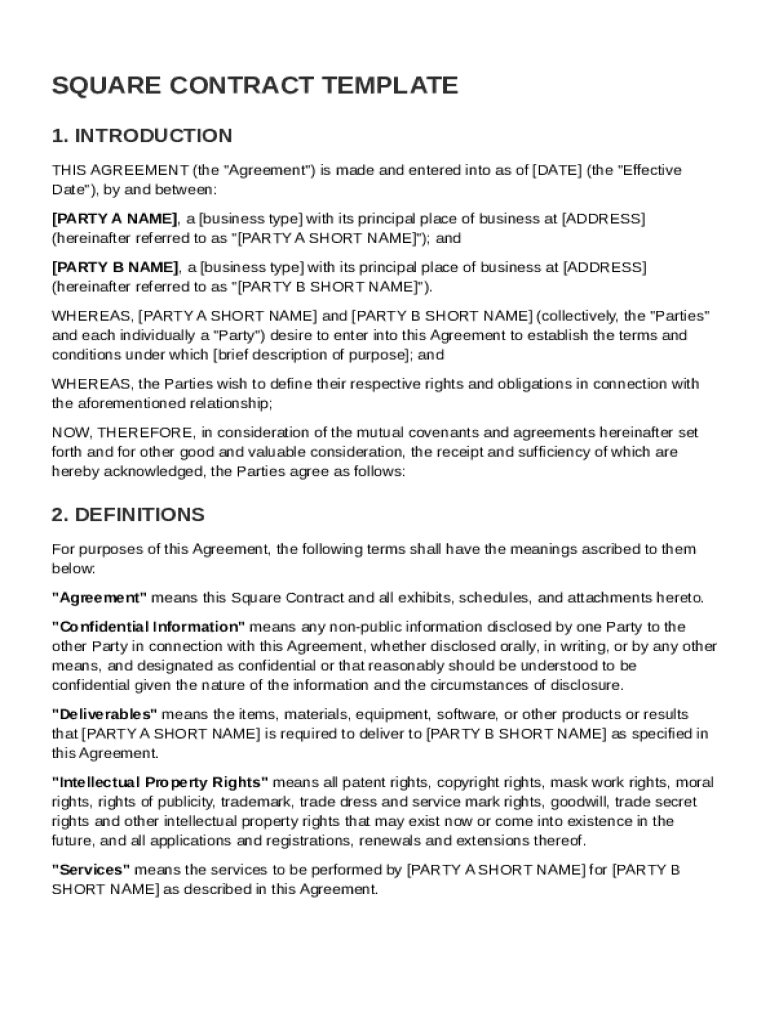







Definition and Meaning of Square Contract Template
The Square Contract Template is a standardized form used to frame the terms and conditions of an agreement between two parties, typically referred to as Party A and Party B. This document serves as an essential legal tool, ensuring that both parties are on the same page regarding their obligations and rights. It includes sections on definitions, obligations of both parties, compensation and payment terms, change management, confidentiality, termination clauses, liability, indemnification, dispute resolution, and miscellaneous provisions. The contract aims to provide clarity and prevent potential disputes by detailing the framework for services one party provides to another.
Key Elements of the Square Contract Template
Understanding the key elements of the Square Contract Template is essential for its effective use. Major components include:
- Definitions: Clarifies all legal and technical terms used within the contract.
- Obligations: Outlines the duties and responsibilities of both parties involved in the agreement.
- Compensation Terms: Specifies the payment structure, including amounts, schedules, and methods.
- Confidentiality Clause: Protects sensitive information shared under the contract.
- Termination Clauses: Details the conditions under which the contract can be terminated by either party.
- Liability and Indemnification: Addresses the accountability of parties and protection against losses.
Each section is instrumental in defining the scope and details of the engagement, providing legal protection and ensuring compliance with agreed-upon terms.
Legal Use of the Square Contract Template
The Square Contract Template is designed for legal compliance, providing a robust framework for enforcing terms and conditions. It is aligned with the legal requirements applicable in the United States, adhering to local laws and industry standards. The contract strengthens the enforceability of obligations and rights, minimizing risks associated with non-compliance. Parties utilizing this template benefit from a legally binding document that supports dispute resolution, ensures compliance with fiscal regulations, and safeguards both parties' interests.
How to Use the Square Contract Template
Using the Square Contract Template involves several steps to ensure all relevant aspects are addressed:
- Review and Customize: Begin by carefully reviewing the template, customizing it to align with the unique needs of your agreement.
- Fill in Party Details: Enter accurate information for both Party A and Party B, including names, addresses, and contact information.
- Specify Terms: Fill in specific details like compensation terms, obligations, and project timelines.
- Include Additional Provisions: Add any additional clauses relevant to your agreement that are not covered in the standard template.
- Legal Review: It is advisable to consult with a legal expert to verify that all legal requirements are met and that the contract is enforceable.
- Finalize and Sign: Once the document is completed and reviewed, it should be signed by authorized representatives from both parties to make it legally binding.
Steps to Complete the Square Contract Template
Completing the Square Contract Template is a systematic process that involves:
- Collect Necessary Information: Gather all pertinent information regarding the parties and the agreement's specifics.
- Input Details: Begin filling out the template, ensuring accuracy and consistency across all sections.
- Assess Each Section: Make sure each relevant portion is thoroughly addressed, especially payment and confidentiality clauses.
- Verification: Double-check entries for errors or omissions, ensuring clarity and completeness.
- Final Review: Have the completed template reviewed by a legal professional to ensure compliance and legal adequacy.
This step-by-step approach helps in minimizing errors and ensures that the contract reflects the true intentions of both parties involved.
Who Typically Uses the Square Contract Template
The Square Contract Template is versatile and widely used by various professionals and businesses in need of formalizing agreements. Common users include:
- Freelancers and Contractors: Individuals offering services to clients who require clear agreements on scope and terms.
- Small Businesses: Enterprises entering into service agreements with vendors or partners.
- Consultants: Professionals providing expert advice or services and needing formal contracts to detail their obligations.
These users rely on the template for its comprehensive coverage of terms, providing a legal foundation for their business relationships.


Important Terms Related to the Square Contract Template
Grasping the important terms related to the Square Contract Template is crucial for understanding its application and enforcement. Key terms include:
- Confidential Information: Any non-public intellectual property, business secrets, or trade information shared between parties.
- Force Majeure: Circumstances beyond control that may delay or prevent parties from fulfilling their obligations.
- Indemnity: Protection against losses, damages, or liabilities incurred due to contract execution.
- Statutory Obligations: Legal duties that parties are bound to follow under state or federal laws.
These terms offer a legal backbone to the agreement, clarifying expectations and responsibilities.
Business Types that Benefit Most from Square Contract Template
Businesses that commonly benefit from utilizing the Square Contract Template include:
- Consultancies: Ensuring well-documented service agreements with clients.
- Tech Startups: Creating formal agreements with partners and service providers.
- Service-Based Industries: Establishing clear expectations and deliverables with clients.
By ensuring a documented, legally backed agreement, these businesses can foster trust, enhance cooperation, and mitigate legal risks.




