







Definition & Meaning
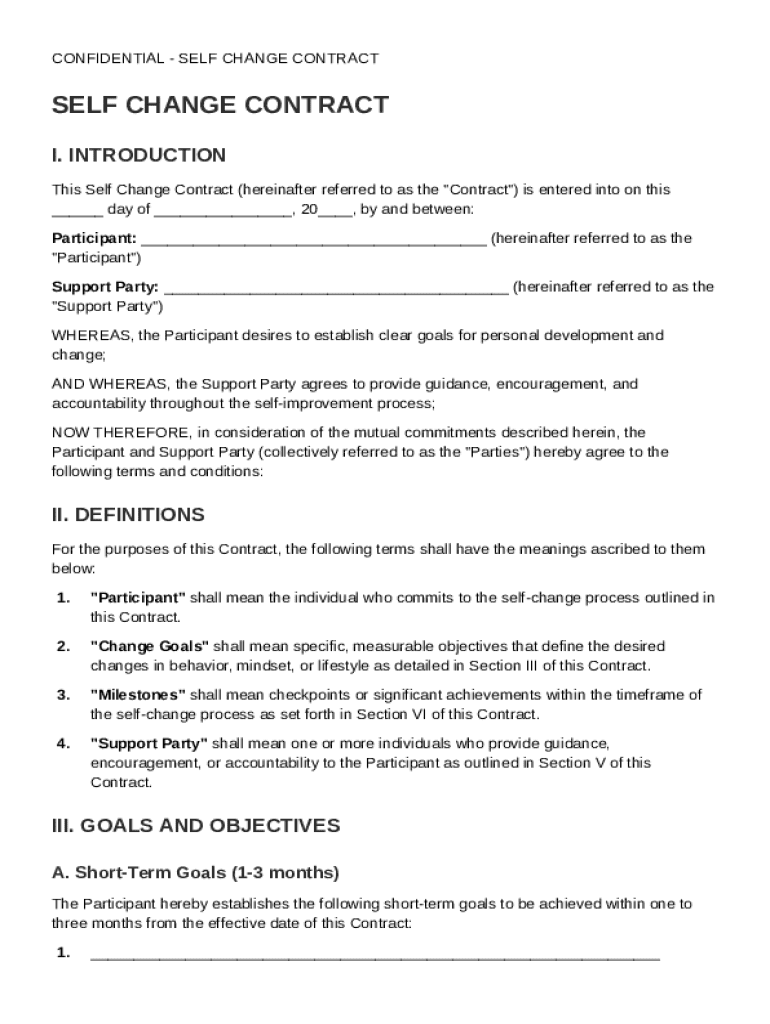
The Self Change Contract Template is a formal agreement designed to support individuals in achieving personal development and behavioral change. This contract involves two main parties: the Participant, who is seeking change, and a Support Party, who aids in the process of transformation. The document sets out specific goals, both short-term and long-term, and includes a structured action plan with daily and weekly tasks. Additionally, it incorporates a support structure for accountability, identifies potential barriers, and suggests coping strategies. Confidentiality is a cornerstone of the contract, which also details the terms for amendments, the duration of the contract, and the conditions for termination.
Key Elements of the Self Change Contract Template
This type of contract comprises several critical elements that ensure its effectiveness:
- Goals and Objectives: Clearly outlines the short-term and long-term goals of the participant.
- Action Plan: A detailed plan that breaks down tasks into daily and weekly activities.
- Support System: Identifies individuals or groups who will provide emotional or logistical support.
- Anticipated Barriers: Lists potential obstacles and challenges that could impede progress.
- Coping Strategies: Provides methods for overcoming identified barriers.
- Commitment and Accountability: Details commitments from both the Participant and the Support Party.
- Confidentiality Clause: Ensures privacy and protection of shared personal information.
How to Use the Self Change Contract Template
Using this template involves several steps to customize it according to individual needs:
- Set Clear Goals: Determine specific areas of personal change, and define measurable goals.
- Design the Action Plan: Outline daily and weekly tasks that align with set goals.
- Select a Support Party: Choose a trusted individual or group to offer assistance and accountability.
- Identify Barriers and Strategies: Think ahead about potential obstacles and devise coping mechanisms.
- Draft the Contract: Use the template to formalize the above elements, ensuring all parties agree to the terms.
- Review Regularly: Continually evaluate progress and make necessary adjustments to the action plan or goals.
Steps to Complete the Self Change Contract Template
Completing the contract requires attention to detail and collaboration between the Participant and the Support Party:
- Gather Initial Information: Collect information about the Participant's goals and the desired changes.
- Draft Initial Sections: Fill in the sections regarding goals, action plans, and support systems.
- Collaboratively Discuss Terms: Both parties should discuss the details, including barriers and coping methods.
- Complete the Commitment Section: Include specific commitments and accountabilities for both parties.
- Finalize and Sign: Review the entire document for accuracy and have both parties sign to signal agreement.
- Establish Review Dates: Set regular check-ins to assess progress and make necessary adjustments.
Legal Use of the Self Change Contract Template
The legal framework of the Self Change Contract hinges on mutual agreement and confidentiality:
- Confidentiality Agreement: Ensures that all involved parties keep shared information private.
- Change Amendments: Allows for modifications to the contract as goals and conditions evolve.
- Termination Conditions: Defines circumstances under which the contract can be legally terminated.
Who Typically Uses the Self Change Contract Template
Various individuals and groups might find the Self Change Contract Template beneficial:
- Individuals Seeking Personal Growth: Those aiming to improve their personal or professional lives.
- Coaches and Mentors: Professionals who assist others in achieving personal development.
- Support Groups: Organizations providing structured support for behavior change programs.
- Therapists: Mental health professionals working with clients on specific behavioral goals.


Important Terms Related to Self Change Contract Template
Understanding the key terms associated with this template is essential for effective use:
- Participant: The individual seeking personal transformation.
- Support Party: The individual or group offering assistance and accountability.
- Action Plan: A strategic outline of tasks and steps toward achieving goals.
- Barrier: Potential obstacles in the path of achieving the Participant's goals.
- Coping Strategies: Planned responses to anticipated challenges.
- Confidentiality: A commitment to privacy within the terms of the contract.
State-specific Rules for the Self Change Contract Template
While general principles of a Self Change Contract are consistent, consider variations related to state-specific regulations:
- Privacy Laws: Different states have specific laws governing confidentiality and privacy in agreements.
- Support Party Certification: Some regions may require certification for individuals acting as Support Parties.
- Modifications and Termination: State laws vary on terms under which a contract can be modified or terminated.




