
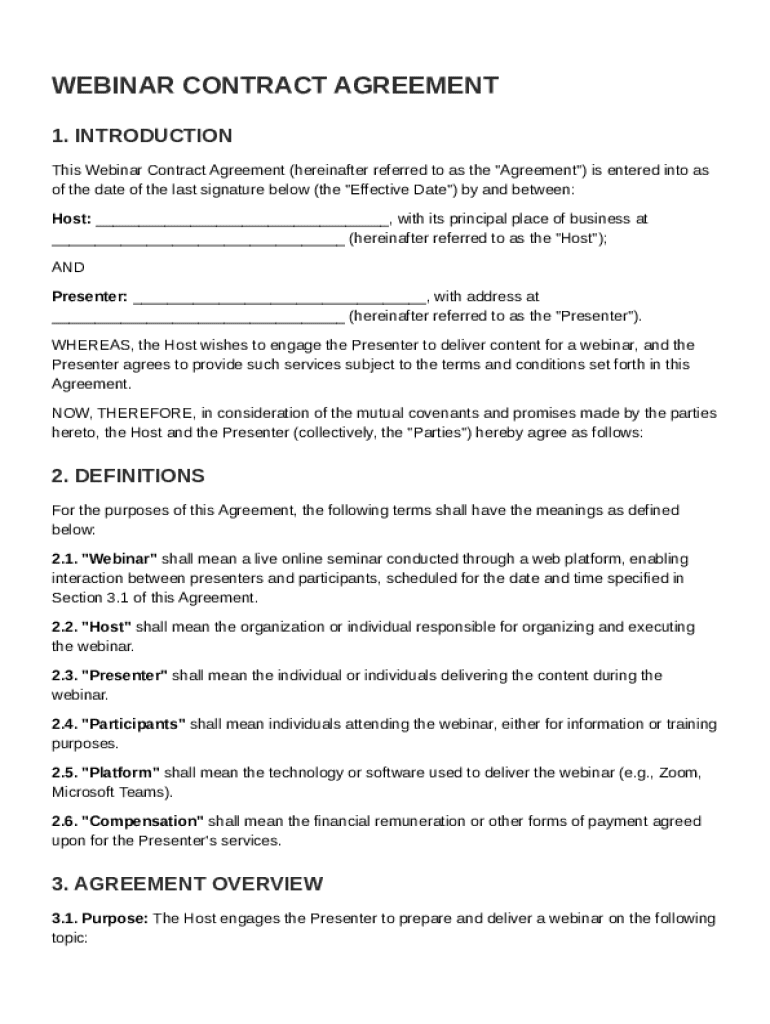







Key Elements of the Webinar Contract Template
A Webinar Contract Template outlines the crucial components necessary for a successful agreement between a host and a presenter. It typically includes the following key elements:
- Definitions of Key Terms: Ensures that all parties have a shared understanding of specific terms used throughout the contract, such as "webinar", "content", "intellectual property", etc.
- Responsibilities: Both the host and presenter have defined roles regarding technical setup, content creation, and marketing. The contract lays out duties to prevent overlap and ensure accountability.
- Compensation Details: Specifies the agreed-upon payment terms, including how and when payments will be made, to avoid misunderstandings.
How to Use the Webinar Contract Template
To effectively utilize the Webinar Contract Template, follow these steps:
- Download the Template: Obtain a copy of the template from DocHub or another reliable legal document provider.
- Customize to Fit Your Needs: Edit sections that require specific information, such as names, dates, and compensation details.
- Review with Legal Counsel: It is advisable to have a legal professional examine your completed template to ensure compliance with relevant laws and regulations.
- Sign and Distribute: Once finalized, both parties should sign the contract, which can be facilitated using DocHub’s electronic signature feature.
Steps to Complete the Webinar Contract Template
Completing the Webinar Contract Template involves several critical steps:
- Input Basic Information: Enter the names and contact details of both the host and the presenter.
- Specify Webinar Details: Include information about the webinar’s topic, date, time, and platform.
- Outline Deliverables: Detail what each party is expected to provide, whether it's marketing materials from the host or a presentation outline from the presenter.
- Set Payment Terms: Clearly indicate fees, invoicing procedures, and timelines for payment.
- Establish Confidentiality Terms: Ensure a section addresses how confidential information will be handled by both parties.
Legal Use of the Webinar Contract Template
Using the Webinar Contract Template involves legal considerations to ensure compliance with applicable laws:
- Adhere to Governing Laws: The contract should include a governing law clause specifying which state's laws will apply.
- Intellectual Property Rights: Clearly define ownership of the content created and presented in the webinar.
- Cancellation Policies: Establish the terms under which each party can cancel the webinar, and any penalties involved.
Important Terms Related to Webinar Contract Template
Understanding crucial terms within the contract enhances clarity and execution:
- "Host": The party organizing the webinar and taking responsibility for logistical elements like registration and platform management.
- "Presenter": The individual or entity responsible for delivering content during the webinar.
- "Intellectual Property": Refers to any copyrights, trademarks, and proprietary information shared or created during the webinar.
State-Specific Rules for Webinar Contract Template
Contractual requirements can vary between states, so consider these state-specific guidelines:
- Business Registration: Some states may require the host company or presenter to register as a business entity.
- Sales and Use Tax: Certain locations might tax digital content under sales and use laws.
- Consumer Protection Regulations: States may have specific rules protecting consumers that affect promotional claims made in webinar content.
Who Typically Uses the Webinar Contract Template
The Webinar Contract Template is utilized by various professionals and organizations such as:
- Educational Institutions: Schools and universities hosting educational webinars.
- Corporate Trainers: Businesses offering training sessions for employee development.
- Marketing Agencies: Companies promoting products or services through informative webinars.


Business Types That Benefit Most from Webinar Contract Template
Certain business types can significantly benefit from using a Webinar Contract Template:
- Digital Marketing Firms: Frequently run webinars to generate leads and engage with potential customers.
- Educational Courses and Workshops Providers: Use webinars to deliver content to remote audiences.
- Consulting Firms: Engage clients through webinars to discuss industry trends and insights.




