
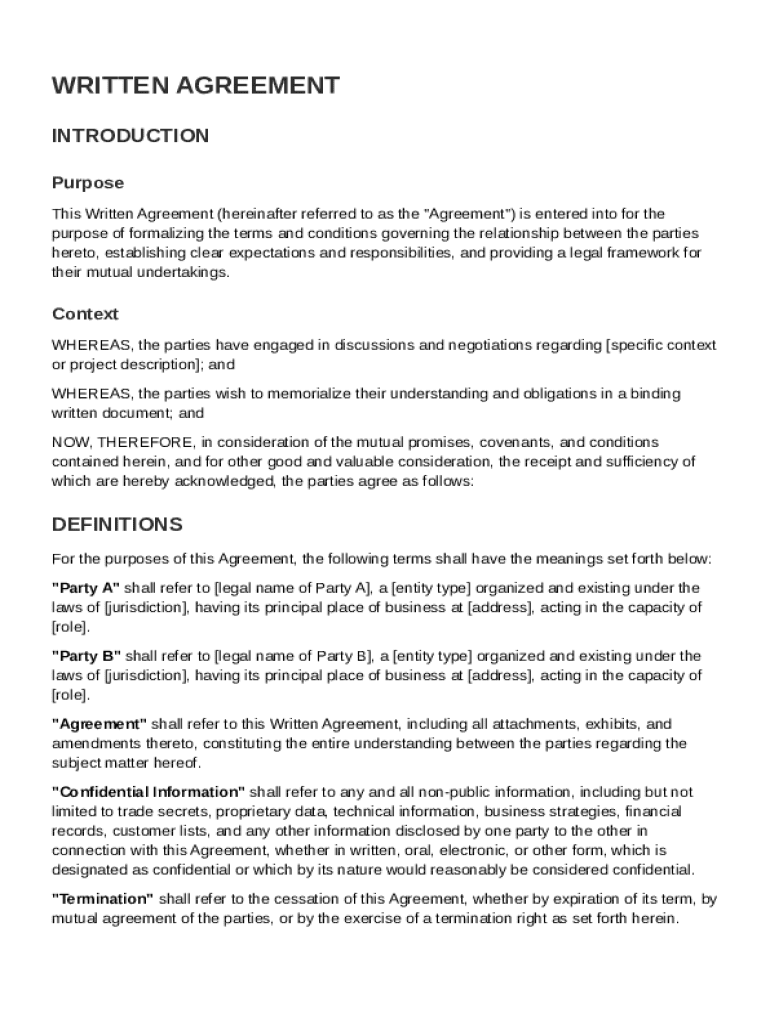







Definition & Meaning
A Written Agreement Template is a standardized document used to formalize the terms and conditions between two parties engaged in a business or personal transaction. It is designed to clarify each party's responsibilities, rights, and obligations in the relationship, reducing the potential for misunderstandings and disputes. Such agreements typically cover aspects like compensation, confidentiality, and termination conditions. In essence, it acts as a legal framework that guides interactions and ensures all parties are aligned on the expectations and stipulations set out.
How to Use the Written Agreement Template
The Written Agreement Template can be customized to suit various contexts and sectors. To use it effectively, follow these steps:
- Identify the Parties Involved: Clearly indicate the names and roles of each party, typically referred to as Party A and Party B.
- Describe the Agreement's Scope: Outline the nature and purpose of the agreement, detailing what is being agreed upon.
- Specify Obligations and Rights: Enumerate the specific duties, rights, and responsibilities of each party involved.
- Include Confidentiality Terms: If necessary, define any confidentiality obligations and indicate any non-disclosure stipulations.
- Set Compensation Details: Clearly define the payment terms, including amounts, payment schedule, and payment method.
- Detail the Duration and Termination Conditions: Specify the agreement's effective date, duration, and any conditions under which it can be terminated.
- Outline the Dispute Resolution Process: Include steps for resolving disputes, such as mediation or arbitration.
How to Obtain the Written Agreement Template
Acquiring a Written Agreement Template is straightforward and can be done through various channels:
- Document Management Platforms: Online platforms like DocHub offer downloadable templates that can be customized and filled out electronically.
- Legal Websites: Many legal advisory websites provide free or paid access to generic templates.
- Legal Professionals: Attorneys can offer tailored templates specific to particular industries or transactions.
- Business Development Centers: These may provide resources and templates for small to mid-sized businesses.
Steps to Complete the Written Agreement Template
To fill out the Written Agreement Template accurately, follow this structured process:
- Pre-fill Document Information: Start by entering general information such as date, title of the document, and the entities involved.
- Customize Clauses: Modify standard clauses to reflect the specifics of the deal, ensuring relevance and applicability.
- Review Obligations and Rights: Ensure the rights and duties listed are balanced and reflect what was discussed.
- Add Specific Terms: Tailor terms to the agreement, such as specialized processes or proprietary information.
- Verify Legal Compliance: Check that the language and clauses retain legal validity within the applicable jurisdiction.
- Review and Finalize: Both parties should review the final draft before signing to assert accuracy and mutual understanding.
Key Elements of the Written Agreement Template
A comprehensive Written Agreement Template typically includes several crucial elements to ensure clarity and legal sufficiency:
- Identity of the Parties: Names, addresses, and roles within the agreement.
- Detailed Description of Services or Products: Clear specifications of what each party is delivering.
- Payment Terms: Clear breakdown of the financial aspects including remuneration and payment schedules.
- Confidentiality Clause: Measures to protect sensitive information exchanged.
- Duration and Termination Details: Specifics about the contract's length and conditions that warrant termination.
- Dispute Resolution Clause: Methods and processes designed to address and rectify disputes.
Legal Use of the Written Agreement Template
When it comes to the legal application of the Written Agreement Template, it is crucial to ensure that:
- All Elements are Informed and Consented: Both parties should be fully aware and agree to all the terms laid out.
- Complies with Jurisdictional Laws: The agreement needs to conform with state and federal regulations.
- Legally Enforceable Obligations: Terms should be clear and enforceable, with well-defined penalties for breeches.
- Inclusivity of Indemnity Clauses: To protect parties from unforeseen liabilities, include indemnity clauses.
Who Typically Uses the Written Agreement Template
Written Agreement Templates are versatile tools used across various sectors and types of transactions. Typical users include:
- Business Partners: Companies collaborating on mutual projects.
- Freelancers and Clients: Independent contractors formalizing the terms of service with clients.
- Landlords and Tenants: Parties defining tenancy terms to prevent disputes.
- Employers and Employees: Employers creating contracts outlining job roles and conditions.
- Vendors and Buyers: Merchants setting sales terms with their clients.


Software Compatibility
Written Agreement Templates offered through platforms like DocHub often boast broad compatibility, allowing seamless integration with various software:
- Cloud Storage Platforms: Compatible with services like Google Drive and Dropbox for easy document transfer.
- Document Formats: Available in formats like DOC, PDF, and XLS to suit different needs.
- Web and Desktop Applications: Usable via both mobile and desktop browsers without additional software.
- Editing Software: Accessible through popular applications for editing, such as Microsoft Word and Adobe Acrobat.




