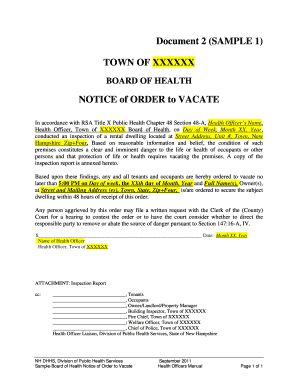
Definition & Meaning
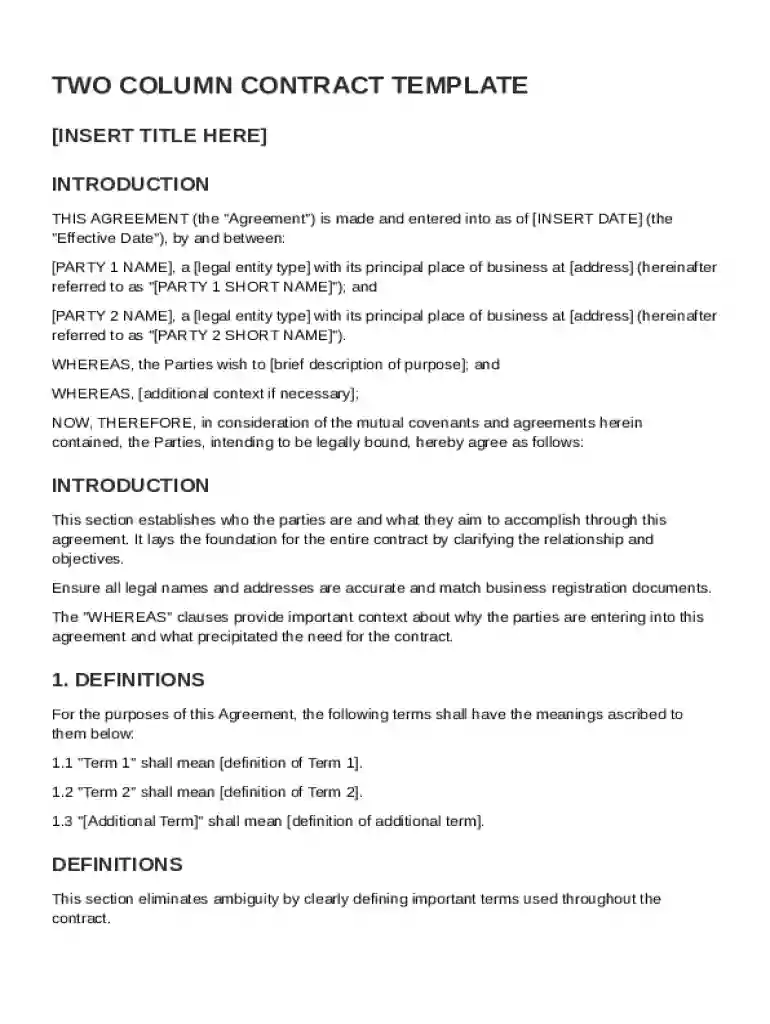
The Two Column Contract Template is a structured document designed to facilitate clear agreements between two parties. It typically outlines the identities of the parties involved, the scope of work to be undertaken, compensation terms, and other critical aspects of a contractual agreement. This format uses two distinct columns to separate the roles, responsibilities, and expectations of each party, making it easier to read and understand the terms laid out. This template serves as a comprehensive framework for establishing a legal relationship and ensuring that both parties have a mutual understanding of the contract’s specifics.
Key Features of the Two Column Format
- Clarity and Organization: By visually separating the responsibilities and expectations of each party, the template enhances clarity and organization, which helps prevent potential disputes.
- Easier Navigation: The two-column structure allows for easier navigation and reference, ensuring that each party can quickly locate their respective obligations and terms.
- Enhanced Comparisons: Facilitates side-by-side comparisons of duties and rights, reducing misinterpretations.
How to Use the Two Column Contract Template
Utilizing the Two Column Contract Template effectively requires understanding its structure and components. Here is a step-by-step guide to using the template:
- Identify the Parties Involved: Begin by clearly stating the identities of both contracting parties within the designated columns.
- Detail the Scope of Work: Outline the specific tasks, services, or products that are included within the contract. This may involve creating bullet points for clarity.
- Establish Compensation Terms: Specify the compensation details, including payment amounts, schedules, and methods for both parties.
- List Duration and Termination Conditions: Clearly define the duration of the contract and the conditions under which it may be terminated prematurely.
- Include Confidentiality Obligations: If applicable, outline any confidentiality requirements that the parties must adhere to.
- Document Indemnity and Liability Provisions: Clearly express any indemnity agreements or liability limitations.
Steps to Complete the Two Column Contract Template
Successfully filling out a Two Column Contract Template involves a systematic approach:
- Gather Information: Collect all necessary information from both parties, ensuring accuracy and completeness.
- Complete Party Details: Enter the names, addresses, and contact information of both parties in their respective columns.
- Define Terms and Conditions: Articulate the conditions, scope, and limitations of the contract, ensuring both columns reflect each party's commitments.
- Verify Compensation Arrangements: Each party should confirm agreement with the compensation section, clarifying any uncertainties.
- Review for Compliance: Ensure that the contract complies with applicable laws and regulations, considering the jurisdiction involved.
- Seek Legal Advice: Before finalizing the document, it may be beneficial to seek legal counsel to ensure all terms are fair and enforceable.
Additional Considerations
- Legal jargons should be minimized for both parties to understand the agreement fully.
- Ensure all sections are duly signed and dated by both parties to validate the contract.
Key Elements of the Two Column Contract Template
The Two Column Contract Template is composed of several core elements that ensure comprehensive coverage of the agreement's terms:
- Identification of Parties: Clearly identifies the legal entities entering the contract.
- Scope and Responsibilities: Details the specific duties and rights of each party.
- Payment Details: Specifies the financial arrangements, including amounts and payment schedules.
- Confidentiality and Privacy: Addresses the handling of sensitive information.
- Governing Law: States the legal jurisdiction governing the contract.
Notable Clauses
- Termination Clause: Defines the scenarios under which the contract may be terminated.
- Force Majeure: Covers unforeseen events that could prevent obligations from being fulfilled.
Legal Use of the Two Column Contract Template
The Two Column Contract Template is legally recognized in the U.S. as a legitimate form for establishing contractual relationships. For enforceability:
- Include Necessities: Ensure all essential terms and conditions are clear and mutually agreed upon.
- Acknowledge Governing Laws: State the jurisdiction under which the contract will be governed to prevent ambiguity in legal proceedings.
Compliance and Enforceability
- Contractual Compliance: Each contract must adhere to local and federal laws to be enforceable.
- Mutual Agreement: Both parties must demonstrate clear acceptance of the contract’s terms.
Who Typically Uses the Two Column Contract Template
The Two Column Contract Template is versatile and aids a wide range of industries and individuals:

- Small Businesses and Corporations: For partnership agreements, procurement contracts, and outsourcing deals.
- Freelancers and Consultants: For delineating clear project scopes and payment structures.
- Service Providers: Including tech companies and legal firms seeking a structured and clear agreement format for their clients.
State-Specific Rules for the Two Column Contract Template
While the template serves as a universal tool across the U.S., state-specific rules may apply:
- Jurisdictional Variations: Each state has unique laws affecting contract enforcement, especially concerning non-compete clauses or governing law selections.
- Mandatory Disclosures: Certain states require additional disclosures or registration of specific agreements, particularly in real estate contracts.
Adaptations for Local Compliance
- Consult Local Counsel: It may be necessary to adapt the contract’s language to meet state-specific requirements.
- Regular Updates: Regularly update contract templates to reflect legislative changes.
Examples of Using the Two Column Contract Template
Consider these practical examples demonstrating the template's utility in real-world scenarios:
- Freelance Graphic Designer Agreement: A designer and client define project deliverables and payment terms, ensuring both parties understand expectations.
- Vendor Contract for a Tech Startup: Clearly delineates service provisions, pricing models, and licensing structures with potential suppliers.
- Consulting Services for a Marketing Firm: Establishes timelines, responsibilities, and confidentiality between a marketing consultant and client firm.
Case Study Insights
- Increased Efficiency: Businesses report enhanced negotiation and approval speeds, thanks to the template's clear and concise format.
- Dispute Mitigation: Clearly documented responsibilities help mitigate disputes and encourage cooperative problem-solving among parties.