
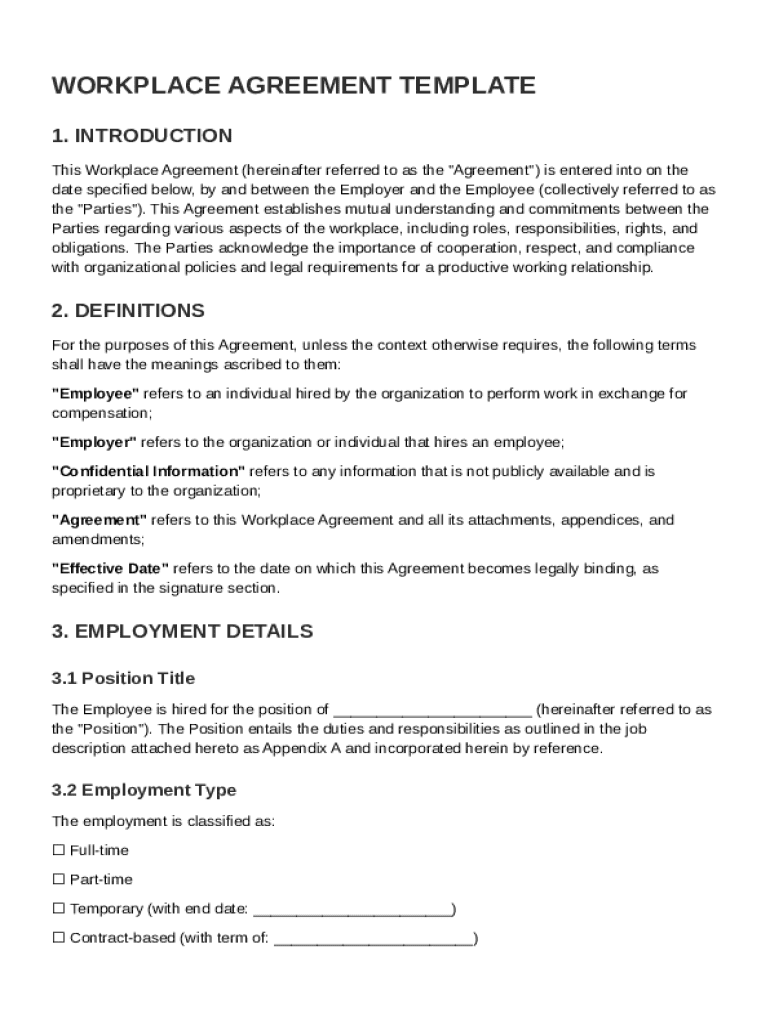







Definition & Meaning
A Workplace Agreement Template is a structured document that outlines the mutual obligations and expectations between an employer and an employee. It serves as a definitive guide to the employment relationship, detailing roles, responsibilities, and the conditions under which work is performed. This document is crucial for establishing clear communication and understanding between the involved parties, thus minimizing potential conflicts.
The template typically covers a wide range of employment aspects, including job duties, compensation, benefits, and work hours. It also addresses conduct expectations, confidentiality commitments, and termination conditions. By formally documenting these elements, a Workplace Agreement Template helps both parties adhere to agreed-upon terms, ensuring consistency and fairness throughout the employment period.
Key Elements of the Workplace Agreement Template
The Workplace Agreement Template comprises several key sections that are essential for capturing all necessary employment details efficiently. These sections create a comprehensive framework for managing the work relationship:
- Job Responsibilities: Clearly defined duties that the employee is expected to perform.
- Compensation: Details regarding salary, bonuses, and other financial benefits.
- Benefits: Information on health insurance, retirement plans, and other perks.
- Work Hours: Standard working hours and conditions for overtime.
- Conduct Expectations: Guidelines on professional behavior and standards.
- Confidentiality Obligations: Requirements for protecting sensitive information.
- Termination Conditions: Procedures and conditions under which the employment can be terminated.
- Dispute Resolution: Mechanisms for handling any disagreements that arise.
- Governing Law: Jurisdictional laws that govern the agreement.
These elements ensure a comprehensive understanding of the employment relationship, safeguarding both parties' rights and responsibilities.
Legal Use of the Workplace Agreement Template
The legal validity of a Workplace Agreement Template hinges on its compliance with laws and regulations. In the United States, such agreements must adhere to employment laws, including those concerning non-discrimination, labor standards, and employee rights. To ensure legality:
- Consult Legal Experts: Though templates provide a starting point, seeking legal advice ensures compliance with specific laws.
- Customization: Adapt the template to meet the specific needs of the business and the employee, ensuring all legal obligations are met.
- Regular Updates: Maintain the agreement's relevance by periodically reviewing and updating it in response to changing laws or organizational policies.
Effectively leveraging the legal framework, the Workplace Agreement Template becomes a powerful instrument for formalizing employment relationships.
Steps to Complete the Workplace Agreement Template
Successfully completing a Workplace Agreement Template requires a collaborative approach. Here are the critical steps involved:
- Preparation: Gather all relevant employment details, including roles, compensation, and terms.
- Customization: Personalize the template to reflect specific agreements between the employer and employee.
- Review: Encourage both parties to review the document thoroughly, ensuring mutual understanding and agreement.
- Legal Consultation: Optionally, seek legal advice to verify compliance with applicable employment laws.
- Finalization: Make any necessary revisions based on feedback from reviewing parties.
- Signing: Both parties should sign the agreement to formalize its acceptance and commitment.
These steps ensure that the Workplace Agreement Template accurately represents the agreed-upon terms and conditions.
State-Specific Rules for the Workplace Agreement Template
In the U.S., employment laws can vary significantly from state to state. Therefore, while using a Workplace Agreement Template:
- Research State Laws: Understand the specific employment laws applicable in the state where the employment occurs.
- Incorporation of State Regulations: Integrate state-specific labor standards, minimum wages, and work-hour regulations into the agreement.
- Adjust for Local Enforcement: Modify terms such as at-will employment clauses and non-compete agreements according to local legal frameworks.
This awareness ensures that the agreement remains enforceable and compliant across different jurisdictions.
Software Compatibility for the Workplace Agreement Template
DocHub's flexible platform supports various file formats beyond the standard PDF, such as DOC, PPT, XLS, and TXT, enhancing compatibility with common business software. This ensures seamless integration into existing workflows.
- Google Workspace Integration: Directly import and export documents from Google Drive, enhancing productivity for Google Workspace users.
- Cloud Access: Utilize cloud storage services such as Dropbox and OneDrive for managing and sharing documents efficiently.
- Mobile Compatibility: Access the platform on both desktop and mobile browsers, allowing for on-the-go document management without the need for additional applications.
Understanding software compatibility enhances the efficiency of using a Workplace Agreement Template within diverse information systems.
Who Typically Uses the Workplace Agreement Template
The Workplace Agreement Template is widely used by various business entities and individuals, including:
- Human Resources Departments: Standardize employment agreements across the organization.
- Small Business Owners: Formalize employment terms for a growing team.
- Corporate Executives: Establish clear executive employment terms.
- Freelancers and Independent Contractors: Clarify project-based employment terms.
These users leverage the template to create structured and legally binding agreements that support their specific employment needs and contexts.


Examples of Using the Workplace Agreement Template
In practice, the Workplace Agreement Template is employed in diverse scenarios:
- Onboarding New Employees: Quickly establish employment terms during the hiring process.
- Contract Renegotiation: Update terms for existing employees when roles or compensation change.
- Project-Specific Contracts: Define temporary employment terms for project-based hires.
- Cross-Border Employment: Create agreements that include international legal considerations for remote employees.
These examples illustrate the versatility of the Workplace Agreement Template in addressing various employment challenges and opportunities.




