






Definition & Meaning
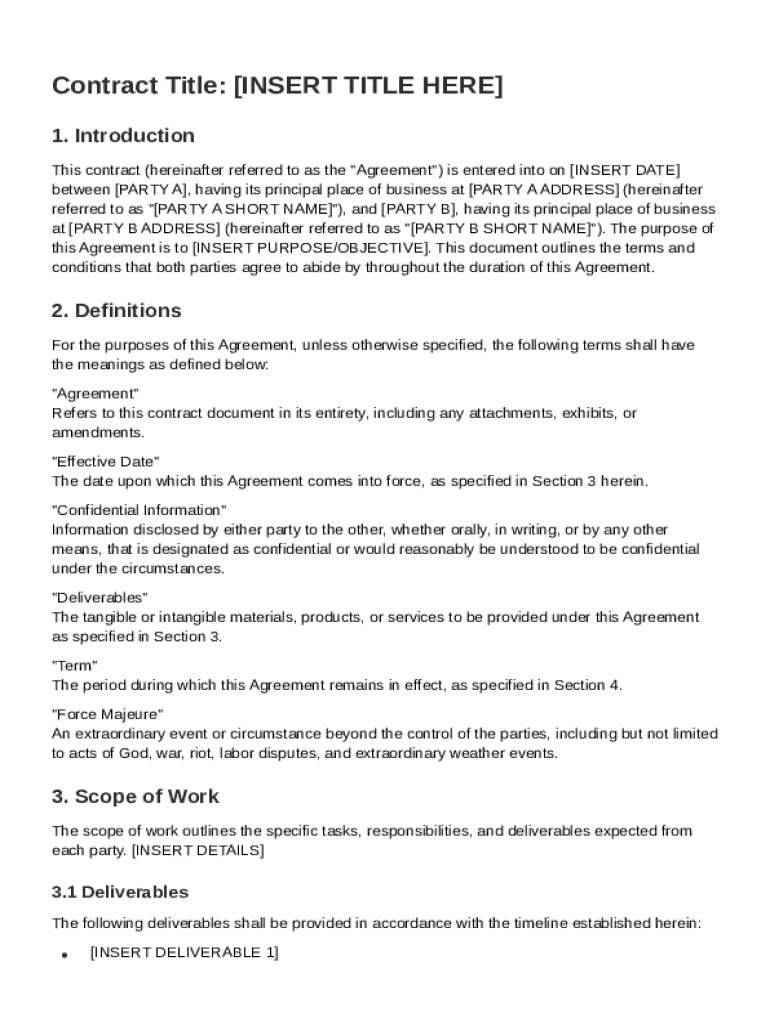
The HTML Contract Template is a standardized document formatted in HTML (HyperText Markup Language) that outlines a contractual agreement between two or more parties. Its primary purpose is to provide a structured framework that specifies the terms, conditions, rights, and obligations involved in a business arrangement or legal agreement. This template facilitates the clear presentation of essential contract components such as scope of work, compensation, confidentiality agreements, and dispute resolution methods. By using HTML, the contract can be easily shared, edited, and viewed on various digital platforms, making it a versatile tool for modern document management.
How to Use the HTML Contract Template
To effectively use the HTML Contract Template, begin by downloading a copy from a reliable source such as a document management platform. Once obtained, open the file in a text editor or HTML editor that allows for easy manipulation of the code. Identify and customize sections relevant to your specific agreement—such as names of parties, project details, and payment terms—by editing the placeholders provided within the template. It is crucial to review and revise the terms to accurately reflect the agreement's scope and objectives.
- Open the Template: Use a suitable HTML editor to view and modify the template.
- Customize Sections: Update placeholders with specific details pertinent to your contract.
- Review Terms: Ensure all terms and conditions reflect mutual expectations and legal requirements.
- Save and Distribute: Save the edited version and share it with relevant parties for review and signature.
Key Elements of the HTML Contract Template
The HTML Contract Template comprises several key components that create a comprehensive agreement between the involved parties:
- Introduction: Establishes the contract's purpose and identifies the parties involved.
- Definitions: Provides clear explanations of terms used throughout the contract.
- Scope of Work: Details the specific tasks, deliverables, and responsibilities expected from each party.
- Compensation: Outlines payment structures, including amounts, schedules, and methods.
- Confidentiality Agreement: Sets forth the terms for handling sensitive information.
- Termination Clause: Describes conditions under which the contract can be ended.
- Governing Law: Specifies which jurisdiction's laws will govern the contract in case of disputes.
- Dispute Resolution: Provides mechanisms for resolving conflicts, such as mediation or arbitration.
Steps to Complete the HTML Contract Template
Completing the HTML Contract Template involves following a series of steps to ensure all necessary information is accurately incorporated:
- Gather Information: Collect all relevant details regarding the involved parties and the purpose of the contract.
- Input Data: Enter specific data into the HTML template, replacing placeholder text with actual information.
- Verify Accuracy: Check all entries for correctness, paying particular attention to names, dates, and legal terms.
- Seek Legal Advice: Consider consulting with a legal expert to review and validate the contract's terms.
- Finalize the Document: Make any necessary adjustments based on feedback from involved parties.
- Sign and Store: Obtain signatures from all parties and securely store the finalized contract.
Who Typically Uses the HTML Contract Template
The HTML Contract Template is widely used by a variety of professionals and organizations seeking an efficient method to formalize agreements:
- Small Business Owners: Use the template to create contracts with suppliers, clients, and service providers.
- Freelancers: Draft agreements for project-based work or long-term collaborations.
- Legal Professionals: Use as a basis for drafting comprehensive legal contracts tailored to client needs.
- Corporate Teams: Standardize internal agreements across departments and divisions.
- Nonprofit Organizations: Formalize partnerships, sponsorships, and volunteer agreements.


Legal Use of the HTML Contract Template
The legal applicability of the HTML Contract Template is contingent upon adherence to relevant laws and regulations. Contracts must be crafted in compliance with local, state, and federal laws to be considered legally binding. Parties should ensure that the template includes all necessary legal provisions, such as proper identification of the parties, a clear exchange of value (consideration), and mutual agreement on terms. When tailored appropriately, this template can serve as a valid legal document that holds up in court, following the guidelines set forth by the Uniform Commercial Code (UCC) or applicable state laws.
Software Compatibility
The HTML Contract Template is compatible with various document editing and viewing software. Here are some commonly used software applications and platforms:
- Text Editors: Such as Notepad++ or Sublime Text for making edits to the HTML file.
- Web Browsers: Chrome, Firefox, and Edge support viewing and quick formatting checks.
- Document Management Platforms: Solutions like DocHub offer tools to import, edit, and share HTML documents seamlessly.
- Integrations: The template can easily be converted to other formats, such as PDF or DOCX, for use in word processors like Microsoft Word or Google Docs.
Important Terms Related to HTML Contract Template
Understanding the terminology associated with the HTML Contract Template is crucial for accurately drafting and interpreting its contents:
- Amendment: A change or addition made to a contract after its original execution.
- Consideration: The value exchanged between parties as part of the contract agreement.
- Force Majeure: A clause that frees both parties from liability in the event of unforeseeable circumstances.
- Breach of Contract: Occurs when one party fails to fulfill their contractual obligations.
- Indemnification: A provision where one party agrees to compensate another for specific losses.
- Waiver: The voluntary relinquishment of a known right within the contract.
- Severability: A clause ensuring that if any part of the contract is invalid, the rest remains effective.